 7% OFF
 AI-Powered Job Portal Using Django | Advanced Python Project
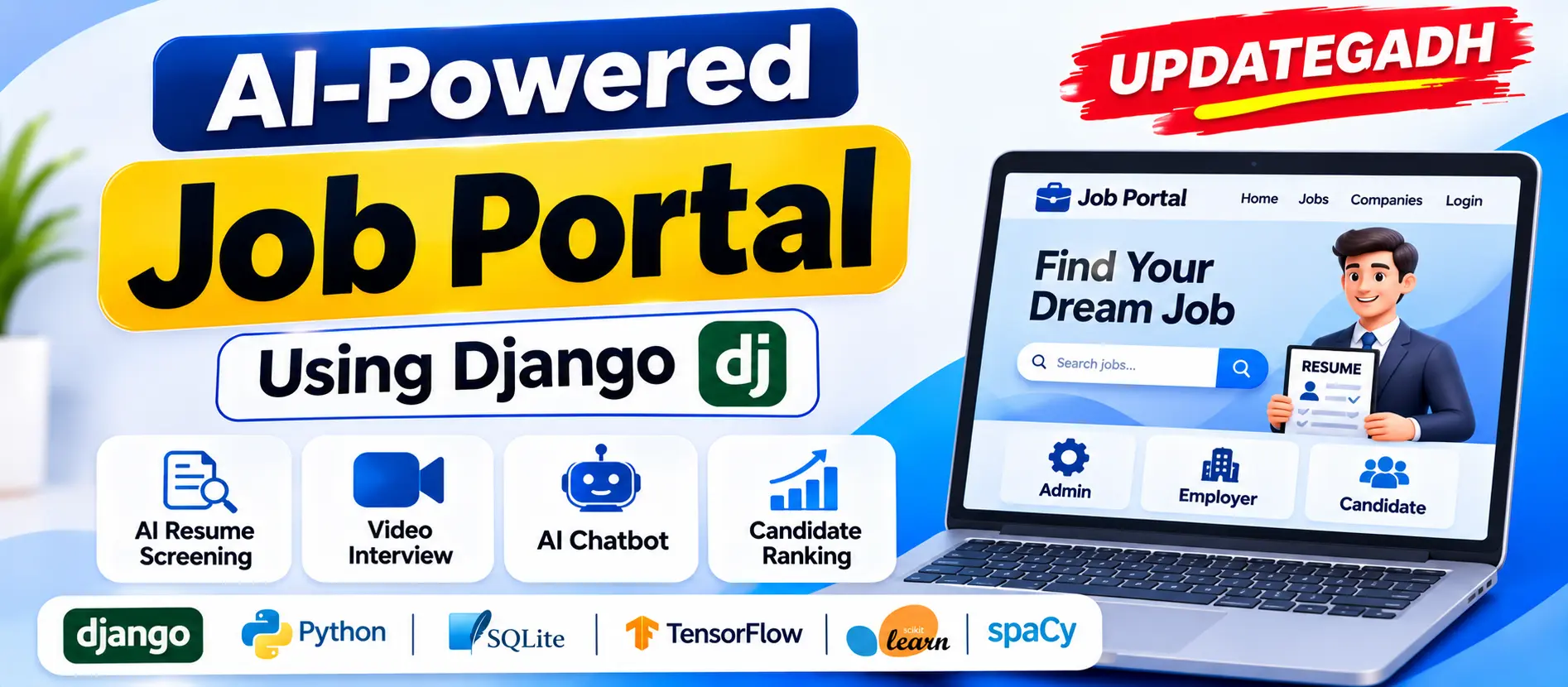
AI-Powered Job Portal Using Django is an advanced recruitment management application that connects employers, recruiters, and job seekers. It includes AI-based resume screening, candidate prediction, machine learning chatbot, online assessments, interview scheduling, and real-time video interviews.
Read more- Built with
- PythonDjangoMachine LearningBootstrapHTML/CSSJavaScript
- You get
- Source codeDatabaseProject reportPPTSetup guide
- Delivery
- Instant download after payment
Project Overview
AI-Powered Job Portal Using Django is an advanced recruitment management web application designed to connect employers, recruiters, and job seekers through an intelligent hiring platform. It combines Artificial Intelligence, Machine Learning, Natural Language Processing (NLP), and real-time video communication to simplify recruitment activities. The system provides separate Admin, Employer, Recruiter, and Candidate panels with AI-based resume screening, candidate ranking, online assessments, interview scheduling, and an intelligent chatbot.
Key Features
- Custom Admin Panel: Manage employers, recruiters, candidates, companies, jobs, applications, resumes, interviews, quizzes, questions, and skills. Includes dashboard charts, reports, filters, pagination, and CSV export.
- Employer and Recruiter Panel: Manage company profiles, recruiter teams, job vacancies, applicants, candidate shortlisting, application statuses, interviews, and recruitment reports.
- Candidate Panel: Manage profiles, education, experience, skills, resumes, job applications, saved jobs, assessments, and interviews.
- AI-Based Resume Screening: Analyze PDF and DOCX resumes using NLP, skill extraction, TF-IDF, and cosine similarity to generate matching scores and recommendations.
- LSTM-Based Candidate Prediction: Use TensorFlow/Keras to evaluate recruitment-stage information and generate candidate predictions.
- Machine Learning Chatbot: Provide role-specific responses using NLP, TF-IDF, Logistic Regression, and database-backed information without requiring paid AI APIs.
- Real-Time Video Interviews: Conduct browser-based interviews using WebRTC and Django Channels with camera controls, screen sharing, chat, interview timers, feedback, and ratings.
- Online Assessments: Create multiple-choice quizzes with timed tests and automatic evaluation.
- Application Tracking: Track candidate application progress through a progress stepper.
- Notifications: Provide notifications for recruitment activities and interview-related updates.
- Security: Include role-based permissions, CSRF protection, server-side validation, login lockout, and protected resume storage.
- Premium User Interface: Responsive interface with dashboard cards, charts, notifications, collapsible navigation, light and dark modes, and chatbot integration.
Technologies and Libraries Used
- Programming Language: Python
- Backend Framework: Django
- Database: SQLite
- Frontend: HTML, Bootstrap 5
- Charts: Chart.js
- Real-Time Communication: Django Channels, WebRTC
- Natural Language Processing: NLTK, spaCy
- Text Processing: TF-IDF
- Machine Learning: TensorFlow/Keras, Scikit-learn
- Chatbot: Logistic Regression
- Background Tasks: Celery, Redis (Optional)
- Admin Module
- Custom Admin Dashboard
- Employer Management
- Recruiter Management
- Candidate Management
- Company Management
- Job Management
- Application Management
- Resume Management
- Interview Management
- Quiz and Question Management
- Skills Management
- Reports and System Settings
- AI Model Management
- Chatbot Analytics
- Employer and Recruiter Module
- Employer Registration
- Company Profile Management
- Recruiter Team Management
- Job Vacancy Management
- Applicant Management
- AI Resume Analysis
- Candidate Shortlisting
- Application Status Management
- Interview Scheduling
- Interview Room Access
- Quiz Management
- Recruitment Reports
- Candidate Module
- Candidate Registration
- Profile Management
- Education and Experience Management
- Skills Management
- Resume Upload
- Job Search
- Job Applications
- Saved Jobs
- Application Tracking
- Online Assessments
- Interview Scheduling
- Video Interview Access
- Notifications
- AI Resume Analyzer
- AI and Machine Learning Module
- AI Resume Screening
- NLP Skill Extraction
- Resume and Job Matching
- LSTM Candidate Prediction
- Machine Learning Chatbot
- Model Training and Evaluation
- Video Interview Module
- Camera and Microphone Testing
- Real-Time Video Communication
- Screen Sharing
- Interview Room Chat
- Participant Presence
- Interview Timer
- Interview Feedback and Ratings
- Install Python 3.11 (recommended). Python 3.10–3.12 is supported.
- Extract the project ZIP file and open the project folder in Visual Studio Code.
- Open the PowerShell terminal and navigate to the project directory:
cd C:\path\to\updategadh_ai_job_portal
- Create a virtual environment:
py -3.11 -m venv .venv
- Activate the virtual environment:
.\.venv\Scripts\Activate.ps1
- If PowerShell blocks activation, execute:
Set-ExecutionPolicy -Scope Process -ExecutionPolicy Bypass
- Upgrade pip and install project dependencies:
python -m pip install --upgrade pip
pip install -r requirements.txt
- Install NLP resources:
python -m spacy download en_core_web_sm
python -m nltk.downloader punkt punkt_tab wordnet omw-1.4 stopwords
- Configure the SQLite database:
python manage.py makemigrations accounts core chatbot
python manage.py migrate
- Generate demo data and train available models:
python manage.py seed_demo --train
- Start the development server:
python manage.py runserver
- Open the application in your browser:
http://127.0.0.1:8000/
Stuck while running it? Chat with us on WhatsApp for free installation help.
No reviews yet. Be the first to review this project.