 13% OFF
 Student Attendance Management System
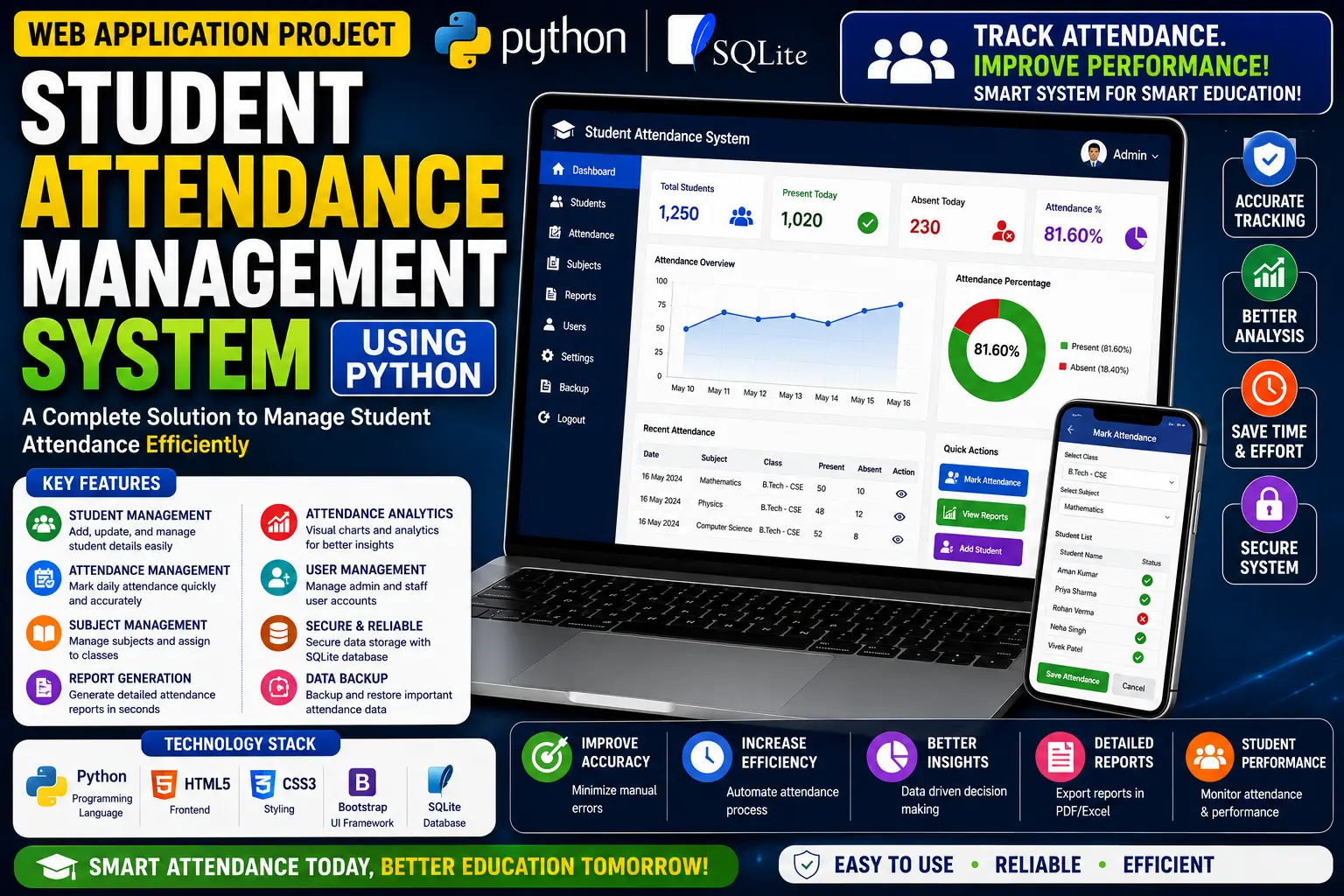
A Student Attendance Management System using Python and Django that provides separate roles for Admin, Staff/Teachers, and Students to manage attendance, students, staff, courses, subjects, sessions, results, leaves, and feedback.
Read more- Built with
- PythonDjangoBootstrapHTML/CSSJavaScript
- You get
- Source codeDatabaseProject reportPPTSetup guide
- Delivery
- Instant download after payment
Student Attendance Management System Using Python Django is a web-based application developed using the Python programming language and Django Framework. This project is designed to help schools, colleges, and other educational institutions manage student attendance in a faster and more reliable way.
The system provides different logins for Admins, Staff/Teachers, and Students, with each role having specific features and responsibilities. Admins can manage staff, students, courses, subjects, sessions, feedback, leave requests, and attendance records. Staff and teachers can take and update student attendance, add and update results, apply for leave, and send feedback to the HOD. Students can view attendance and result records, apply for leave, and submit feedback to the HOD.
Key Features
- Admin Dashboard: View overall performance summary charts for students, staff, courses, subjects, leaves, and other information.
- Staff Management: Add, update, and delete staff members.
- Student Management: Add, update, and delete students.
- Course, Subject & Session Management: Manage courses, subjects, and sessions.
- Feedback Management: Review and respond to feedback.
- Leave Management: Approve or reject student and staff leave requests.
- Attendance Records: Admins can view attendance records.
- Attendance Management: Staff and teachers can take and update student attendance.
- Result Management: Staff and teachers can add and update student results.
- Staff Leave: Staff and teachers can apply for leave.
- HOD Feedback: Staff and teachers can send feedback to the HOD.
- Student Summary: Students can view summary charts related to attendance and subjects.
- Student Records: Students can access attendance and result records.
- Student Leave: Students can apply for leave.
- Student Feedback: Students can submit feedback to the HOD.
Technology Stack
| Technology | Details |
|---|---|
| Programming Language | Python |
| Framework | Django Framework |
| Database | SQLite |
| Project Type | Web Application |
How It Works
The application uses role-based access for Admins, Staff/Teachers, and Students. Admins manage staff, students, courses, subjects, sessions, feedback, leave requests, and attendance records. Staff and teachers can take and update attendance, add and update results, apply for leave, and send feedback to the HOD. Students can check their attendance and result records, apply for leave, and submit feedback.
Perfect For
- College Projects
- University Projects
- Final Year Projects
- Python Django Students
- Educational Institution Projects
- Django Learning Projects
Why This Project Is Useful for Students
This project helps students understand important Django concepts including authentication, role-based access, CRUD operations, and database handling. It also provides practical experience in building a real-world attendance management web application.
Watch Project Demo
More Details & Full Documentation
Admin Module
- View overall performance summary charts
- Manage staff
- Add staff
- Update staff
- Delete staff
- Manage students
- Add students
- Update students
- Delete students
- Manage courses
- Manage subjects
- Manage sessions
- Review and respond to feedback
- Approve/reject student leave requests
- Approve/reject staff leave requests
- View attendance records
Staff/Teacher Module
- Access summary charts of subjects, students and leave status
- Take student attendance
- Update student attendance
- Add student results
- Update student results
- Apply for leave
- Send feedback to HOD
Student Module
- View summary charts related to attendance and subjects
- Access attendance records
- Access result records
- Apply for leave
- Submit feedback to HOD
Prerequisites
- Git
- Python
- Pip
Step 1: Create a Project Folder
Choose a folder where you want to save the project.
Step 2: Install Virtual Environment
pip install virtualenv
Step 3: Create Virtual Environment
python -m venv venv
Step 4: Activate Virtual Environment
Windows
venv\Scripts\activate
Mac/Linux
python3 -m venv venv
source venv/bin/activate
Step 5: Download the Project and Navigate to the Folder
cd django-student-attendance-system
Step 6: Install Required Packages
pip install -r requirements.txt
Step 7: Configure Allowed Hosts
Open settings.py and configure
ALLOWED_HOSTS = ['*']
Step 8: Run the Server
Windows
python manage.py runserver
Mac/Linux
python3 manage.py runserver
Step 9: Create Superuser
python manage.py createsuperuser
Stuck while running it? Chat with us on WhatsApp for free installation help.
No reviews yet. Be the first to review this project.