 50% OFF
 Bike Showroom Management System Using Python Django
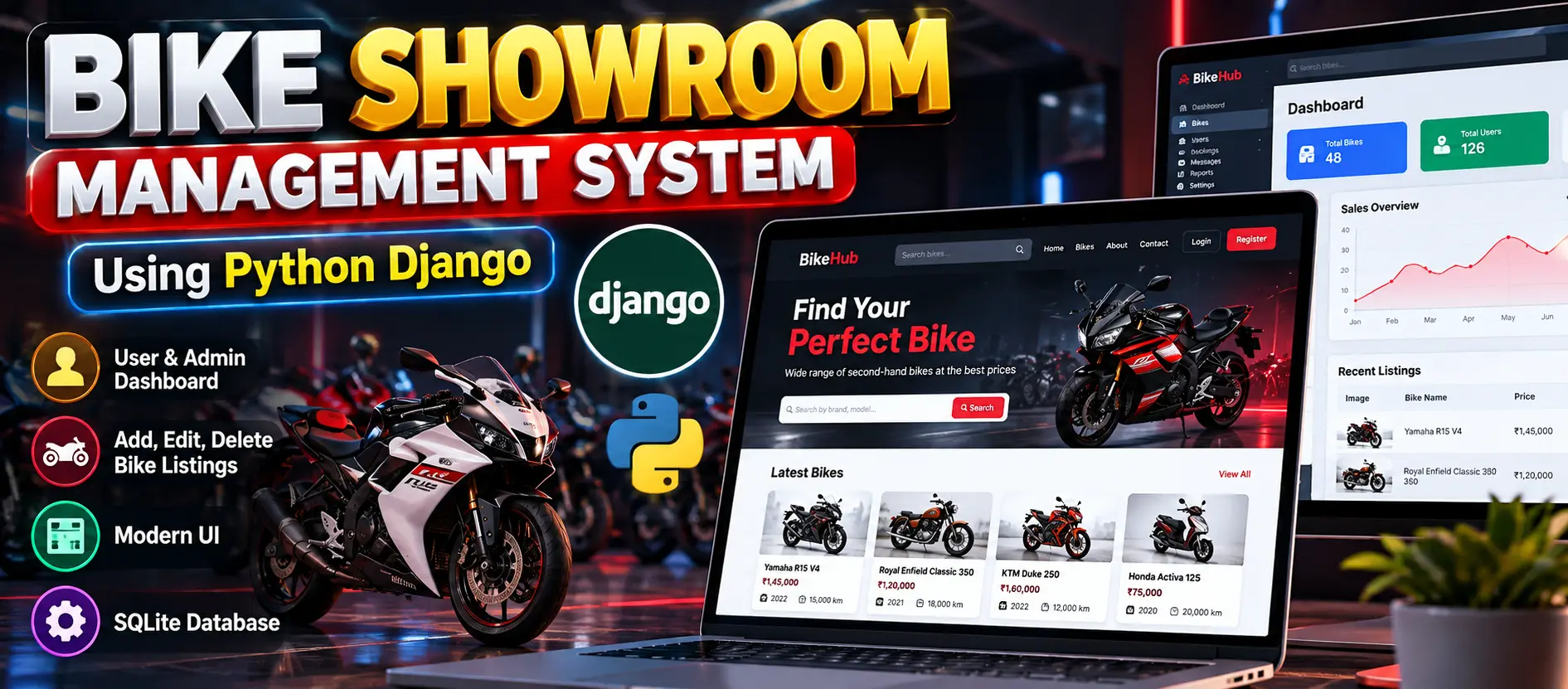
Bike Showroom Management System Using Python Django is a full-stack web application designed to manage second-hand bike listings and user accounts. Built with Python, Django, SQLite, HTML, CSS, and JavaScript, it allows registered users to add, edit, and delete their own bike listings. The system includes a personalized user dashboard, administrator management, CKEditor integration, role-based permissions, and a customized Jazzmin admin interface.
Read more- Built with
- PythonDjangoBootstrapHTML/CSS
- You get
- Source codeDatabaseProject reportPPTSetup guide
- Delivery
- Instant download after payment
Project Overview
The Bike Showroom Management System Using Python Django is a full-stack web application developed to simplify the management of second-hand bike listings and user accounts. It uses Python and Django for backend development and SQLite for database management, making local installation straightforward.
The application provides separate functionalities for registered users and administrators. Users can publish and manage their bike listings through a personalized dashboard, while administrators can manage registered users, oversee listings, and maintain application data.
Available Features
- User Registration and Login: Allows users to create accounts and securely access their account features.
- Bike Listing Management: Enables registered users to add, edit, and delete their own second-hand bike listings according to implemented permissions.
- User Dashboard: Provides a personalized dashboard for managing bike listings and account activities.
- Bike Details Management: Supports detailed bike descriptions to help sellers present relevant vehicle information.
- Administrator Management: Allows administrators to manage registered users, oversee bike listings, and maintain application data.
- Dynamic Homepage: Displays available bike listings to visitors.
- CKEditor Integration: Provides rich-text formatting for bike descriptions.
- Role-Based Permissions: Separates user and administrator functionality according to assigned permissions.
- Email Configuration: Supports SMTP email functionality when configured with valid credentials.
- Jazzmin Admin Theme: Enhances the appearance and usability of the Django administration interface.
- SQLite Database: Stores application data in a local database file without requiring a separate database server.
User Roles
Registered User
Users can register, log in, access their dashboard, publish second-hand bike listings, update bike details, and delete their own listings according to the permissions implemented in the application.
Administrator
Administrators can access the Django admin panel to manage registered users, oversee bike listings, and maintain application data.
Technology Stack
- Programming Language: Python
- Backend Framework: Django
- Database: SQLite
- Frontend: HTML, CSS, and JavaScript
- Rich-Text Editor: CKEditor
- Admin Interface: Django Admin with Jazzmin
- Development Environment: Visual Studio Code
Software and Tools Required
- Python 3.11 or higher
- Visual Studio Code or another code editor
- Python packages listed in requirements.txt
- A modern web browser
More Details and Full Documentation
For complete project information, screenshots, features, and installation instructions, visit the original UPDATEGADH project page.
- User Registration and Login
- User Dashboard
- Bike Listing Management
- Bike Details Management
- Dynamic Homepage
- Administrator Management
- CKEditor Integration
- Role-Based Permissions
- Email Configuration
- Django Admin Interface
- SQLite Database Management
- Install Python 3.11 or higher and Visual Studio Code.
- Extract the project ZIP file and open the root folder in Visual Studio Code.
- Open the integrated terminal in the project directory.
- Create a virtual environment: python -m venv env
- Activate the environment on Windows: env\Scripts\activate
- Upgrade pip: python -m pip install --upgrade pip
- Install the required dependencies: pip install -r requirements.txt
- Verify that the database configuration in settings.py uses SQLite and the db.sqlite3 database file.
- Create database migrations: python manage.py makemigrations
- Apply database migrations: python manage.py migrate
- Create an administrator account: python manage.py createsuperuser
- Enter the requested username, email address, and password.
- If email notifications are required, configure the SMTP settings in settings.py.
- Start the development server: python manage.py runserver
- Open http://127.0.0.1:8000/ to access the application.
- Open http://127.0.0.1:8000/admin/ to access the Django administration panel.
- Log in using the superuser credentials created during installation.
Stuck while running it? Chat with us on WhatsApp for free installation help.
No reviews yet. Be the first to review this project.