Demo Video
Smart Chess AI with Advanced Features Using Python and Pygame
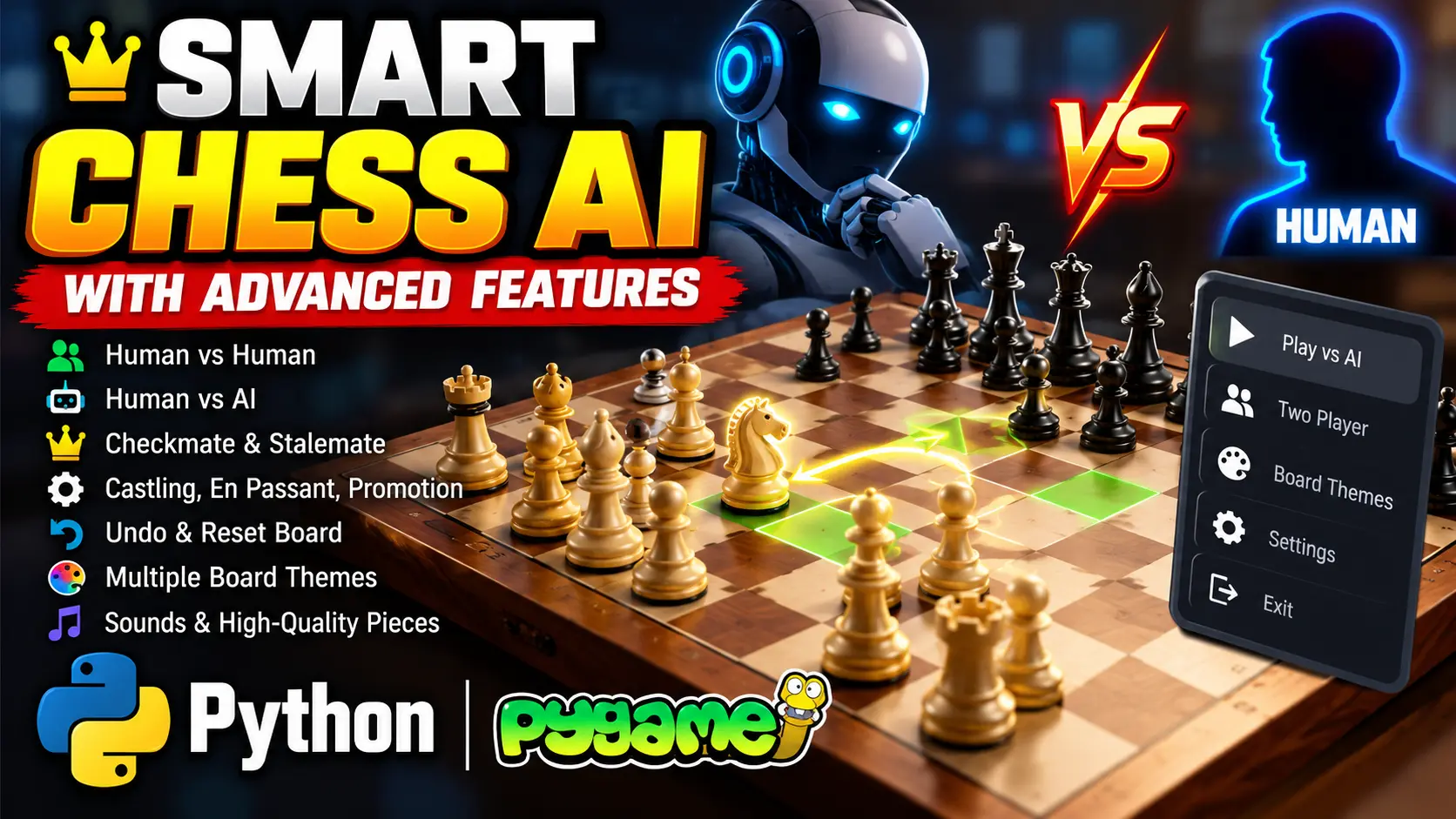
Smart Chess AI with Advanced Features is a Python-based chess game developed using Pygame. It supports human-versus-human and human-versus-AI gameplay, with an AI opponent powered by the Negamax algorithm and Alpha-Beta pruning. Features include legal move highlighting, checkmate and stalemate detection, castling, en passant, pawn promotion, undo and reset controls, customizable board themes and sound effects.
What You Will Get
Project Overview
Smart Chess AI with Advanced Features Using Python is a desktop chess application developed with Python and Pygame. It provides an interactive graphical interface where users can play against another person on the same computer or challenge an AI opponent.
The AI uses the Negamax algorithm with Alpha-Beta pruning to examine possible moves and select a suitable move during gameplay. The application combines chess rule enforcement, move validation, game-state detection and interactive controls in a single application.
Available Features
Interactive Chessboard GUI
The Pygame interface displays chess pieces visually and allows players to select and move pieces using mouse clicks. The board updates as the game progresses.
Two-Player Mode
Play chess against another human player on the same device. Both players take turns moving pieces according to the implemented chess rules.
AI Opponent
The AI opponent uses Negamax with Alpha-Beta pruning to evaluate possible moves. Alpha-Beta pruning reduces unnecessary search calculations, helping the AI choose moves more efficiently.
Legal Move Highlighting
The application validates moves according to the supported chess rules and highlights legal destinations for the selected piece.
Checkmate and Stalemate Detection
The game identifies checkmate and stalemate conditions to determine when the current chess position has reached an end state.
Advanced Chess Mechanics
- Pawn Promotion: A pawn reaching the final rank is automatically promoted to a queen.
- En Passant: Supports the special pawn capture under the applicable chess rules.
- Castling: Supports castling when the required conditions are satisfied.
Undo and Reset Controls
Press the Z key to undo the last move. Press the R key to reset the chessboard and start a new game.
Customizable Chessboard Themes
The application offers different chessboard colors and themes so players can personalize the board's appearance.
Sound Effects and Chess Piece Images
Sound effects accompany piece movement and captures. Chess piece images make the board easier to read and improve the visual presentation.
AI Decision-Making
The AI evaluates possible moves using the Negamax search algorithm. Alpha-Beta pruning skips branches that do not need further evaluation, reducing the number of positions examined during the search.
Game Logic and Rule Enforcement
The engine.py module manages move validation, piece movement and chess rule enforcement. It handles the underlying game logic while the Pygame interface provides mouse-based interaction and visual board updates.
Technology Stack
- Programming Language: Python
- Graphics and GUI: Pygame
- AI Algorithm: Negamax with Alpha-Beta pruning
- Interface: Desktop graphical user interface
- Game Logic: Python chess engine module
Software and Tools Required
- Python
- Visual Studio Code
- Pygame library
- Python virtual environment
- Chess piece images and sound resources supplied with the project
How to Play
- Open the project folder in Visual Studio Code.
- Activate the Python virtual environment and install Pygame.
- Run the main Python file from its actual project location.
- Select a chess piece using the mouse.
- Choose a highlighted legal destination to move the piece.
- Play against another person or the AI opponent.
- Press Z to undo the last move or R to reset the board.
- Choose from the available chessboard themes to change the board's appearance.
Project Applications
- Python desktop game development.
- Artificial intelligence and search algorithm demonstrations.
- Chess rule implementation and move validation.
- Interactive GUI development using Pygame.
- Academic projects focused on game logic and AI decision-making.
Watch Project Demo
Watch Smart Chess AI with Advanced Features Demo
More Details and Full Documentation
Project Modules
2. Chess Piece Interaction Module
3. Two-Player Game Mode Module
4. AI Opponent Module
5. Negamax Search Module
6. Alpha-Beta Pruning Module
7. Legal Move Validation Module
8. Checkmate Detection Module
9. Stalemate Detection Module
10. Pawn Promotion Module
11. En Passant Module
12. Castling Module
13. Undo Move Module
14. Board Reset Module
15. Chessboard Theme Module
16. Sound Effects Module
17. Chess Piece Image Rendering Module
18. Game Engine Module
Installation Guide
1. Install Python on your Windows computer.
2. Install Visual Studio Code.
3. Extract the project ZIP file and open the project folder in VS Code.
4. Open the integrated terminal.
5. Verify Python using: python --version
6. Create a virtual environment using: python -m venv env
7. Activate the environment using: env\Scripts\activate
8. Install Pygame using: python -m pip install pygame
9. Confirm that the required Python files, chess piece images and sound resources are present.
10. Locate the main Python file inside the project folder.
11. If the main file is located in the Code folder, run: python Code/main.py
12. If the folder structure differs, run the main Python file from its actual location.
13. Wait for the Pygame chessboard window to open.
14. Select chess pieces and move them using the mouse.
15. Play against another human player or the AI opponent.
16. Press Z to undo the last move.
17. Press R to reset the chessboard.
18. Test the available board themes and sound effects.
19. If an image or sound file is missing, verify that the supplied resources remain in their expected project directories.
FAQ for this project coming soon.
No reviews yet. Be the first to review!
Write a Review
Related Projects
 25% OFF
Featured
25% OFF
Featured
 55% OFF
Featured
55% OFF
Featured
 20% OFF
Featured
20% OFF
Featured
 38% OFF
Featured
38% OFF
Featured