 17% OFF
Employee Management System Using Python
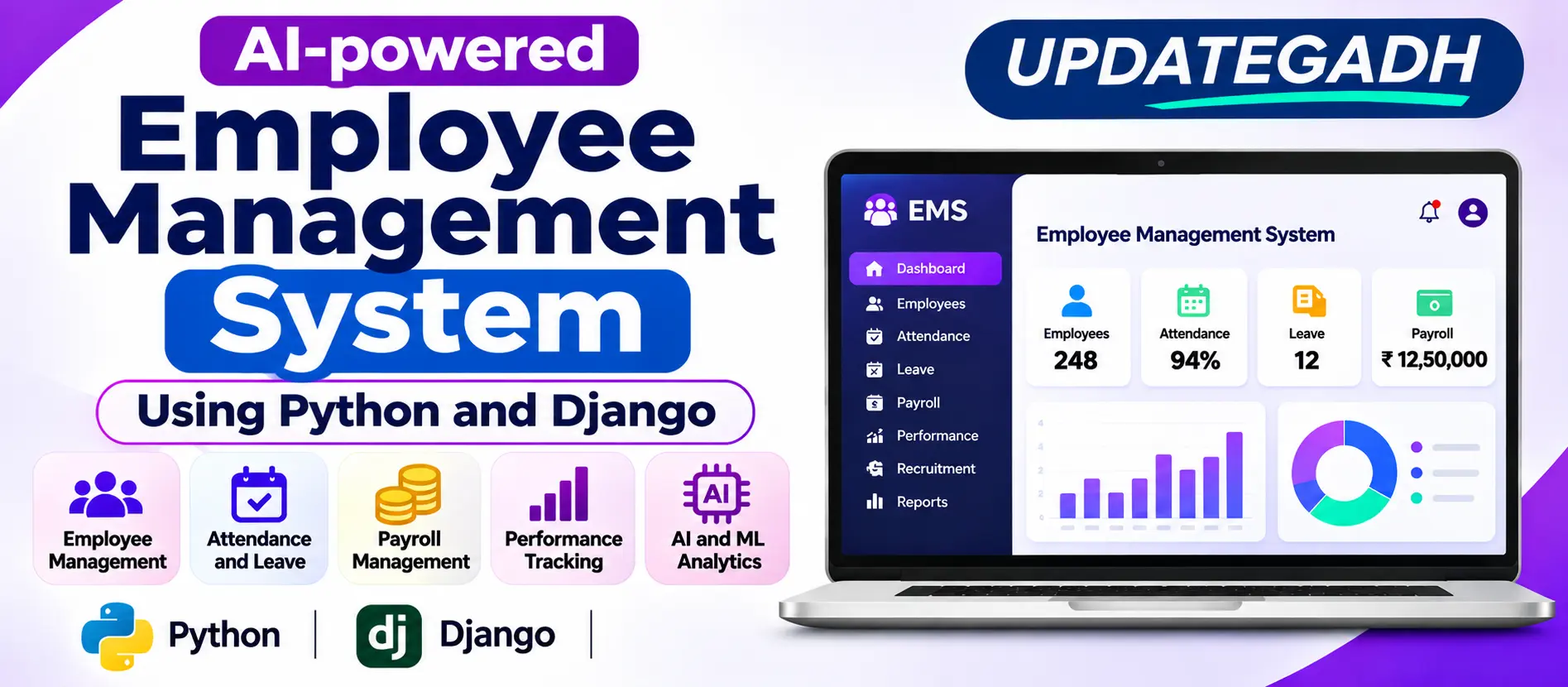
Employee Management System is a web-based application developed using Python, Django 5 and SQLite to manage employee records, recruitment, attendance, leave requests, payroll, performance, communication and HR operations.
Read more- Built with
- PythonDjangoMachine LearningBootstrapHTML/CSS
- You get
- Source codeDatabaseProject reportPPTSetup guide
- Delivery
- Instant download after payment
Project Overview
Employee Management System is a web-based application designed to simplify and organize human resource activities within an organization. It provides a centralized platform for managing employee records, recruitment, attendance, leave requests, payroll, performance, communication and other HR operations.
Developed using Python, Django 5 and SQLite, the Employee Management System combines modern web technologies with Artificial Intelligence, Machine Learning and Natural Language Processing. It includes five separate role-based workspaces, each with its own layout and colour palette.
User Roles
1. Admin
- Organization Analytics
- Account Management
- Permission Matrix
- Workflow Management
- Audit Log
- System Settings
2. HR Manager
- Employee Management
- Exit Management
- Attendance Management
- Leave Management
- Payroll Management
- Performance Management
- Attrition Analysis
- Anomaly Detection
3. Recruiter
- Vacancy Management
- Resume Parsing
- Candidate Ranking
- Interview Management
- Offer Management
- Recruitment Pipeline Analytics
4. Department Manager
- Team Attendance
- Leave Approvals
- Goals and KPIs
- Performance Reviews
- Skill Gap Analysis
5. Employee
- Check-In and Check-Out
- Leave Management
- Payslips
- Goal Management
- Learning Management
- Resignation
Key Features
- Employee Lifecycle Management
- Onboarding Checklists
- Document Management
- Employee History
- Transfers and Promotions
- Probation Management
- Resignation and Exit Interviews
- PDF and DOCX Resume Parsing
- Candidate Skill Extraction
- Education and Experience Identification
- Candidate Ranking and Comparison
- Interview Rounds and Feedback
- Offer-Letter PDF Generation
- Employee Check-In and Check-Out
- Shift Management
- Holiday Management
- Late Arrival and Early Departure Tracking
- Overtime Tracking
- Two-Level Leave Approval Workflow
- Leave Balance Management
- Biometric Attendance API Endpoint
- Payroll Processing
- PDF Payslip Generation
- Salary Revision Management
- Performance Reviews
- Employee Training
- Training Certificates
- Skill Gap Analysis
- Internal Messages
- Organization Announcements
- Policy Acknowledgements
- Helpdesk Functionality
- Reminders
- Employee Attrition Prediction
- Forecasting and Performance Trends
- Anomaly Detection
- HR Assistant
Technologies and Libraries Used
- Python
- Django 5
- SQLite
- Bootstrap 5
- Chart.js
- Scikit-learn
- TF-IDF
- LSA Embeddings
- Logistic Regression
- IsolationForest
- ReportLab
- OpenPyXL
AI and Machine Learning Features
- Resume NLP
- Candidate Ranking
- Employee Attrition Prediction
- Forecasting and Performance Trends
- Skill Gap Analysis
- Anomaly Detection
- HR Assistant
- Organization Analytics
- Account Management
- Permission Matrix
- Workflow Management
- Audit Log
- System Settings
- Employee Management
- Exit Management
- Attendance Management
- Leave Management
- Payroll Management
- Performance Management
- Attrition Analysis
- Anomaly Detection
- Vacancy Management
- Resume Parsing
- Candidate Ranking
- Interview Management
- Offer Management
- Recruitment Pipeline Analytics
- Team Attendance
- Leave Approvals
- Goals and KPIs
- Performance Reviews
- Skill Gap Analysis
- Check-In and Check-Out
- Payslips
- Goal Management
- Learning Management
- Resignation
- Employee Lifecycle Management
- Shift Management
- Holiday Management
- Internal Messages
- Organization Announcements
- Policy Acknowledgements
- Helpdesk Functionality
- Reminders
- Resume NLP
- Forecasting and Performance Trends
- HR Assistant
Step 1: Install Python 3.11 or newer.
Step 2: Extract the project ZIP file and open the project folder in VS Code.
Step 3: Open the VS Code Terminal.
Step 4: Create a virtual environment
python -m venv venv
Step 5: Activate the virtual environment
.\venv\Scripts\Activate
Step 6: Install required packages
pip install -r requirements.txt
Step 7: Create database migrations
python manage.py makemigrations core people recruitment attendance payroll performance comms intelligence
Step 8: Apply database migrations
python manage.py migrate
Step 9: Generate demo data
python manage.py seed_demo
Step 10: Run the project
python manage.py runserver
Open your browser and visit
http://127.0.0.1:8000/
Admin
Username: admin
Password: Admin@123
HR Manager
Username: hr
Password: Hr@12345
Recruiter
Username: recruiter
Password: Recruit@123
Department Manager
Username: manager
Password: Manager@123
Employee
Username: employee
Password: Employee@123
Stuck while running it? Chat with us on WhatsApp for free installation help.
No reviews yet. Be the first to review this project.