 13% OFF
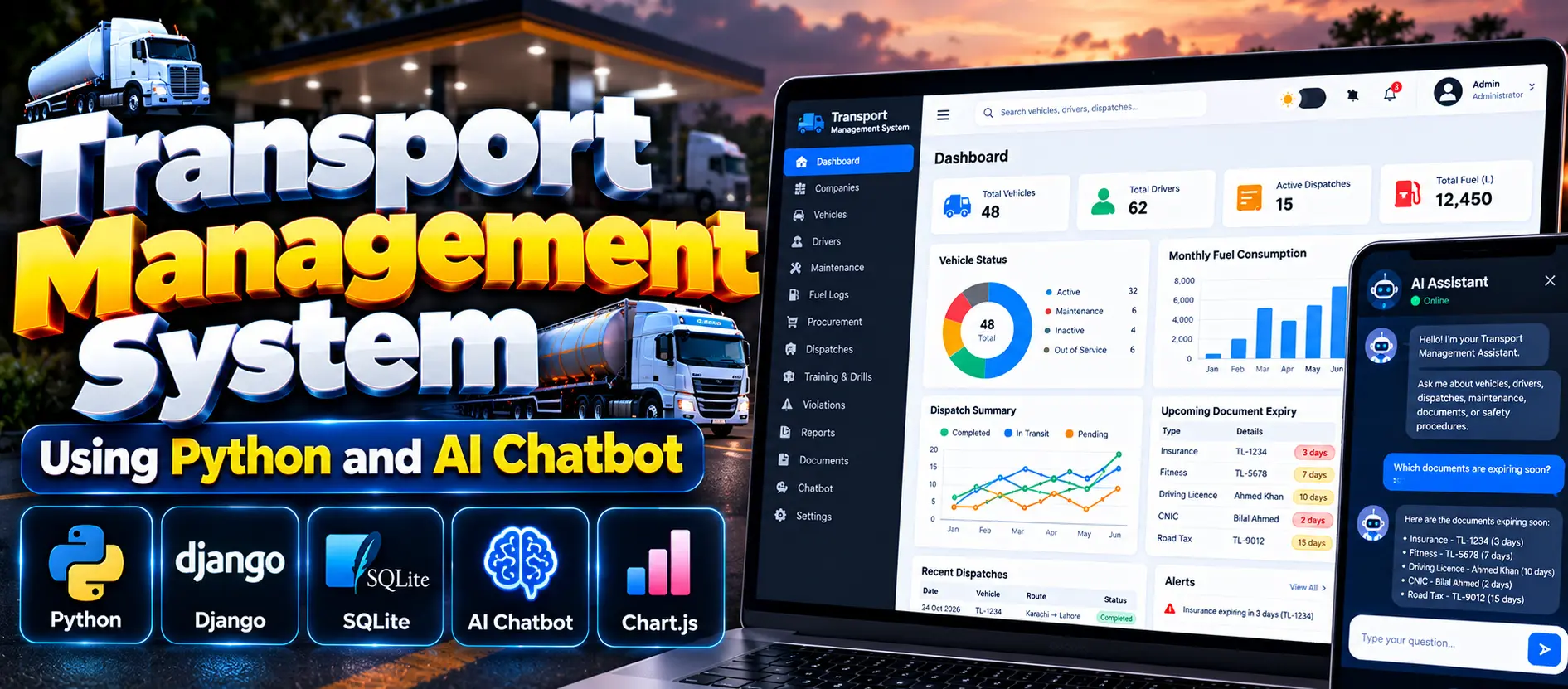
 Transport Management System Using Python and AI Chatbot
Transport Management System Using Python and AI Chatbot is a Django-based web application that manages vehicles, drivers, compliance records, maintenance, fuel expenses, procurement, and dispatches. It includes role-based access, dashboards, reports, CSV import and export, notifications, and a machine-learning chatbot powered by SQLite database records.
Read more- Built with
- PythonDjangoMachine LearningBootstrapHTML/CSSJavaScript
- You get
- Source codeDatabaseProject reportPPTSetup guide
- Delivery
- Instant download after payment
Project Overview
The Transport Management System Using Python and AI Chatbot is a web-based application developed using Python, Django, SQLite, HTML, CSS, and JavaScript. It helps organize transport operations, including vehicle management, driver records, compliance monitoring, maintenance, fuel logs, expenses, procurement, and dispatches.
The application includes a custom administration panel, a read-only user portal, operational dashboards, reports, CSV import and export, and a machine-learning chatbot. Its interface supports responsive layouts, global search, and light and dark modes.
Available Features
- Custom Admin Panel: Manage transport companies, vehicle owners, vehicle records, drivers, maintenance, fuel logs, expenses, procurement, and dispatches.
- Compliance Management: Track insurance, fitness certificates, road tax, permits, registrations, driving licences, and other compliance records.
- Driver Safety Management: Maintain driver profiles, training history, violations, safety records, and compliance scores.
- Record Management: Add, view, edit, delete, search, filter, sort, and paginate supported records.
- CSV Import and Export: Import records using CSV files and templates and export supported records.
- Dashboard and Charts: View clickable KPI cards, eight Chart.js charts, operational alerts, and recent dispatch information.
- Alerts and Notifications: Track expired or expiring documents, overdue maintenance, inactive vehicles, and driver training requirements.
- Reports: Generate fleet compliance, driver compliance, expiring documents, dispatch summary, fuel and operating cost, violations, and maintenance reports.
- Role-Based Access: Provide different permissions for administrators, managers, and read-only users.
- AI Chatbot: Answer supported transport-related questions using natural language processing, intent classification, and live database queries.
- Chatbot Analytics: Review chatbot analytics, unanswered questions, and retrain the model.
- Responsive Interface: Use a sidebar, top navigation, global search, and light and dark display modes.
Which Technologies Are Used in This Project?
- Programming Language: Python
- Framework: Django
- Database: SQLite
- Frontend: HTML, CSS, JavaScript
- Charts: Chart.js
- Machine Learning: Scikit-learn, TF-IDF, Logistic Regression, NLTK
More Details and Full Documentation
For the complete project information, features, screenshots, source code package details, and installation instructions, visit the official UPDATEGADH project page.
- Company Management
- Vehicle Maker and Owner Management
- Vehicle Registry Management
- Compliance Records Management
- Vehicle Maintenance Management
- Fuel Logs and Expenses Management
- Procurement and Dispatch Management
- Driver Management
- Driver Safety and Training Management
- Record Management and Data Utilities
- Dashboard and Charts
- Alerts and Notifications
- Reports Management
- Role-Based Access Management
- CSV Import and Export
- AI Chatbot
- Chatbot Analytics and Training
- Read-Only User Portal
Step 1: Install Python 3.10–3.12 and Visual Studio Code. Ensure Python is added to PATH.
Step 2: Extract the project ZIP file and open the project folder containing manage.py in VS Code.
Step 3: Open Terminal > New Terminal and create a virtual environment
python -m venv venv
Step 4: Activate the virtual environment in Windows PowerShell
.\venv\Scripts\Activate.ps1
Step 5: Upgrade pip and install the required dependencies
python -m pip install --upgrade pip
pip install -r requirements.txt
Step 6: Create database migrations
python manage.py makemigrations core chatbot
Step 7: Apply database migrations
python manage.py migrate
Step 8: Load demo data
python manage.py seed_demo
Step 9: Train the chatbot
python manage.py train_chatbot
Step 10: Start the development server
python manage.py runserver
Step 11: Open the application in your browser
http://127.0.0.1:8000/
Stuck while running it? Chat with us on WhatsApp for free installation help.
No reviews yet. Be the first to review this project.