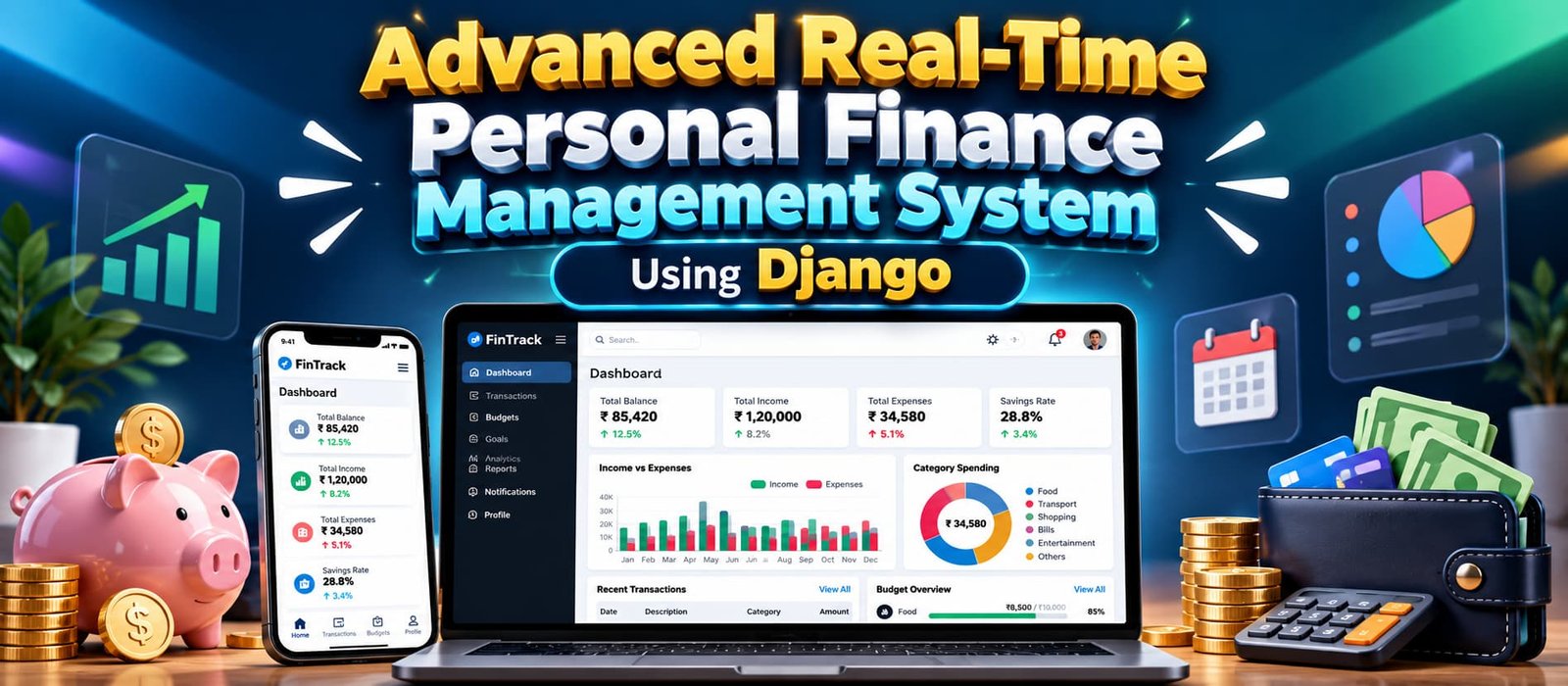
Advanced Real-Time Personal Finance Management System Using Django
Advanced Real-Time Personal Finance Management System built with Python and Django, featuring income and expense tracking, budgets, financial goals, recurring transactions, analytics, notifications, CSV and PDF reports, and a separate staff management dashboard using SQLite.
What You Will Get
Project Overview
Advanced Real-Time Personal Finance Management System is a modern web-based finance management application developed using Python and Django. The system helps users manage income, expenses, budgets, financial goals, recurring transactions, notifications, analytics, and financial reports through a responsive interface.
The project uses SQLite as its database, making it suitable for local development, demonstrations, learning, and academic projects without requiring an external database server.
Key Features
- Income and Expense Management
- Real-Time Financial Dashboard
- Recurring Transactions
- Budget Management
- Financial Goals
- Notification Center
- Financial Analytics
- CSV and PDF Financial Reports
- Staff Management Dashboard
- Dark and Light Mode
- Responsive Interface
Financial Dashboard
The dashboard provides an overview of balance, income, expenses, savings, savings rate, remaining budget, and active financial goals. Financial information is dynamically retrieved from the database and updated through JSON endpoints and Fetch API interactions.
Transaction Management
Users can add, edit, and delete income and expense transactions. The transaction section supports live search, filtering by type, category, payment method and date range, sorting, pagination, and CSV export.
Recurring Transactions
The recurring transaction module supports regular financial activities such as salary, rent, EMI payments, and subscriptions. Recurring transactions can be processed automatically while preventing duplicate processing for the same period.
Budget Management
Users can create monthly budgets for individual categories and monitor spending, remaining amounts, and budget utilization. Notifications can be generated when spending reaches defined thresholds such as 70%, 90%, and 100% or more.
Financial Goals
Users can create financial goals by specifying a target amount, current progress, and target date. Savings progress can be updated easily, and completed goals are automatically marked as completed.
Financial Analytics
The analytics section provides visual financial information including income, expense and savings trends, category-wise spending, budget utilization, savings-rate information, and average financial values. Chart.js is used for financial visualization.
Financial Reports
Users can filter financial records by type, category, month, year, and date range. Filtered information can be exported as CSV files or PDF documents using ReportLab.
Staff Management Dashboard
The project includes a separate custom management dashboard available at /manage-panel/. Authorized staff users can view system-wide statistics and manage users, categories, and transaction-related information.
Notification Center
The notification center provides a centralized location for application alerts. Users can view unread notifications, mark individual notifications as read, or mark all notifications as read using dynamic AJAX interactions.
Technology Stack
- Python
- Django
- SQLite
- HTML
- CSS
- Bootstrap
- Vanilla JavaScript
- Fetch API
- Chart.js
- ReportLab
Software and Tools Required
- Python
- Visual Studio Code
- Django
- Web Browser
More Details and Full Documentation
Project Modules
Financial Dashboard
Income Management
Expense Management
Transaction Management
Recurring Transactions
Budget Management
Financial Goals
Notification Center
Financial Analytics
Financial Reports
CSV Export
PDF Report Generation
Staff Management Dashboard
User Management
Category Management
Transaction Administration
Dark and Light Mode
Responsive Interface
Installation Guide
1. Install Python and Visual Studio Code.
2. Extract the project and open the project folder in VS Code.
3. Open the VS Code terminal.
4. Create a virtual environment:
python -m venv .venv
5. Activate the virtual environment on Windows:
.venv\Scripts\activate
6. Install the required packages:
pip install -r requirements.txt
7. Create the environment configuration:
copy .env.example .env
8. Create migrations:
python manage.py makemigrations accounts transactions budgets goals notifications
9. Apply database migrations:
python manage.py migrate
10. Create default financial categories:
python manage.py seed_categories
11. Create an administrator account:
python manage.py createsuperuser
12. Start the Django development server:
python manage.py runserver
13. Open the project in your browser:
http://127.0.0.1:8000/
FAQ for this project coming soon.
No reviews yet. Be the first to review!
Write a Review
Related Projects
 20% OFF
Featured
20% OFF
Featured
 20% OFF
Featured
20% OFF
Featured
 23% OFF
Featured
23% OFF
Featured
 11% OFF