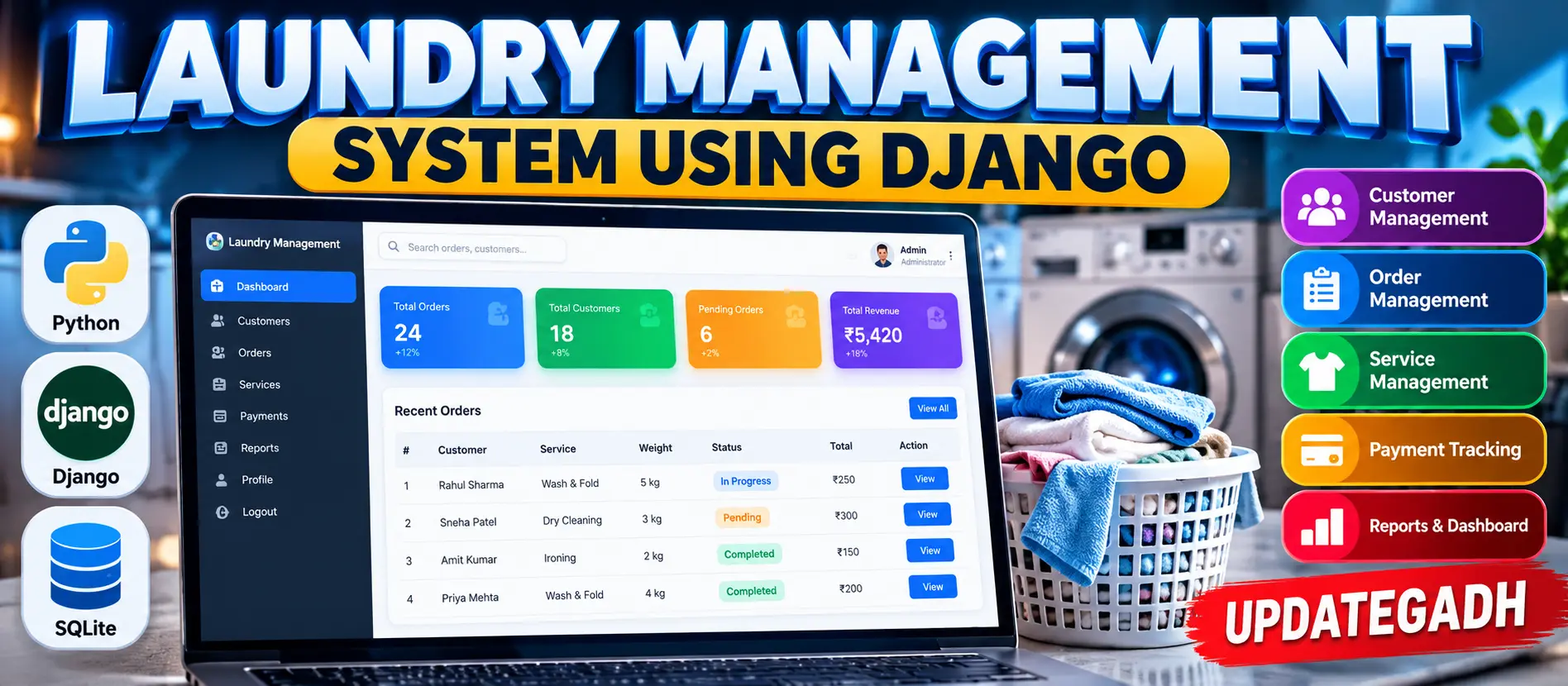
Laundry Management System Using Python Django
Laundry Management System Using Python Django is a medium-level web application for managing customers, laundry orders, order status, payment status, searching, filtering, and dashboard summaries with Django authentication and SQLite.
What You Will Get
Project Overview
Laundry Management System Using Python Django is a medium-level web application developed to organize the daily workflow of a laundry service. The system provides a structured workspace for managing customer information and laundry orders through a responsive Django-based interface.
The application uses Python, Django, HTML, CSS, JavaScript, and SQLite. It demonstrates a practical management workflow where authenticated staff can register customers, create laundry orders, update order status, track payments, and review recent activity.
Key Features
- Dashboard with operational summaries
- Customer Management
- Laundry Order Management
- Order Status Tracking
- Payment Status Tracking
- Customer Search
- Order Search and Filtering
- Django Authentication
- Responsive User Interface
- Recent Orders Display
Customer Management
The customer module allows staff to add, edit, search, and delete customer records. Customer information includes name, phone, email, address, and creation time. Django ModelForm is used for structured form handling and validation.
Laundry Order Management
Staff can create laundry orders by selecting a customer and entering the required service information. Each order stores the service type, clothing count, pickup date, delivery date, amount, operational status, payment status, notes, and timestamps.
Order numbers are generated automatically when a new laundry order is saved.
Order Status Tracking
Laundry orders follow a simple operational workflow. An order can move through Pending, Washing, Ready, and Delivered states, allowing staff to track the current stage of laundry processing.
Payment Tracking
Each laundry order includes a payment status that can be maintained as Pending or Paid. The dashboard also summarizes the collected payment value for the available orders.
Dashboard
The dashboard reads live database values and displays important operational information such as customer count, order count, pending work, ready orders, delivered orders, and collected payment value.
A recent-orders section provides quick access to order numbers, customers, services, delivery dates, statuses, and amounts without requiring staff to open the complete order register.
Search and Filtering
The customer directory supports searching by customer name or phone number. The laundry order section supports searching by order number or customer name and filtering orders according to their current status.
Authentication
Django authentication protects the operational dashboard and management pages from unauthenticated access. Users sign in through the Django authentication system, while protected pages use Django's login decorator.
Professional Dashboard
The project includes a laundry-focused management interface with a dark blue sidebar, dashboard navigation, laundry orders, customers, top workspace area, user avatar, KPI cards, order workflow information, recent orders, and payment summaries.
The responsive interface allows the dashboard, tables, forms, sidebar, and navigation elements to adapt to smaller screens.
Technology Stack
- Python
- Django
- HTML
- CSS
- JavaScript
- SQLite
Software and Tools Required
- Python 3.8 or newer
- Visual Studio Code
- Django
- Web Browser
More Details and Full Documentation
Project Modules
Customer Management
Laundry Order Management
Order Status Tracking
Payment Tracking
Dashboard
Customer Search
Order Search
Order Status Filtering
Recent Orders
Payment Summary
Responsive Interface
Django Administration
Installation Guide
1. Install Python 3.8 or a newer compatible version.
2. Install Visual Studio Code.
3. Extract the project and open the project folder in VS Code.
4. Open the VS Code terminal.
5. Create a virtual environment:
python -m venv venv
6. Activate the virtual environment on Windows:
venv\Scripts\activate
7. Install the required dependencies:
pip install -r requirements.txt
8. Create database migrations:
python manage.py makemigrations
9. Apply the database migrations:
python manage.py migrate
10. Create an administrator account:
python manage.py createsuperuser
11. Start the Django development server:
python manage.py runserver
12. Open the local server address shown in the terminal.
13. Optional: Populate the project with demonstration records:
python seed_demo.py
FAQ for this project coming soon.
No reviews yet. Be the first to review!
Write a Review
Related Projects
 70% OFF
Hot
70% OFF
Hot
 23% OFF
Featured
23% OFF
Featured
 35% OFF
Featured
35% OFF
Featured
 11% OFF