 25% OFF
 Leave Management System Using Django and Python
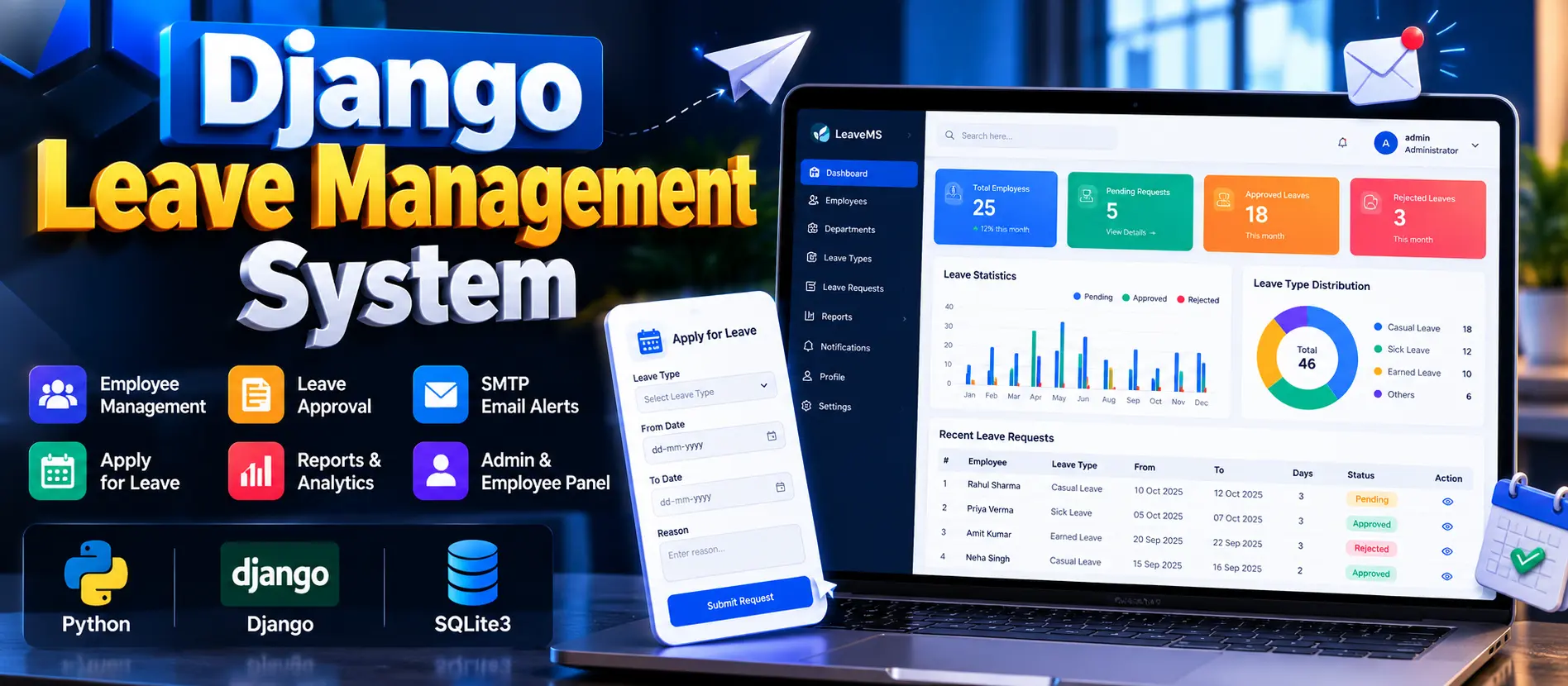
Leave Management System Using Django and Python is a web-based application developed using Python, Django, and SQLite3. It provides separate Admin and Employee panels for managing employee records, departments, leave categories, leave applications, approval workflows, leave history, and profile information. The system also supports SMTP email notifications and password recovery to simplify employee leave administration.
Read more- Built with
- PythonDjangoHTML/CSSJavaScript
- You get
- Source codeDatabaseProject reportPPTViva questionsSetup guide
- Delivery
- Instant download after payment
Project Overview
The Leave Management System Using Django and Python is a web application designed to simplify employee leave administration. Developed using Python and Django with an SQLite3 database, it provides a centralized platform for employees to submit leave applications and administrators to manage employee records and approval workflows.
The application includes separate Admin and Employee panels, profile management, leave history, password recovery, and SMTP email integration for supported leave-related notifications.
Available Features
- Admin Dashboard: View leave management statistics, employee information, departments, leave categories, and leave request statuses using available project data.
- Employee Management: Add employees, update existing records, and view employee information.
- Department Management: Maintain department records and organize employees according to the organization's structure.
- Leave Type Management: Manage leave categories such as sick leave and casual leave according to the configured options.
- Leave Application and Approval: Allow employees to submit leave requests with leave types, dates, and reasons. Administrators can review, approve, or reject applications.
- Leave History: Enable employees to review previous and current leave applications and check their application statuses.
- Profile Management: Allow employees and administrators to manage their personal or account information according to their permissions.
- SMTP Email Integration: Send emails for configured events, including leave application submissions, approvals, and rejections, when valid SMTP settings are provided.
- Password Recovery: Provide an account recovery workflow for users who need to regain access.
User Roles
Administrator
The administrator manages employee records, departments, leave categories, leave applications, approval decisions, and administrative information through the Admin Panel.
Employee
Employees can submit leave requests, specify dates and reasons, check application statuses, review leave history, and manage their profile information.
Technology Stack
- Programming Language: Python
- Backend Framework: Django
- Database: SQLite3
- Frontend: HTML, CSS, and JavaScript
- Email Integration: SMTP
Software and Tools Required
- Python
- pip package manager
- Visual Studio Code
- A modern web browser
- Project dependencies listed in requirements.txt
More Details and Full Documentation
For complete project details, screenshots, features, and installation instructions, visit the original UPDATEGADH project page.
- Admin Dashboard
- Employee Management
- Department Management
- Leave Type Management
- Leave Application and Approval
- Leave History
- Profile Management
- SMTP Email Integration
- Password Recovery
- Install Python and Visual Studio Code.
- Extract the project ZIP file and open the project folder in Visual Studio Code.
- Open the integrated terminal in the project directory.
- Create a virtual environment: python -m venv venv
- Activate the virtual environment on Windows: venv\Scripts\activate
- Upgrade pip: python -m pip install --upgrade pip
- Install project dependencies: pip install -r requirements.txt
- Create a .env file in the project root directory.
- Add the SMTP configuration if email notifications are required: EMAIL_HOST=smtp.gmail.com, EMAIL_PORT=587, EMAIL_HOST_USER=your_email@gmail.com, EMAIL_HOST_PASSWORD=your_app_password, EMAIL_USE_TLS=True
- Ensure Django is configured to load the environment variables and use the appropriate email backend.
- Apply database migrations: python manage.py migrate
- Create an administrator account: python manage.py createsuperuser
- Enter the requested username, email address, and password.
- Start the Django development server: python manage.py runserver
- Open http://127.0.0.1:8000/ in your browser.
- Sign in using the appropriate account credentials and test the leave application and approval workflow.
- Test email delivery by triggering a configured notification event. SMTP credentials are required for actual email delivery.
Stuck while running it? Chat with us on WhatsApp for free installation help.
No reviews yet. Be the first to review this project.