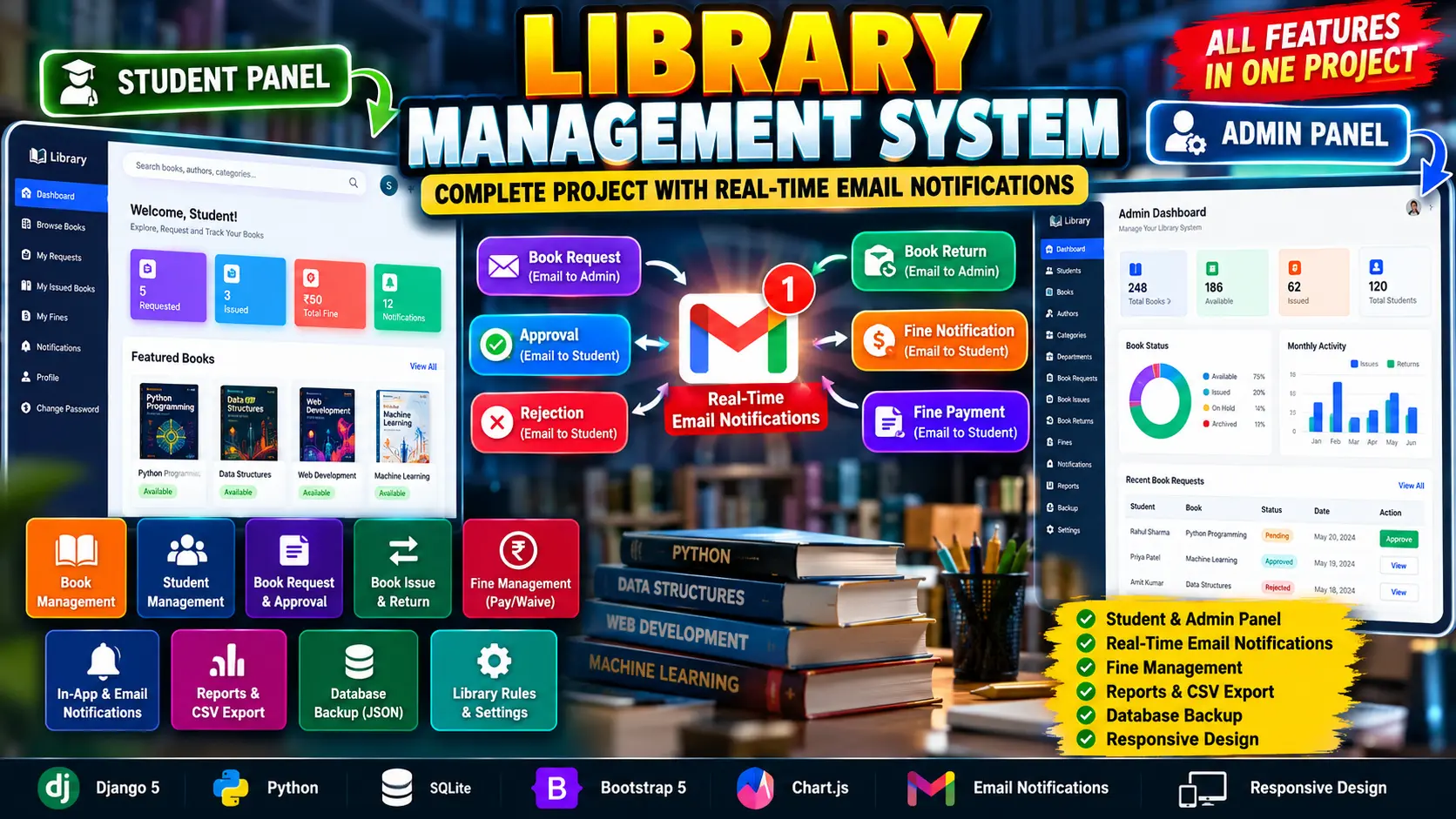
Library Management System Using Python Django
Library Management System Using Python Django is a role-based web application built with Python, Django 5 and SQLite for managing complete library operations. It provides separate Student and Administrator workspaces with book management, student and department records, book requests, issue and return tracking, automatic fine calculation, email notifications, reports, CSV exports, database backup, library rules and Chart.js dashboard analytics.
What You Will Get
Project Overview
Library Management System Using Python Django is a complete role-based web application designed to manage real-world library operations through dedicated Student and Administrator workspaces. The system is built using Python and Django 5 with SQLite, Bootstrap 5, JavaScript and Chart.js.
The application manages books, students, departments, authors, categories, book copies, requests, issues, returns, due dates, fines, payments, notifications, activity logs and reports. It also provides configurable library rules, email notifications, CSV exports and JSON database backup functionality.
About the Library Management System
The system follows a role-based architecture with two primary roles: Administrator and Student. Students can search books, view availability, request books, monitor issued books, check due dates, manage fines and receive notifications. Administrators can manage library records, approve requests, issue and return books, manage fines, configure rules and generate reports.
Available Features
- Student Login and Administrator Login
- Login using username, email or student ID
- Role-based access control
- Logout functionality
- Change password
- Forgot password functionality
- Password reset through email
- Real-time password reset email delivery through SMTP
- Student management
- Department management
- Book management
- Book copy management
- Author management
- Category management
- Book search and filtering
- Grid and table views
- Student book requests
- Request validation
- Request approval and rejection
- Book issue management
- Direct book issue by staff
- Book return management
- Due-date management
- Automatic fine calculation
- Fine payment management
- Fine waiver management
- Due-date reminders
- In-app notifications
- Real-time email notifications
- Activity logging
- Transaction history
- Dashboard statistics
- Chart.js analytics
- Library reports
- Advanced reports
- CSV export
- JSON database backup
- Configurable library rules
- Responsive Bootstrap interface
- Book cover and image upload
Technology Stack
- Python
- Django 5
- HTML
- CSS
- Bootstrap 5
- JavaScript
- SQLite
- Chart.js
- Pillow
- Django Authentication System
Software and Tools Required
- Python 3
- Visual Studio Code
- Python Extension for VS Code
- Web Browser
- Command Prompt or VS Code Terminal
More Details and Full Documentation
Project Modules
2. Administrator Authentication Module
3. Password Change Module
4. Forgot Password and Email Reset Module
5. Student Management Module
6. Department Management Module
7. Book Management Module
8. Book Copy Management Module
9. Author Management Module
10. Category Management Module
11. Book Search and Filtering Module
12. Student Book Request Module
13. Request Validation Module
14. Request Approval and Rejection Module
15. Book Issue Module
16. Direct Book Issue Module
17. Book Return Module
18. Due Date Management Module
19. Fine Calculation Module
20. Fine Payment Module
21. Fine Waiver Module
22. Library Rules Module
23. Due Reminder Module
24. Notification Center
25. Email Notification Module
26. Activity Log Module
27. Transaction History Module
28. Administrator Dashboard
29. Chart.js Analytics Module
30. Library Reports Module
31. Advanced Reports Module
32. CSV Export Module
33. JSON Database Backup Module
34. Student Profile Module
35. Responsive UI Module
36. Book Cover and Image Upload Module
37. Security and Permission Module
Installation Guide
1. Install Python 3 and Visual Studio Code.
2. Extract the project ZIP file and open the project folder in Visual Studio Code.
3. Open the VS Code terminal.
4. Create a virtual environment using: python -m venv .venv
5. Activate the virtual environment on Windows using: .venv\Scripts\activate
6. Install the required packages using: pip install -r requirements.txt
7. Create migrations using: python manage.py makemigrations accounts catalog circulation core
8. Apply database migrations using: python manage.py migrate
9. Create an administrator account using: python manage.py createsuperuser
10. Follow the terminal instructions and enter the required administrator details.
11. Configure SMTP environment variables if real email delivery is required.
12. Use EMAIL_HOST, EMAIL_PORT, EMAIL_HOST_USER, EMAIL_HOST_PASSWORD and EMAIL_USE_TLS for SMTP configuration.
13. For Gmail SMTP, use a Gmail App Password instead of the normal Gmail account password.
14. Start the project using: python manage.py runserver
15. Open the local Django server address in your browser.
16. Use the Student portal for student library activities.
17. Use the Staff or Administrator portal for library management operations.
FAQ for this project coming soon.
No reviews yet. Be the first to review!
Write a Review
Related Projects
 40% OFF
Featured
40% OFF
Featured
 11% OFF
 38% OFF
Hot
38% OFF
Hot
 20% OFF
Hot
20% OFF
Hot