 80% OFF
Online Grocery Shop Using Python and Django
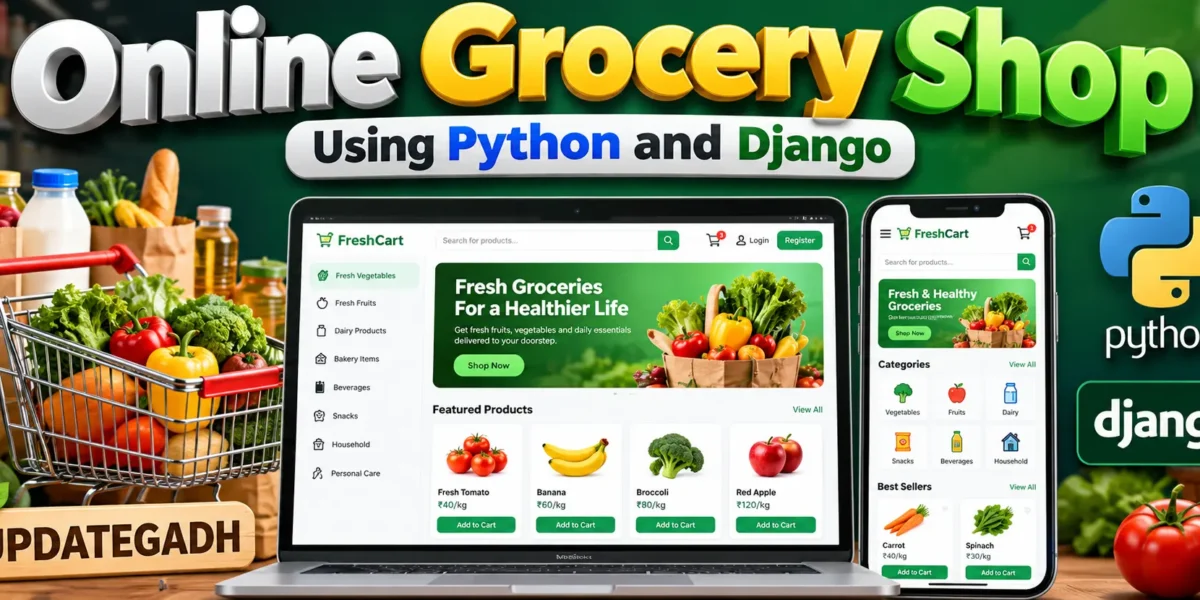
Online Grocery Shop built with Python and Django featuring customer shopping, product and category management, cart and checkout, stock validation, order processing, role-based dashboards, notifications, activity history, profiles, and store reports.
Read more- Built with
- PythonDjangoBootstrapHTML/CSS
- You get
- Source codeDatabase
- Delivery
- Instant download after payment
Project Overview
Online Grocery Shop Using Python and Django is a complete web-based grocery shopping and management application developed with Python and Django. The system connects product browsing, category management, shopping carts, stock control, checkout, order processing, notifications, and activity records into one workflow.
The application provides separate workspaces for Store Manager, Inventory Staff, Order Staff, and Customer. Each role receives access to the operations relevant to its responsibilities through a custom Django application interface.
Key Features
- Customer registration and login
- Role-based access control
- Role-specific dashboards
- Custom management panel
- Product management
- Category management
- Product search
- Category filtering
- Shopping cart management
- Checkout and order creation
- Stock validation
- Automatic inventory reduction after order creation
- Order status management
- Order history
- Notifications
- Activity history
- Profile management
- Password change
- Store reports
Store Manager Workspace
The Store Manager has the broadest operational access. This role can manage products, categories, orders, users, and store reports. The manager dashboard provides an overview of store activity and important operational statistics.
Inventory Staff Workspace
Inventory Staff handles product, category, and stock maintenance. Authorized staff can manage grocery catalog information and keep product availability updated according to their permitted operations.
Order Staff Workspace
Order Staff manages the order queue and processes customer purchases. Staff can update orders through their defined operational statuses as orders move through the fulfillment workflow.
Customer Workspace
Customers can browse available grocery products, search the catalog, filter products by category, manage their shopping cart, complete checkout, and view their own order information and order history.
Product and Category Management
The product catalog stores product names, SKU values, descriptions, prices, units, stock quantities, and active status. Authorized staff can maintain product information through the custom application interface.
Category management organizes grocery products into relevant groups and allows authorized staff to connect products with their appropriate categories.
Shopping Cart and Checkout
Customers can add products to their cart, update quantities, and remove items before checkout. During checkout, the system verifies available stock before creating the order.
After a successful order, the purchased quantities are deducted from inventory and the cart is cleared. Delivery information is also collected during checkout.
Order Management
The order management module provides a defined order lifecycle with statuses including Pending, Confirmed, Packing, Out for Delivery, Delivered, and Cancelled. Authorized staff can update order statuses while customers can view their own order information.
Notifications and Activity History
The system creates notifications for important order events and updates. Activity logs record meaningful actions performed inside the application, providing useful operational history for management activities.
Dashboard and Custom Application Panel
Each role receives a dedicated dashboard. Customers can view cart and order information, Inventory Staff can access product and stock indicators, Order Staff can access order operations, and Store Managers can view broader store statistics and recent activity.
The management interface is built using Django views and templates, so normal application operations do not require the default Django Admin interface.
Security and Validation
- Authentication and protected workflows
- Server-side role checks
- Django password storage
- Form validation
- CSRF protection
- Backend protection for restricted operations
- Stock validation during checkout
Technology Stack
- Programming Language: Python
- Framework: Django
- Frontend: HTML, CSS, JavaScript
- Database: SQLite
- ORM: Django ORM
Software and Tools Required
- Python
- Visual Studio Code
- Web Browser
- pip
- Virtual Environment
Future Enhancements
- Online payment processing
- Delivery partner management
- Advanced sales analytics
- Product image uploads
- Discount and coupon rules
- Customer reviews and ratings
- Inventory purchase workflows
- Production-grade deployment configuration
More Details and Full Documentation
After purchase, we will help you install the project on WhatsApp.
Stuck while running it? Chat with us on WhatsApp for free installation help.
No reviews yet. Be the first to review this project.