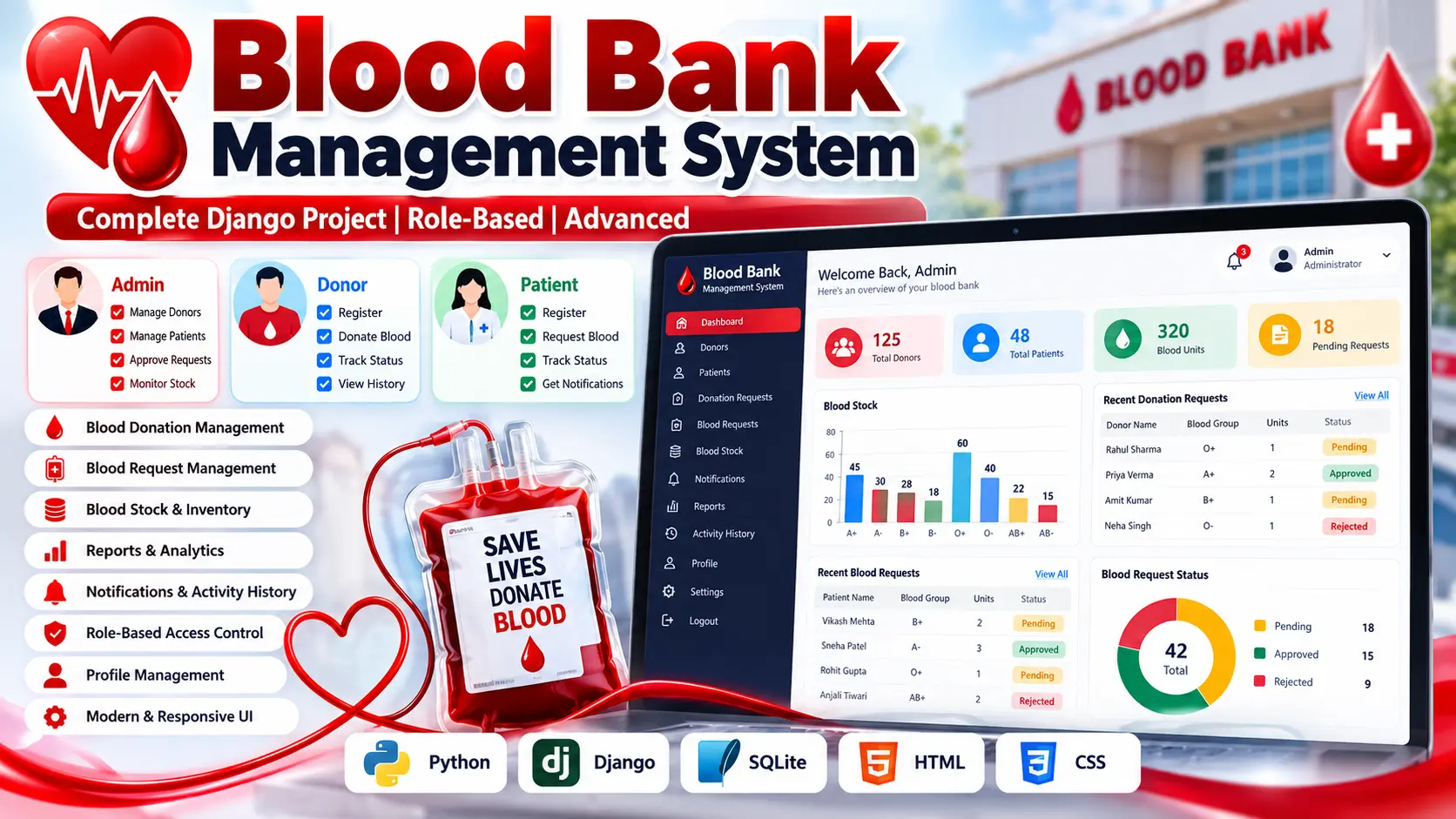
Blood Bank Management System Using Python Django
Blood Bank Management System built with Python, Django, HTML, CSS, and SQLite for managing donors, patients, blood donation requests, blood requests, inventory, approvals, notifications, profiles, reports, and role-based dashboards.
What You Will Get
Project Overview
The Blood Bank Management System is a role-based web application developed using Python and Django with SQLite for data storage. It provides a connected platform for managing blood donors, patients, donation requests, blood requests, blood inventory, approvals, notifications, reports, and user activity.
The system provides separate dashboards for Administrator, Donor, and Patient users. Each role receives access to the operations relevant to its responsibilities.
- Role-based access control
- Separate Admin, Donor, and Patient dashboards
- User registration and login
- Secure password hashing
- Protected sessions and role-specific navigation
- Donor management
- Patient management
- Blood donation requests
- Blood request management
- Donation approval and rejection
- Blood request approval and rejection
- Automatic blood stock updates
- Manual inventory adjustment
- Searchable records
- Role-specific notifications
- Activity history
- Operational reports
- Patient payment management
- Payment history and transaction tracking
- Payment status management
- Admin payment management
- Payment reports and analytics
- CSV report download and export
- Digital payment receipts
- Clickable dashboard KPI cards
- Real-time database-based charts and graphs
- Blood stock, donation, request, and payment analytics
- Profile editing
- Password change
- Responsive interface
Technology Stack
- Programming Language: Python
- Framework: Django
- Frontend: HTML and CSS
- Database: SQLite
- Architecture: Role-Based Web Application
Software and Tools Required
- Python
- Visual Studio Code
- Web Browser
- pip
- Virtual Environment
Project Package
- Full Source Code
- Project Report
- Synopsis
- PPT Presentation
More Details and Full Documentation
Project Modules
Role-Based Access Control
Admin Dashboard
Donor Dashboard
Patient Dashboard
Profile Management
Donor Management
Patient Management
Blood Donation Request Module
Blood Request Module
Donation Approval and Rejection
Blood Request Approval and Rejection
Blood Inventory Module
Automatic Stock Update
Manual Inventory Adjustment
Payment Management Module
Patient Payment Module
Payment History and Transaction Tracking
Payment Status Management
Payment Receipt Module
Admin Payment Management
Payment Reports and Analytics
CSV Report Export
Dashboard KPI Cards
Real-Time Analytics and Charts
Notification Module
Activity History Module
Reports Module
Password Change Module
SQLite Database
Installation Guide
1. Install a compatible version of Python on your computer.
2. Install Visual Studio Code.
3. Extract the project files.
4. Open the project folder in Visual Studio Code.
5. Open the terminal inside the project folder.
6. Create a virtual environment using: python -m venv venv
7. Activate the virtual environment using Windows command: venv\Scripts\activate
8. Install the required packages using: pip install -r requirements.txt
9. Run the database migrations using: python manage.py migrate
10. Initialize the blood groups and demonstration accounts using: python manage.py seed_demo
11. Start the Django development server using: python manage.py runserver
12. Open the local application address displayed in the terminal.
13. Log in using the appropriate Admin, Donor, or Patient demonstration account.
14. Test the features according to the selected role.
15. For deployment, change the development secret key and configure production settings and database.
FAQ for this project coming soon.
No reviews yet. Be the first to review!
Write a Review
Related Projects
 70% OFF
Featured
70% OFF
Featured
 20% OFF
Featured
20% OFF
Featured
 38% OFF
Hot
38% OFF
Hot
 40% OFF
Featured
40% OFF
Featured