Demo Video
Medical Queue Appointment System
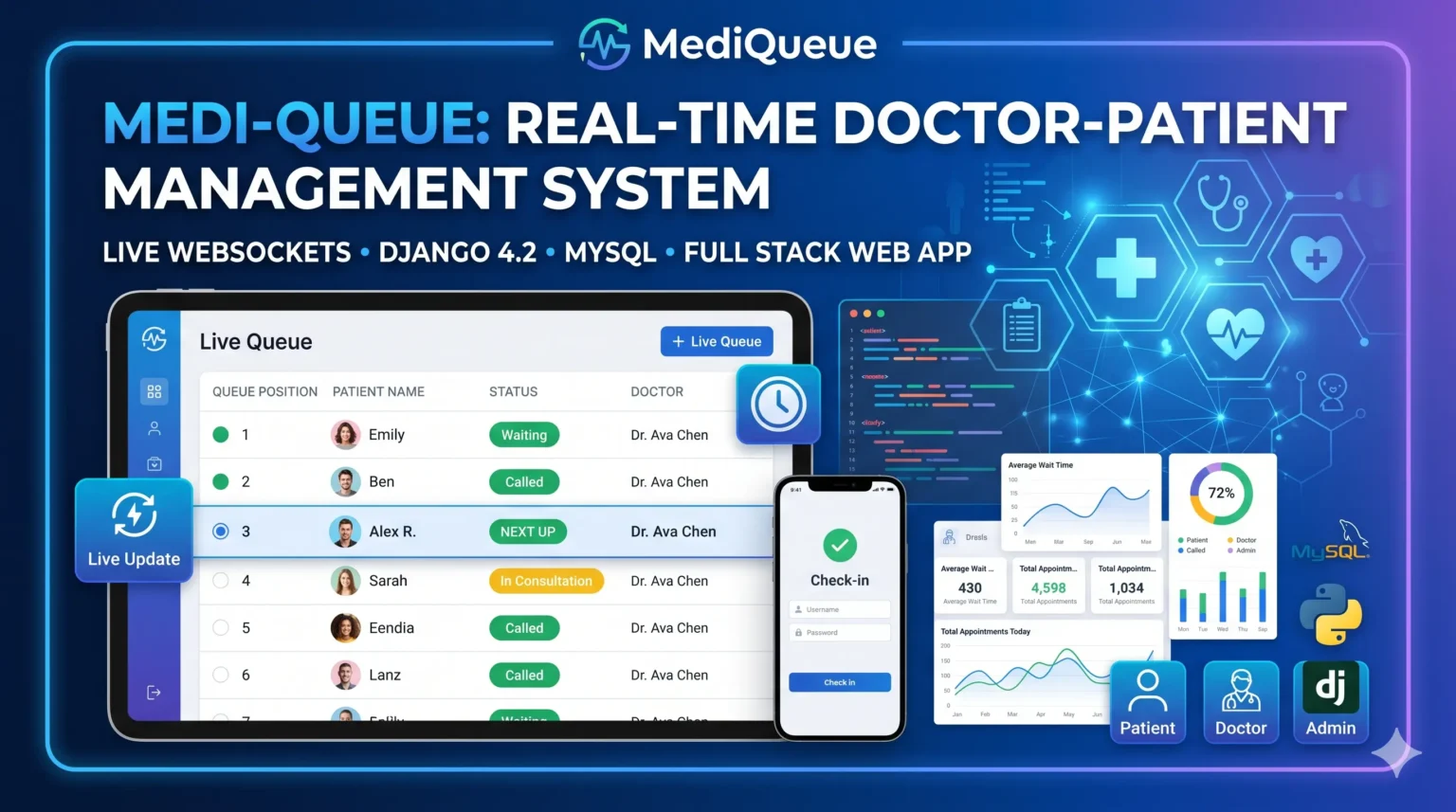
MediQueue is a real-time medical queue and appointment system with Django that replaces physical waiting rooms with a live browser-based token system. Built with Django 4.2, Django Channels, Daphne and MySQL, it pushes queue updates to every connected device over WebSockets without a page refresh. Key features include role-based dashboards for patients, doctors and admins, doctor availability with auto-generated time slots, smart digital check-in, live queue tracking with position and status, vitals and prescription records, and a doctor sign-off workflow. Ideal for BCA, MCA, B.Tech and MBA final year students.
What You Will Get
MediQueue is a real-time medical queue and appointment system with Django that turns a clinic waiting room into a live digital ecosystem. Instead of static paper tokens, patients check in from their phone and watch their position update instantly, while doctors call the next patient with a single click. The system is built on Django 4.2 with Django Channels and Daphne for the WebSocket layer, so data syncs across every connected device without a page refresh. It also handles the clinical side, with integrated vitals, diagnosis, and prescription management tied into the same appointment flow.
Key Features
- A live WebSocket queue pushes real-time position and status updates to every connected patient, doctor, and staff member.
- Smart digital check-in assigns tokens on arrival and places the patient in the correct doctor's queue automatically.
- Role-based dashboards give patients, doctors, and administrators their own specialised interface and permissions.
- A custom user model extending Django AbstractUser handles all three roles with separate doctor and patient profiles.
- Doctors set a weekly availability schedule and the system auto-generates TimeSlot objects, which prevents double bookings.
- The QueueEntry model tracks position, status (Waiting, Called, Skipped), and timestamps for every stage of the visit.
- Vital tracking captures blood pressure, SpO2, temperature, and pulse for each consultation.
- The prescription engine uses an inline formset so doctors can add multiple medicines with dosage and duration in one form.
- A sign-off workflow marks the appointment complete and automatically triggers the WebSocket call for the next patient.
Technology Stack
| Component | Technology |
| Backend | Django 4.2 |
| Real-Time Layer | Django Channels 4.1 |
| ASGI Server | Daphne |
| API Layer | Django REST Framework |
| Database | MySQL 8.0 |
| Frontend | Bootstrap 5.3, HTML, JavaScript |
| Communication | Native Browser WebSocket API |
| Static Files | WhiteNoise, Pillow |
System Requirements
- Python 3.10 or above.
- MySQL 8.0 or above with a database created for the project.
- Django 4.2 and Django REST Framework.
- Django Channels 4.1 and Daphne for the ASGI WebSocket server.
- mysqlclient for the database connection.
- Pillow for image handling and WhiteNoise for static files.
- A modern browser with WebSocket support.
How It Works
A patient books an appointment against a doctor's auto-generated time slot, then checks in digitally on arrival and receives a queue position. When the doctor clicks Call Next, the browser sends a JSON action over the WebSocket, the QueueConsumer updates the database and marks the next patient as Called, and the server broadcasts a queue_update message to the group for that doctor. Every device viewing that queue re-renders instantly with the new list and stats. After the consultation the doctor records vitals, diagnosis, and prescriptions, and signing off closes the appointment and automatically advances the queue.
Perfect For
This project suits BCA, MCA, B.Tech CS/IT, M.Tech, and MBA IT students who want a final year submission built on modern real-time web technology rather than a plain CRUD app. WebSockets, ASGI, Django Channels, custom user models, and role-based access control are all strong viva topics that you can demonstrate live. It also works well as a portfolio and interview project, since real-time systems and healthcare software are both in demand.
Future Enhancements
The project can be extended with SMS and email appointment reminders, online payment integration for consultation fees, a video consultation module, estimated wait time prediction using historical data, a mobile app frontend, lab report uploads linked to patient records, multi-clinic or multi-branch support, and analytics dashboards for patient flow.
Watch Project Demo
Watch the full project walkthrough and setup tutorial on our YouTube channel.
▶ Watch on YouTube – Decode It
More Details & Full Documentation
For complete project details, source code, and setup guide, visit the official project page.
Project Modules
- Custom user model extending Django AbstractUser
- Three roles: Patient, Doctor, Admin
- DoctorProfile with license number, specialization and rating
- PatientProfile with blood group, allergies and insurance data
- Role-based login and dashboard routing
Appointments & TimeSlots Module:
- DoctorAvailability weekly schedule setup
- Auto-generated TimeSlot objects from availability
- Appointment booking against available slots
- Double-booking prevention
- Appointment status tracking
Queue Tracker Module:
- Digital check-in with token assignment
- QueueEntry model with position and status (Waiting, Called, Skipped)
- Timestamps for every stage of the patient visit
- Live WebSocket queue updates via Django Channels
- Call Next action broadcast to the queue_{doctor_id} group
- Live stats: waiting count and completed today
Medical Records Module:
- Vital tracking: BP, SpO2, temperature, pulse
- Diagnosis notes per consultation
- Prescription engine with inline formset for multiple medicines
- Dosage and duration per medicine
- Doctor sign-off workflow that closes the appointment and calls the next patient
Patient Dashboard:
- Book and view appointments
- Live queue position without page refresh
- View past consultations and prescriptions
Doctor Dashboard:
- Set weekly availability
- View today's queue in real time
- Call next, skip, and complete patient actions
- Record vitals, diagnosis and prescriptions
Admin Dashboard:
- Manage doctors, patients and staff accounts
- Oversee appointments across all doctors
- Monitor queue activity and system data
Installation Guide
1. Download and extract the ZIP file
2. Open the project folder: cd mediqueue
3. Create a virtual environment: python -m venv venv
   Windows: venv\Scripts\activate
   macOS / Linux: source venv/bin/activate
4. Install dependencies:
   pip install django djangorestframework channels daphne mysqlclient pillow whitenoise
5. Create the MySQL database and update the DB credentials in settings.py
6. Run migrations:
   python manage.py makemigrations
   python manage.py migrate
7. Create an admin account: python manage.py createsuperuser
8. Start the ASGI server:
   daphne -b 0.0.0.0 -p 8000 mediqueue.asgi:application
9. Open http://127.0.0.1:8000 in your browser

Note: Use Daphne rather than runserver so the WebSocket queue works correctly.
FAQ for this project coming soon.
No reviews yet. Be the first to review!
Write a Review
Related Projects
 44% OFF
Featured
44% OFF
Featured
 25% OFF
Featured
25% OFF
Featured
 20% OFF
Featured
20% OFF
Featured
 Featured