Demo Video
Breast Cancer Prediction Using Machine Learning
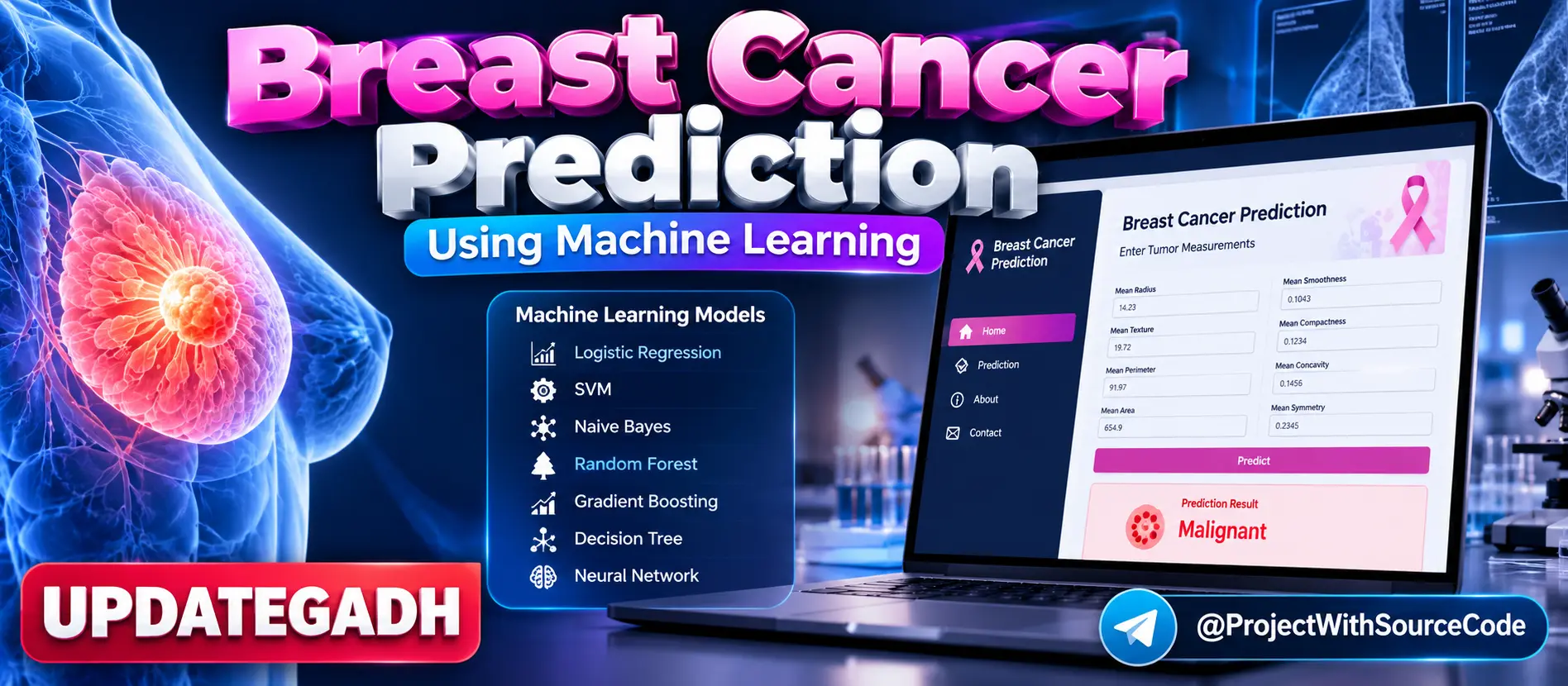
Breast Cancer Prediction Using Machine Learning is a Flask-based healthcare prediction application that classifies breast tumors as benign or malignant using 30 medical features. The project compares multiple machine learning algorithms, evaluates their performance using accuracy, precision, recall and F1-score, selects the best-performing model, and provides a web interface for real-time predictions.
What You Will Get
Project Overview
Breast Cancer Prediction Using Machine Learning is a Python-based machine learning project designed to classify breast tumors as benign or malignant. The application uses the Breast Cancer Wisconsin Diagnostic Dataset and analyzes 30 medical features related to tumor characteristics.
The project demonstrates the complete machine learning workflow, including data preprocessing, feature transformation, model training, model evaluation, best-model selection and real-time prediction through a Flask web application.
Available Features
- Breast tumor classification
- Benign and malignant prediction
- 30 medical input features
- Breast Cancer Wisconsin Diagnostic Dataset
- Data preprocessing
- Missing-value handling
- Categorical feature encoding
- Feature scaling
- Feature engineering
- Multiple machine learning model training
- Model performance comparison
- Accuracy evaluation
- Precision evaluation
- Recall evaluation
- F1-score evaluation
- Best model selection
- Real-time prediction
- Flask web interface
- Prediction pipeline
- Training pipeline
- Logging
- Exception handling
- Saved trained model
Dataset
The project uses the Breast Cancer Wisconsin Diagnostic Dataset available through the scikit-learn ecosystem. The classification problem contains 30 medical features and two prediction classes: benign and malignant.
The features include measurements related to tumor radius, texture, perimeter, area, smoothness, compactness, symmetry, fractal dimension and corresponding standard-error and worst-value measurements.
Machine Learning Models
Multiple classification algorithms are trained and evaluated to identify the best-performing model for deployment.
- Logistic Regression
- Support Vector Machine
- Gaussian Naive Bayes
- Random Forest Regressor
- Gradient Boosting
- Decision Tree
- Multi-Layer Perceptron Neural Network
The project evaluates the trained models using accuracy, precision, recall and F1-score before selecting the best-performing model for final predictions.
Data Preprocessing
The data preprocessing pipeline loads and cleans the dataset, handles missing values, encodes categorical information, scales numerical features and performs the required feature transformations before model training.
Training Pipeline
The training pipeline prepares the dataset, performs preprocessing, trains multiple classification models, evaluates their performance and stores the selected best-performing model for later prediction.
Prediction Pipeline
The prediction pipeline loads the trained model and applies the same required transformations to user-provided medical parameters. The processed input is then passed to the selected model to generate a benign or malignant prediction.
Flask Web Application
The project includes a Flask-based web interface where users can enter the required medical parameters. The application processes the submitted values through the prediction pipeline and displays the resulting tumor classification.
Model Evaluation
Model performance is evaluated using multiple classification metrics. Accuracy measures overall correct predictions, while precision, recall and F1-score provide additional insight into classification performance.
Project Components
- Data Ingestion: Loads and prepares the dataset.
- Data Transformation: Performs preprocessing and feature engineering.
- Model Trainer: Trains and evaluates machine learning models.
- Training Pipeline: Coordinates the model training workflow.
- Prediction Pipeline: Handles real-time prediction.
- Logger: Records application and pipeline activities.
- Exception Handler: Provides structured error handling.
- Utilities: Contains reusable project functions.
Model Artifact Management
The trained model and processed datasets are stored as project artifacts. The selected model is saved in pickle format so that it can be loaded by the prediction pipeline without retraining the complete system for every prediction.
Notebook and Data Analysis
The project includes Jupyter Notebook resources for data exploration, visualization and model training experiments. These notebooks help understand the dataset and evaluate different machine learning approaches before deployment.
Logging and Error Handling
The application includes logging functionality for tracking project execution and model pipeline activities. A custom exception component is also included to make errors easier to identify and debug.
Web Prediction Workflow
- Open the Flask prediction interface.
- Enter the required medical parameters.
- Submit the prediction form.
- The input data is processed through the prediction pipeline.
- The trained machine learning model analyzes the processed features.
- The application returns the predicted tumor classification.
Future Enhancements
- Deploy the prediction model as a cloud-based API.
- Train the model using a larger and more diverse dataset.
- Explore deep learning techniques for advanced feature extraction.
- Extend the application with additional healthcare prediction capabilities.
Technology Stack
- Python
- Flask
- Scikit-learn
- NumPy
- Pandas
- Jupyter Notebook
- HTML
- CSS
- Pickle
Software and Tools Required
- Python
- Visual Studio Code
- Jupyter Notebook
- Web Browser
- pip
Important Medical Disclaimer
This project is an educational machine learning application based on the Breast Cancer Wisconsin Diagnostic Dataset. Its predictions should not be treated as a medical diagnosis or a replacement for professional medical evaluation.
Watch Project Demo
Watch Breast Cancer Prediction Using Machine Learning Demo
More Details and Full Documentation
View Breast Cancer Prediction Using Machine Learning Details
Project Modules
2. Data Ingestion Module
3. Data Preprocessing Module
4. Feature Engineering Module
5. Data Transformation Module
6. Model Training Module
7. Logistic Regression Module
8. Support Vector Machine Module
9. Gaussian Naive Bayes Module
10. Random Forest Module
11. Gradient Boosting Module
12. Decision Tree Module
13. MLP Neural Network Module
14. Model Evaluation Module
15. Best Model Selection Module
16. Training Pipeline Module
17. Prediction Pipeline Module
18. Real-Time Prediction Module
19. Flask Web Interface
20. Model Artifact Module
21. Jupyter Notebook Module
22. Logging Module
23. Exception Handling Module
24. Utilities Module
25. Healthcare Prediction Interface
Installation Guide
1. Install Python and Visual Studio Code.
2. Extract the project ZIP file.
3. Open the project folder in Visual Studio Code.
4. Open the VS Code terminal.
5. Create a virtual environment using: python -m venv venv
6. Activate the virtual environment on Windows using: venv\Scripts\activate
7. Install the required packages using: pip install -r requirements.txt
8. Verify that the required dataset and project artifacts are available.
9. Open the project configuration if any environment settings are required.
10. Run the training pipeline if the trained model is not already available.
11. Ensure that the trained model artifact is generated successfully.
12. Start the Flask application using: python application.py
13. Open the local Flask address displayed in the terminal.
14. Enter the required medical parameters in the prediction form.
15. Submit the form to generate the tumor classification result.
16. Use the Jupyter Notebook files for data exploration and model experimentation.
17. Do not use the prediction result as a medical diagnosis.
FAQ for this project coming soon.
No reviews yet. Be the first to review!
Write a Review
Related Projects
 23% OFF
Featured
23% OFF
Featured
 20% OFF
Hot
20% OFF
Hot
 33% OFF
Featured
33% OFF
Featured
 70% OFF
Hot
70% OFF
Hot