Loan Approval Prediction System using Python and Machine Learning
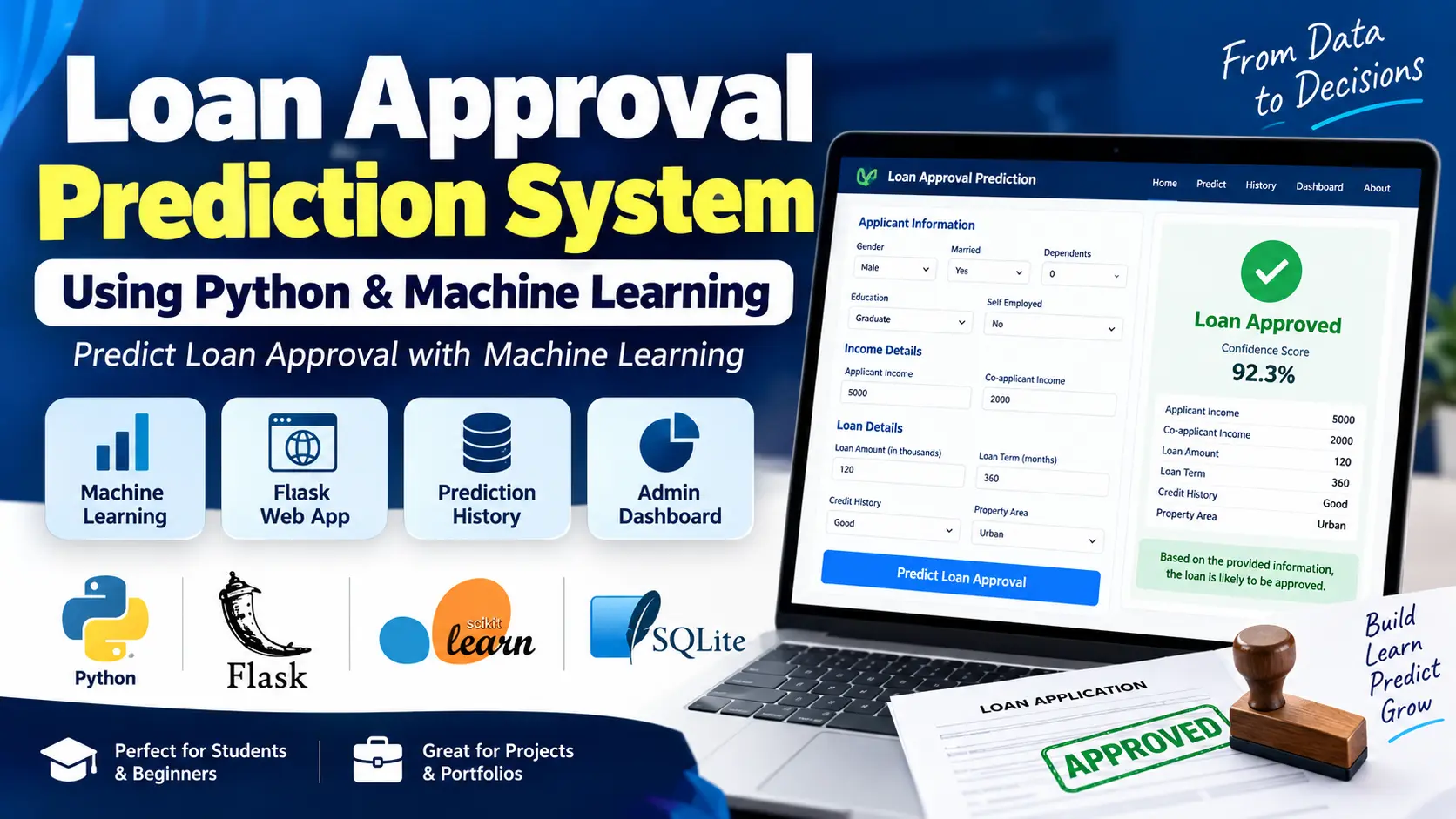
Loan Approval Prediction System is a machine learning-based web application built with Python, Flask, and Scikit-learn. It predicts whether a loan application is likely to be Approved or Rejected based on applicant and loan details, with model comparison, prediction history, confidence scores, and an admin dashboard.
Read more- Built with
- PythonMachine LearningHTML/CSS
- You get
- Source codeProject reportPPTViva questionsSetup guide
- Delivery
- Instant download after payment
Project Overview
The Loan Approval Prediction System Using Machine Learning is a Python-based web application designed to demonstrate how machine learning classification algorithms can analyze applicant information and predict a likely loan approval outcome. The application uses Flask for its web interface, Scikit-learn for machine learning, and SQLite for storing prediction history.
Users can enter applicant details through a prediction form and receive an Approved or Rejected result, along with a model confidence score when available. The application also provides a dashboard, prediction history, model performance visualizations, and project information.
Available Features
- Loan Prediction Form: Collect applicant income, co-applicant income, loan amount, loan term, credit history, gender, marital status, dependents, education, employment status, and property area.
- Machine Learning Prediction: Use the saved machine learning pipeline to predict whether an application is likely to be Approved or Rejected.
- Prediction Confidence: Display the model confidence percentage alongside the prediction result when available.
- Applicant Summary: Show the submitted applicant details on the result page for convenient review.
- Prediction History: Save prediction records in SQLite, including applicant details, predicted outcomes, confidence values, and timestamps.
- History Filtering: Filter saved records by All, Approved, or Rejected outcomes.
- Pagination: Display prediction history in pages, with up to 10 records per page.
- Dashboard Statistics: Show total predictions, approved predictions, rejected predictions, and the approval percentage based on stored records.
- Interactive Charts: Visualize approved versus rejected predictions and prediction outcomes grouped by property area using Chart.js.
- Recent Predictions: Display recent prediction records on the dashboard.
- Model Comparison: Compare Logistic Regression, Decision Tree, Random Forest, K-Nearest Neighbors, Support Vector Machine, and Gradient Boosting.
- Model Evaluation: Calculate accuracy, precision, recall, F1-score, confusion matrices, and classification reports during model training.
- Saved Model and Preprocessing: Reuse the trained model and fitted preprocessing pipeline for predictions without retraining for every request.
- About Page: Explain the project objective, dataset, machine learning workflow, algorithms, technologies, and limitations.
- Form Validation: Validate required fields, numeric values, and permitted categorical selections on the client and server sides.
- Error Handling: Provide custom error pages for common HTTP errors and feedback messages for validation and prediction issues.
Machine Learning Algorithms
- Logistic Regression
- Decision Tree
- Random Forest
- K-Nearest Neighbors (KNN)
- Support Vector Machine (SVM)
- Gradient Boosting
The training script compares these algorithms using several classification metrics and selects the best-performing model based on F1-score. The supplied model metadata identifies Support Vector Machine as the selected model.
Technology Stack
- Programming Language: Python
- Web Framework: Flask
- Machine Learning: Scikit-learn
- Data Processing: Pandas and NumPy
- Model Persistence: Joblib
- Model Visualization: Matplotlib and Seaborn
- Frontend: HTML, CSS, and JavaScript
- UI Framework: Bootstrap 5
- Dashboard Charts: Chart.js
- Template Engine: Jinja2
Database Management
The application creates a SQLite database at database/loan_predictions.db. Its prediction_history table stores submitted applicant information, prediction outcomes, confidence values, and timestamps. The dashboard and history pages retrieve this information to display statistics, charts, and saved predictions.
Software and Tools Required
- Python compatible with the pinned project dependencies
- pip package manager
- Visual Studio Code
- A web browser
More Details and Project Files
The supplied project archive contains the Flask application, machine learning training script, saved model files, SQLite database helper, HTML templates, static assets, analysis notebook, and synthetic dataset.
- Home Page
- Loan Prediction Form
- Prediction Result and Confidence Score
- Applicant Details Summary
- Prediction History
- Approved and Rejected History Filters
- Prediction History Pagination
- Dashboard Statistics
- Approval and Property Area Charts
- Machine Learning Model Training and Comparison
- Model Evaluation and Confusion Matrices
- Prediction History
- About and Model Information
- Form Validation and Error Handling
- Install Python 3 on your system.
- Extract the Loan Approval Prediction System project.
- Open a terminal inside the project folder.
- Create a virtual environment:
python -m venv venv
- Activate the virtual environment on Windows:
venv\Scripts\activate
- On Linux or macOS:
source venv/bin/activate
- Install all required packages:
pip install -r requirements.txt
- Train the machine learning model:
python train_model.py
- The training script loads the dataset, cleans the data, preprocesses the features, trains six classification algorithms, evaluates their performance, compares the results, and saves the best-performing model.
- The trained model and preprocessing files are stored in the model directory.
- Start the Flask application:
python app.py
- Open the application in your browser:
http://127.0.0.1:5000
- Enter applicant and loan details in the prediction form.
- Click the prediction option to generate an Approved or Rejected result.
- View the prediction confidence and submitted applicant summary.
- Previous predictions can be accessed through the Prediction History section.
- The Admin Dashboard provides prediction statistics, charts, recent records, and active model performance.
Stuck while running it? Chat with us on WhatsApp for free installation help.
No reviews yet. Be the first to review this project.