 40% OFF
 Movie Recommendation System Using Django and Machine Learning
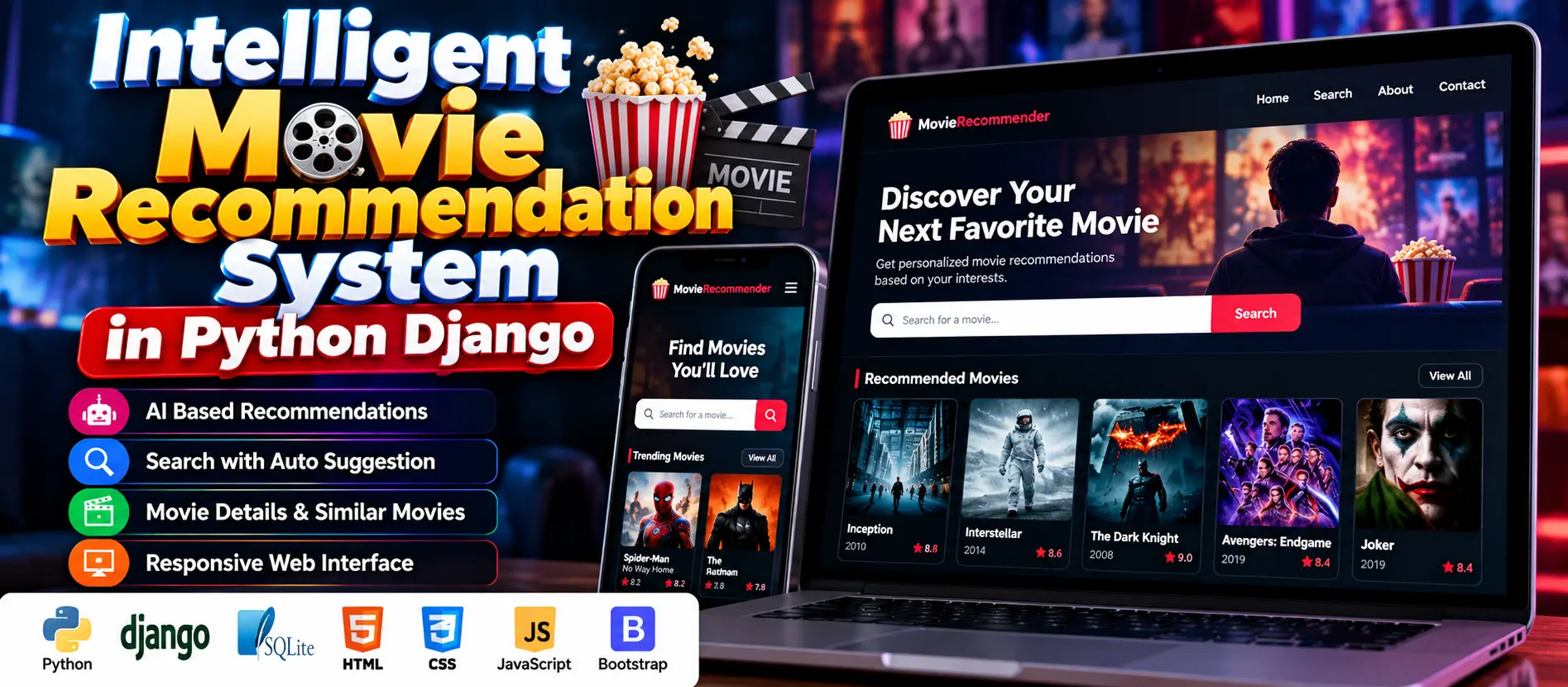
The Movie Recommendation System Using Django and Machine Learning is a web application that recommends similar or related movies based on user search input. Developed using Python and Django, it includes a pre-trained machine learning model, movie search with dynamic suggestions, a responsive interface, and a Jupyter Notebook explaining the model training process.
Read more- Built with
- PythonDjangoMachine LearningBootstrapHTML/CSS
- You get
- Source codeDatabase
- Delivery
- Instant download after payment
Project Overview
The Movie Recommendation System Using Django and Machine Learning is a web-based application that helps users discover movies based on their search input. It integrates a pre-trained machine learning model with a Django backend to recommend similar or related movie titles. The project also includes dynamic movie search suggestions, a responsive frontend, and a Jupyter Notebook for understanding the model training process.
Available Features
- AI-Based Movie Recommendations: Suggests similar or related movies using a pre-trained machine learning model.
- Movie Search with Auto-Suggestions: Displays dynamic movie title suggestions as users type, using jQuery UI.
- Responsive Frontend: Uses HTML, CSS, and JavaScript to support different screen sizes.
- Video Background: Includes a video background asset for the website interface.
- Custom Branding: Includes a logo asset for application branding.
- Machine Learning Integration: Uses a model-related file in Parquet format for recommendation functionality.
- Training Notebook: Includes a Jupyter Notebook to help users understand the model training process.
- Organized Django Structure: Separates application configuration, recommendation logic, templates, static files, and dependencies.
Which Technologies Are Used in This Project?
- Python: Backend programming and recommendation logic.
- Django: Web application framework.
- SQLite3: Database storage.
- HTML and CSS: Structure and styling of web pages.
- JavaScript: Client-side interactions.
- jQuery UI: Dynamic movie search suggestions.
- Bootstrap: Responsive interface design.
- Jupyter Notebook: Documentation of the machine learning training process.
- Parquet: Data file format used by the supplied model-related resources.
More Details and Full Documentation
For project screenshots, requirements, and installation instructions, visit Movie Recommendation System Using Django and Machine Learning on UPDATEGADH.
- Django Project Configuration
- Movie Recommendation Application
- Movie Search
- Dynamic Search Suggestions
- Machine Learning Recommendation Model
- Recommendation Results
- SQLite Database
- Frontend Templates
- Static Resources and Branding
- Machine Learning Training Notebook
- Install Python and Visual Studio Code.
- Download and extract the project ZIP file.
- Open the extracted project folder in Visual Studio Code.
- Open the integrated terminal.
- Create a virtual environment:
python -m venv venv
- Activate the environment on Windows:
venv\Scripts\activate
- Install the project dependencies:
pip install -r requirements.txt
- Check the Django settings and confirm that the required Parquet model-related file is available at the expected location.
- Run database migrations if required:
python manage.py migrate
- Start the Django development server:
python manage.py runserver
- Open the application in your browser:
http://127.0.0.1:8000/
- Test movie searching, dynamic suggestions, and movie recommendations.
Stuck while running it? Chat with us on WhatsApp for free installation help.
No reviews yet. Be the first to review this project.