 38% OFF
 Oral Cancer Detection Using Deep Learning
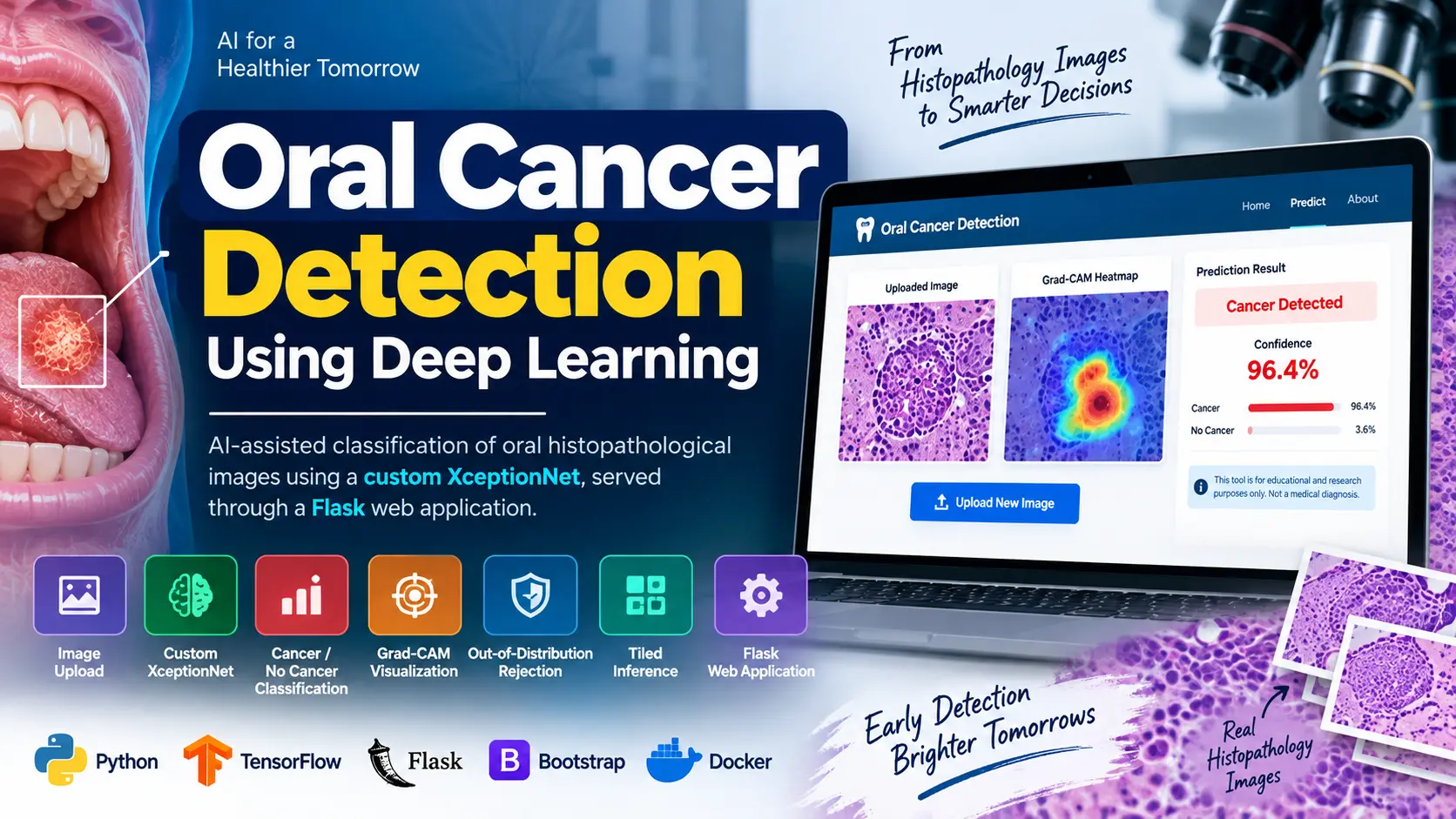
Oral Cancer Detection Using Deep Learning is a Python-based medical image classification project built with TensorFlow, Keras, Custom XceptionNet, and Flask. The system analyzes oral histopathological images and provides Cancer Detected or No Cancer Detected results with confidence scores, Grad-CAM visualization, tiled inference, and out-of-distribution image rejection.
Read more- Built with
- PythonMachine LearningBootstrapHTML/CSS
- You get
- Source codeDatabaseProject reportPPTSetup guide
- Delivery
- Instant download after payment
Oral Cancer Detection Using Deep Learning
Oral Cancer Detection Using Deep Learning is a Python-based image classification project designed for educational and research applications in medical image analysis. The system uses a custom XceptionNet convolutional neural network to process oral histopathological images and classify them into two categories: Cancer Detected and No Cancer Detected.
The trained deep learning model is integrated with a Flask web application, allowing users to upload images through a responsive browser interface and view prediction results. Along with the classification result, the application provides a confidence percentage and Grad-CAM visualization to show image regions that influenced the model's prediction.
Key Features
- Histopathological image upload through a browser interface
- Drag-and-drop image upload with client-side preview
- File extension, image decoding, file-size, and dimension validation
- Custom XceptionNet architecture using depthwise separable convolutions
- Binary classification of cancer and non-cancer images
- Confidence percentage and class probability results
- Grad-CAM heat-map visualization
- Out-of-distribution image rejection
- 299×299 tiled inference for large histopathological images
- Top-k tile aggregation for final prediction
- REST API for programmatic image prediction
- Responsive Bootstrap 5 web interface
- Model evaluation with multiple classification metrics
Technologies Used
| Technology | Purpose |
|---|---|
| Python | Core programming and machine learning workflow |
| Flask | Web application and REST API |
| TensorFlow and Keras | Deep learning model development |
| Custom XceptionNet | Histopathological image classification |
| OpenCV | Image processing |
| Pillow | Image loading and preprocessing |
| scikit-learn | Machine learning utilities and evaluation |
| Bootstrap 5 | Responsive frontend interface |
| JavaScript | Client-side functionality |
| Matplotlib | Visualization |
| pytest | Automated testing |
| Docker | Application deployment |
More Details and Full Documentation
For complete project documentation, source information, dataset details, implementation guidance, and additional technical information, visit the original UpdateGadh project page.
View Complete Project Documentation
Note: This project is intended for educational and research purposes. Its predictions should not be considered a replacement for professional medical diagnosis or clinical decision-making.
- Histopathological Image Upload Module
- Image Validation Module
- Image Preprocessing Module
- Custom XceptionNet Model Module
- Binary Cancer Classification Module
- Confidence and Probability Analysis Module
- Grad-CAM Visualization Module
- Out-of-Distribution Image Rejection Module
- Tiled Inference Module
- Top-k Prediction Aggregation Module
- Model Training Module
- Model Evaluation Module
- Flask Web Application Module
- REST API Module
- Automated Testing Module
- Docker Deployment Module
- Install Python 3.10 or a compatible Python version supported by the project's dependencies.
- Open the Oral Cancer Detection project folder in Visual Studio Code.
- Create a Python virtual environment using: python -m venv .venv
- Activate the virtual environment on Windows using: .venv\Scripts\activate
- Install the required dependencies using: pip install -r requirements.txt
- Download the project dataset using: python training/download_dataset.py
- Train the model using: python training/train_model.py --arch transfer --lr 1e-4 --epochs 30 --cache
- Calibrate the domain guard using: python training/calibrate_domain_guard.py
- Start the Flask application using: python app.py
- Open http://127.0.0.1:5000 in your browser.
- Upload a supported histopathological image through the prediction interface.
- Review the classification result, confidence percentage, class probabilities, and Grad-CAM visualization.
- Run the test suite using: pytest
- For faster tests, use: pytest -m "not slow"
- Generate test coverage using: pytest --cov=app --cov=training --cov-report=html
- For Docker deployment, configure the production SECRET_KEY and start the application using Docker Compose.
Stuck while running it? Chat with us on WhatsApp for free installation help.
No reviews yet. Be the first to review this project.