Demo Video
Heart Attack Prediction Using Machine Learning
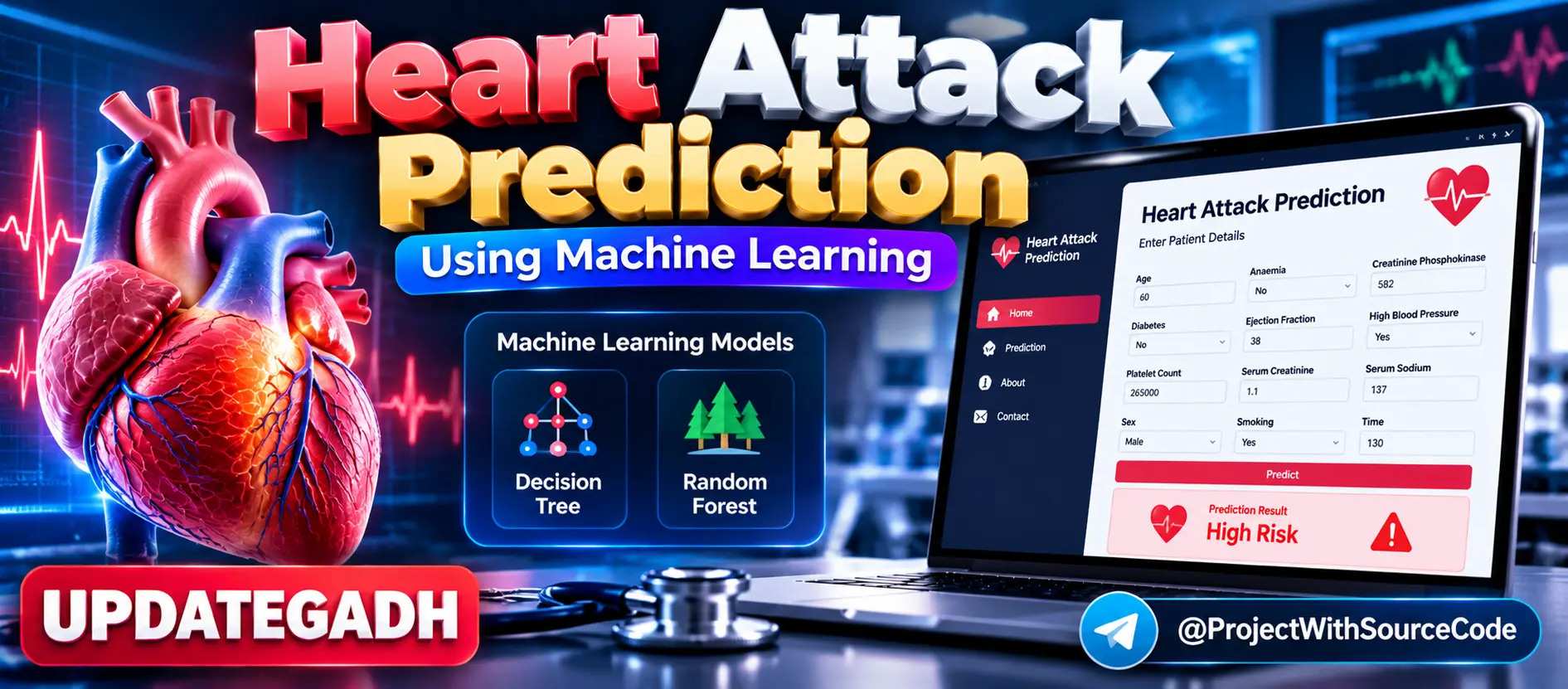
Heart Attack Prediction Using Machine Learning is a Streamlit-based healthcare prediction project that analyzes patient medical information and estimates heart attack risk using machine learning. It uses Decision Tree and Random Forest classifiers, evaluates model accuracy, saves the best-performing model as a Pickle file, and provides real-time predictions through a user-friendly web interface.
What You Will Get
Project Overview
Heart Attack Prediction Using Machine Learning is an end-to-end healthcare machine learning project designed to estimate the likelihood of heart attack risk from patient medical records. The application combines data preprocessing, machine learning model training, model evaluation and an interactive Streamlit web interface.
Users can enter medical parameters such as age, diabetes status, blood pressure, cholesterol-related information and other health factors. The trained machine learning model processes the information and provides an immediate prediction result.
Available Features
- Heart attack risk prediction
- Patient medical data input
- Real-time prediction
- Streamlit web interface
- Medical dataset processing
- Data preprocessing
- Training and testing data split
- Decision Tree Classifier
- Random Forest Classifier
- Model accuracy evaluation
- Best model selection
- Pickle model serialization
- Saved trained model loading
- Automated browser launch
- Easy-to-use prediction interface
Medical Dataset
The project uses the hf.csv dataset containing medical records and a target variable called DEATH_EVENT. The dataset includes health-related attributes such as age, anaemia, creatinine phosphokinase, diabetes, ejection fraction, high blood pressure, platelet count, serum creatinine, serum sodium, sex, smoking and follow-up time.
Data Preprocessing
The heart.py training script loads the medical dataset and separates the input features from the target variable. The data is then prepared for machine learning and divided into training and testing sets using the train_test_split method.
Machine Learning Models
The project implements multiple classification algorithms for predicting outcomes from the medical dataset.
- Decision Tree Classifier: Builds a tree-based classification model from patient health records.
- Random Forest Classifier: Uses an ensemble of decision trees for classification.
The trained models are evaluated using accuracy scores on unseen testing data. The better-performing model is selected and serialized for use by the web application.
Model Serialization
The selected machine learning model is stored as a Pickle file. The Streamlit application loads the saved model instead of retraining the model whenever a prediction is requested.
Streamlit Web Application
The app.py script provides the interactive web interface using Streamlit. Patients or healthcare professionals can enter the required health parameters through the interface and receive the model's prediction in real time.
Real-Time Prediction Workflow
- Open the Streamlit application.
- Enter the required patient health information.
- Submit the entered medical parameters.
- The application processes the input values.
- The saved machine learning model analyzes the processed data.
- The prediction result is displayed immediately.
Model Evaluation
The project evaluates the implemented classifiers using accuracy scores calculated on the testing dataset. This allows the project to compare the trained models and select the better-performing model for deployment.
Application Components
- hf.csv: Medical dataset used for model development.
- heart.py: Data processing, model training and evaluation script.
- app.py: Streamlit web application.
- hf1.pkl: Serialized trained machine learning model.
- requirements.txt: Python dependency list.
Future Enhancements
- Integrate deep learning models.
- Expand the medical dataset.
- Improve model generalization.
- Add additional data visualization.
- Develop a mobile-friendly healthcare interface.
Technology Stack
- Python
- Streamlit
- Scikit-learn
- Pandas
- NumPy
- Pickle
- Machine Learning
Software and Tools Required
- Python
- Visual Studio Code
- Web Browser
- pip
Important Medical Disclaimer
This project is an educational machine learning prototype based on a specific medical dataset. Its output is a machine learning prediction and must not be treated as a medical diagnosis or a substitute for professional medical advice.
Watch Project Demo
Watch Heart Attack Prediction Using Machine Learning Demo
More Details and Full Documentation
Project Modules
2. Data Preprocessing Module
3. Feature and Target Separation Module
4. Training and Testing Split Module
5. Decision Tree Classification Module
6. Random Forest Classification Module
7. Model Evaluation Module
8. Best Model Selection Module
9. Model Serialization Module
10. Pickle Model Management Module
11. Prediction Pipeline Module
12. Real-Time Prediction Module
13. Streamlit Web Interface
14. Patient Health Input Module
15. Prediction Result Module
16. Automated Browser Launch Module
17. Data Analysis Module
18. Future Data Visualization Module
Installation Guide
1. Install Python and Visual Studio Code.
2. Extract the project ZIP file.
3. Open the project folder in Visual Studio Code.
4. Open the VS Code terminal.
5. Create a virtual environment using: python -m venv venv
6. Activate the virtual environment on Windows using: venv\Scripts\activate
7. Install the required packages using: pip install -r requirements.txt
8. Make sure the hf.csv dataset is available in the required project location.
9. Open heart.py to review or run the model training workflow.
10. Run the training script if the hf1.pkl trained model is not already available.
11. Confirm that the trained model is saved as hf1.pkl.
12. Start the Streamlit application using: streamlit run app.py
13. Wait for Streamlit to start the local server.
14. Open the local Streamlit address displayed in the terminal.
15. Enter the required patient medical parameters.
16. Submit the form to generate the prediction.
17. Review the displayed heart attack risk prediction.
FAQ for this project coming soon.
No reviews yet. Be the first to review!
Write a Review
Related Projects
 17% OFF
Featured
17% OFF
Featured
 50% OFF
Featured
50% OFF
Featured
 33% OFF
Featured
33% OFF
Featured
 38% OFF
Featured
38% OFF
Featured