 38% OFF
 AI Powered Resume Screening System Using Python
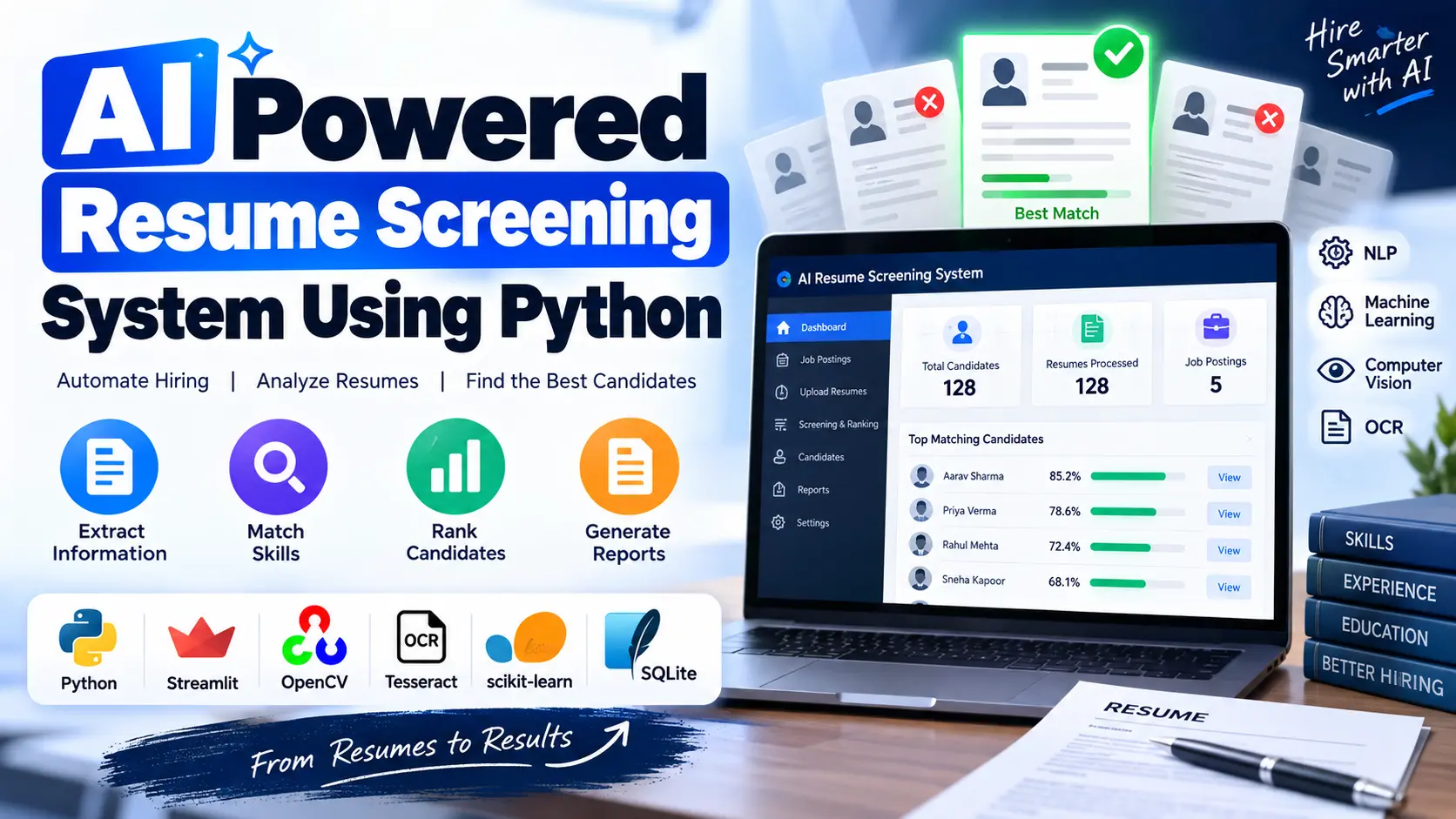
AI Powered Resume Screening System Using Python uses NLP, Machine Learning, Computer Vision, and OCR to analyse resumes, extract candidate information, compare resumes with job descriptions, rank candidates, and generate screening reports.
Read more- Built with
- PythonMachine LearningBootstrapHTML/CSS
- You get
- Source codeDatabaseProject reportPPTSetup guide
- Delivery
- Instant download after payment
AI Powered Resume Screening System Using Python
The AI Powered Resume Screening System Using Python is designed to automate the resume screening process. The project uses Natural Language Processing, Machine Learning, Computer Vision, and OCR to extract information from resumes, compare candidates with job descriptions, rank them, and generate screening reports.
Project Overview
The application is developed using Python with a Streamlit interface and SQLite for application data storage. It supports PDF, DOCX, TXT, and image-based resumes, including scanned documents.
Key Features
- Resume upload and parsing
- PDF, DOCX, TXT, and image resume support
- Natural Language Processing
- Machine Learning based resume matching
- TF-IDF and cosine similarity
- Candidate skill extraction
- Matched and missing skills
- Computer Vision and OCR processing
- Job posting management
- Candidate ranking and shortlisting
- Candidate profile management
- CSV and PDF report export
Technology Stack
| Layer | Technology |
|---|---|
| Frontend | Streamlit and Plotly |
| Backend | Python |
| NLP | spaCy, NLTK and Regular Expressions |
| Machine Learning | scikit-learn, TF-IDF and Cosine Similarity |
| Computer Vision | OpenCV |
| OCR | Tesseract and pytesseract |
| PDF Processing | PyMuPDF |
| DOCX Processing | python-docx |
| Database | SQLite |
| Reports | pandas and ReportLab |
| Security | bcrypt and role-based authentication |
Software and Tools Required
- Python 3.10 or later
- Streamlit
- SQLite
- Tesseract OCR for scanned resumes
- Required Python packages from requirements.txt
- Resume Upload and Parsing
- Natural Language Processing
- Candidate Information Extraction
- Skill Canonicalisation
- Machine Learning Resume Matching
- Matched and Missing Skills
- Computer Vision and OCR
- Job Posting Management
- Candidate Ranking
- Candidate Shortlisting
- Candidate Profiles
- Dashboard and Analytics
- Reports and Export
- User Management and Security
- AI Resume Screening
- Install Python 3.10 or later on your computer.
- Extract the project files and open the project folder.
- Create and activate a Python virtual environment if required.
- Install the project dependencies using pip install -r requirements.txt.
- Download the spaCy language model using python -m spacy download en_core_web_sm.
- Download the required NLTK resources using python -c "import nltk; nltk.download('stopwords'); nltk.download('wordnet')".
- Install Tesseract OCR for scanned and image-based resumes.
- On Windows, install Tesseract using winget install UB-Mannheim.TesseractOCR.
- On Ubuntu, install Tesseract using sudo apt install tesseract-ocr.
- On macOS, install Tesseract using brew install tesseract.
- Configure TESSERACT_CMD if Tesseract is installed in a custom location.
- Start the application using streamlit run app.py.
- Open the application at http://localhost:8501.
- Sign in and create a job posting.
- Upload resumes and run the screening process.
- Review candidate scores, matched skills, missing skills, rankings, and reports.
Stuck while running it? Chat with us on WhatsApp for free installation help.
No reviews yet. Be the first to review this project.