 20% OFF
Python Projects
University Management System in Python and AI Chatbot
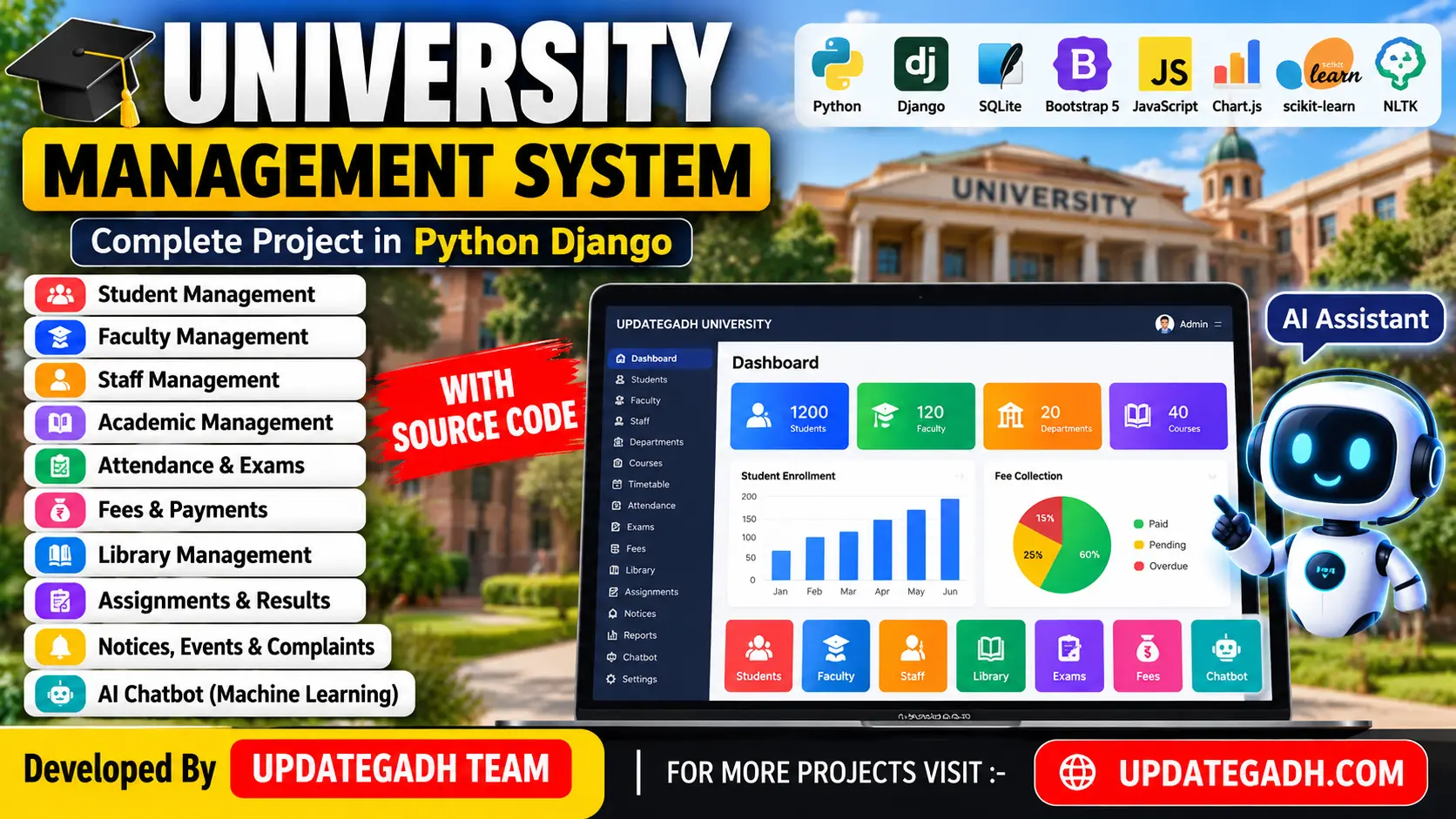
University Management System in Python and AI Chatbot is a web-based application developed using Python, Django, SQLite, HTML, CSS, Bootstrap 5, JavaScript, Chart.js, and machine-learning technologies. It includes Admin, Student, Faculty, Staff, and Librarian panels.
Read more
₹2,399.00
₹2,999.0020% off
- Built with
- PythonDjangoMachine LearningBootstrapHTML/CSSJavaScript
- You get
- Source codeDatabaseProject reportPPTSetup guide
- Delivery
- Instant download after payment
Project Overview
The University Management System is a web-based application developed using Python, Django, SQLite, HTML, CSS, Bootstrap 5, JavaScript, Chart.js, and a machine-learning chatbot. It manages university activities through separate panels for administrators, students, faculty, staff, and librarians.
Available Features
- Admin Panel
- Student Panel
- Faculty Panel
- Staff Panel
- Librarian Panel
- Academic and Timetable Management
- Attendance and Examination Management
- Fees and Payment Management
- Assignment Management
- Machine-Learning Chatbot
- Notices and Events Management
- Complaints and Reports
- Student and Faculty Management
- Course and Department Management
- Library Book Issue and Return
- Dashboard and Chatbot Analytics
Which Technologies Are Used in This Project?
- Python
- Django
- SQLite
- HTML
- CSS
- Bootstrap 5
- JavaScript
- Chart.js
- Scikit-learn
- TF-IDF
- Logistic Regression
- NLTK
More Details and Full Documentation
- Admin Panel
- Student Panel
- Faculty Panel
- Staff Panel
- Librarian Panel
- Academic and Timetable Management
- Attendance and Examination Management
- Fees and Payment Management
- Assignment Management
- Machine-Learning Chatbot
- Notices, Events, Complaints, and Reports
- Install Python 3.10 or newer.
- Extract the project folder and open it in VS Code.
- Open PowerShell in the project directory containing manage.py.
- Create a virtual environment using python -m venv .venv.
- Activate it using .\.venv\Scripts\Activate.ps1.
- Upgrade pip and install dependencies using pip install -r requirements.txt.
- Generate migrations using python manage.py makemigrations accounts academics admissions attendance exams fees learning library chatbot core.
- Apply migrations using python manage.py migrate.
- Load demo data using python manage.py seed_demo.
- Start the server using python manage.py runserver.
- Open http://127.0.0.1:8000/ in your browser.
Stuck while running it? Chat with us on WhatsApp for free installation help.
Python, Django, SQLite, HTML, CSS, Bootstrap 5, JavaScript, Chart.js, Scikit-learn, and NLTK.
SQLite.
Admin, Student, Faculty, Staff, and Librarian panels.
Yes. The chatbot uses TF-IDF, Logistic Regression, and NLTK.
No reviews yet. Be the first to review this project.