 50% OFF
 Weather Monitoring System Using Python
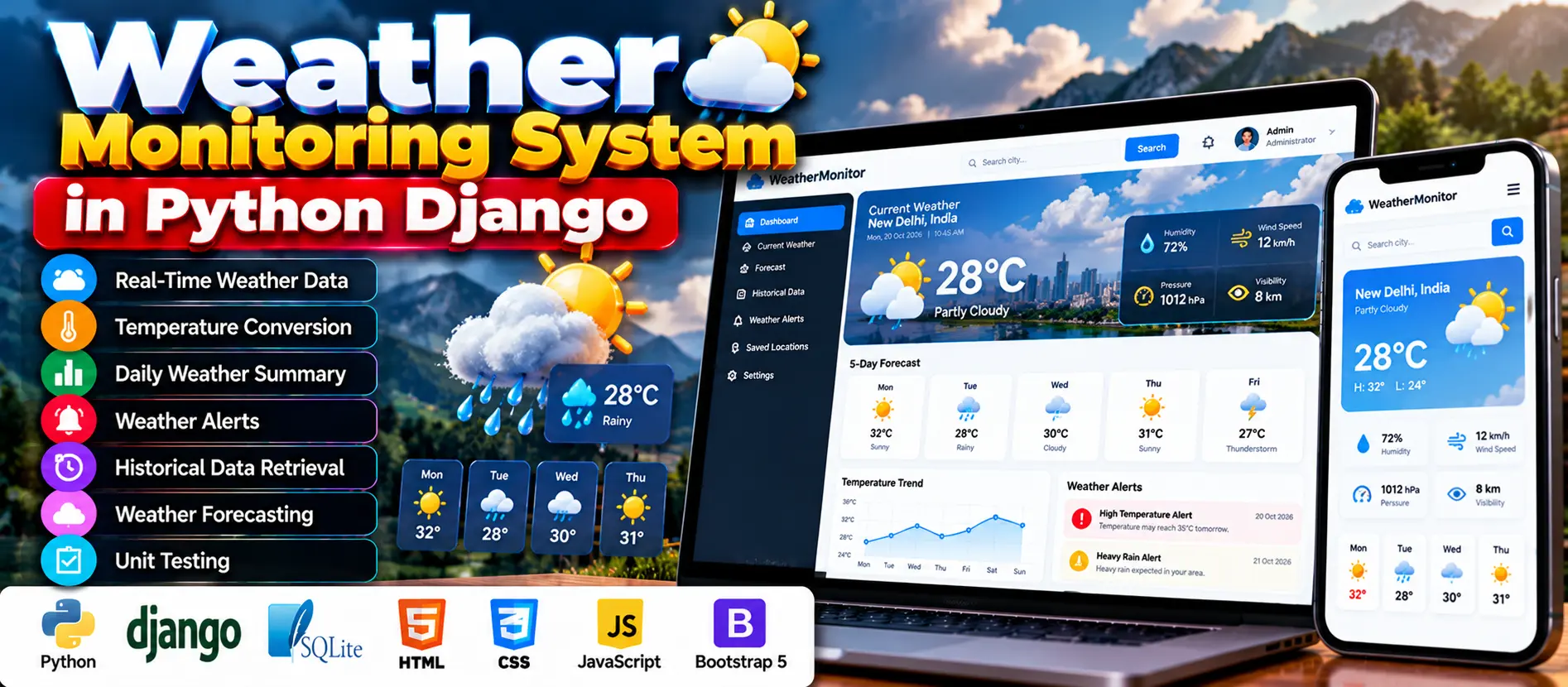
Explore the Weather Monitoring System Using Python and Django with real-time weather data, OpenWeatherMap API integration, historical records, weather alerts, temperature conversion, and forecasting.
Read more- Built with
- PythonDjangoBootstrapHTML/CSS
- You get
- Source codeDatabase
- Delivery
- Instant download after payment
Project Overview
The Weather Monitoring System Using Python is a web application developed with Django to monitor real-time and historical weather information for different locations. It integrates the OpenWeatherMap API to retrieve current weather conditions and display them through a responsive interface. The application includes temperature conversion, daily summaries, weather alerts, historical data retrieval, basic forecasting, and unit tests.
Available Features
- Real-Time Weather Data: Retrieve current weather conditions, including temperature, humidity, wind speed, and general weather conditions.
- Temperature Conversion: Convert temperatures between Celsius and Fahrenheit.
- Daily Weather Summary: Present daily weather readings in an easy-to-understand summary.
- Weather Alerts: Provide notifications when configured high-temperature, low-temperature, or humidity thresholds are crossed.
- Historical Weather Data: Retrieve weather records for selected dates to review past conditions and patterns.
- Basic Weather Forecasting: Provide upcoming-day forecasts through the configured API support.
- Responsive Interface: Support access from desktop computers, tablets, and mobile devices.
- Unit Testing: Include tests for different application components.
Which Technologies Are Used in This Project?
- Python: The main programming language.
- Django: The web application framework.
- SQLite: Stores application data.
- OpenWeatherMap API: Supplies current weather information and supports forecasting.
- HTML and CSS: Structure and style the web interface.
- JavaScript: Supports client-side interactions.
More Details and Full Documentation
For project screenshots, software requirements, and installation instructions, visit Weather Monitoring System Using Python on UPDATEGADH.
- Django Web Application
- OpenWeatherMap API Integration
- Real-Time Weather Data Retrieval
- Temperature Conversion
- Daily Weather Summary
- Weather Alert Functionality
- Historical Weather Data Retrieval
- Basic Weather Forecasting
- SQLite Database
- Responsive User Interface
- Unit Testing
- Install Python 3.8 or later and Visual Studio Code.
- Download and extract the project ZIP file.
- Open the extracted project folder in Visual Studio Code.
- Open Terminal > New Terminal.
- Create a Python virtual environment:
python -m venv venv
- Activate the virtual environment on Windows:
venv\Scripts\activate
- If the project includes requirements.txt, install its dependencies:
pip install -r requirements.txt
- Configure the OpenWeatherMap API credentials according to the project's settings and configuration files.
- Apply database migrations:
python manage.py migrate
- Start the Django development server:
python manage.py runserver
- Open the application in your browser:
http://127.0.0.1:8000/
- Test current weather data, temperature conversion, historical records, weather alerts, and forecasting functionality.
Stuck while running it? Chat with us on WhatsApp for free installation help.
No reviews yet. Be the first to review this project.