 20% OFF
 Online Examination System Using Python with AI Chatbot
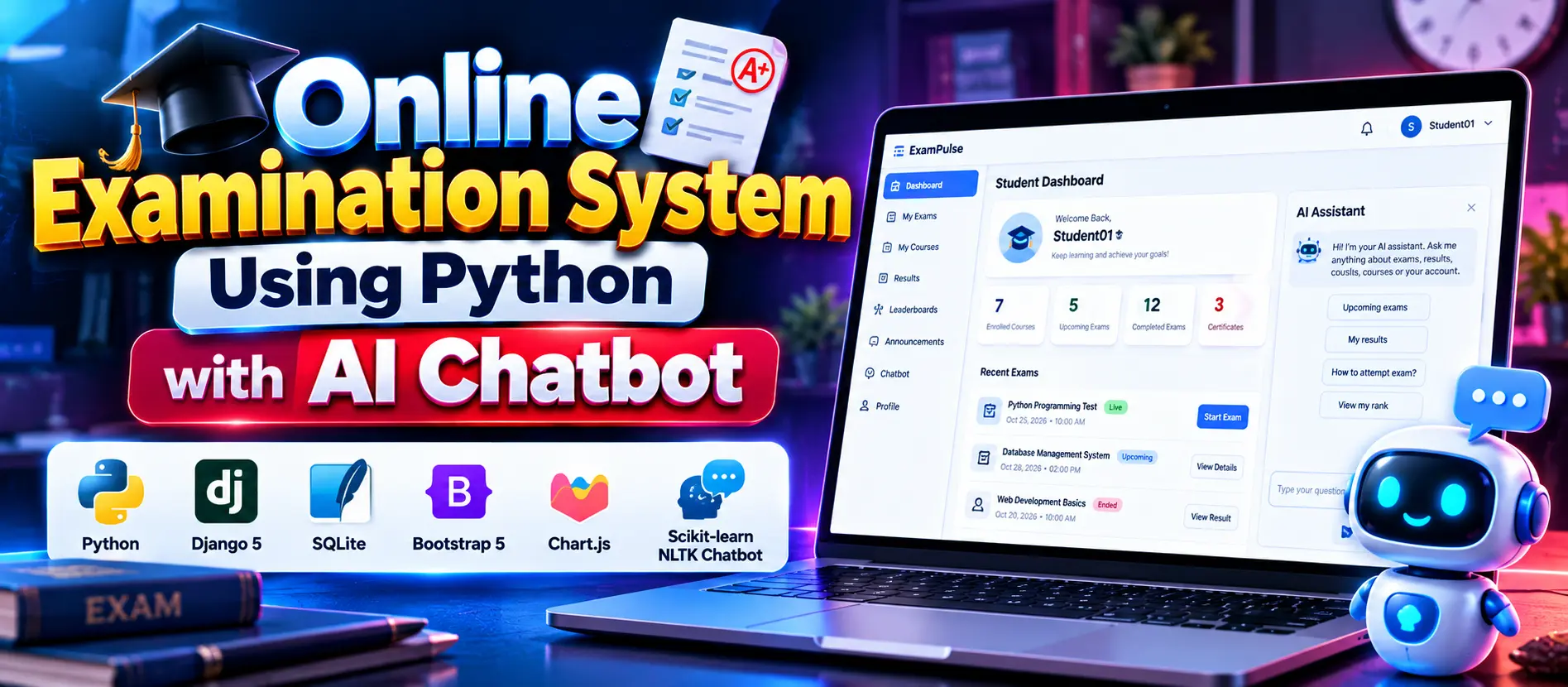
Online Examination System Using Python with AI Chatbot is a Django-based web application that helps students take online exams, teachers manage courses and questions, and administrators oversee examination activities. It includes timed exams, automatic scoring, performance analytics, CSV reports, and a machine learning chatbot powered by scikit-learn and NLTK.
Read more- Built with
- PythonDjangoMachine LearningBootstrapHTML/CSS
- You get
- Source codeDatabaseProject reportPPTSetup guide
- Delivery
- Instant download after payment
Project Overview
The Online Examination System Using Python with AI Chatbot is a web-based examination platform developed using Django 5 and SQLite. It provides separate panels for students, teachers, and administrators to manage courses, examinations, questions, results, reports, and system settings. The application also includes a machine learning chatbot that assists users with supported examination-related queries.
Available Features
- Student Panel: Register, log in, manage profiles, enroll in courses, attempt exams, and view results.
- Timed Examinations: Take timed multiple-choice exams with autosave and automatic submission after the deadline.
- Result Management: Calculate scores, review answers, and access examination history.
- Teacher Panel: Create and manage courses, maintain question banks, schedule exams, and analyze student performance.
- Teacher Approval: Require administrator approval before pending teacher accounts can sign in.
- Custom Admin Panel: Manage students, teachers, courses, exams, announcements, and system settings.
- Performance Analytics: Display dashboard statistics, score distributions, question accuracy, and leaderboards.
- CSV Reports: Export examination data and performance reports.
- AI Chatbot: Classify user messages using TF-IDF and Logistic Regression, with text preprocessing through NLTK.
- Chatbot Management: Review chatbot analytics, edit intents, adjust confidence settings, and retrain the model.
- Examination Security: Use role-based permissions, server-side validation, deadline checks, and protected examination submissions.
Which Technologies Are Used in This Project?
- Python: Core programming language.
- Django 5: Backend web framework.
- SQLite: Database for application records.
- HTML and CSS: Structure and style the user interface.
- Bootstrap 5: Responsive interface components.
- Chart.js: Dashboard charts and performance analytics.
- scikit-learn: Machine learning intent classification using Logistic Regression.
- NLTK: Text preprocessing and stemming.
- TF-IDF: Converts text into numerical features for chatbot classification.
More Details and Full Documentation
For complete project information, screenshots, demo credentials, and installation instructions, visit Online Examination System Using Python with AI Chatbot on UPDATEGADH.
- Student Registration and Login
- Student Profile Management
- Course Enrollment
- Timed Online Examinations
- Automatic Scoring and Result Management
- Examination History and Answer Review
- Teacher Registration and Approval
- Course Management
- MCQ Question Bank Management
- Examination Scheduling
- Student Performance Reports
- Custom Admin Dashboard
- Student and Teacher Account Management
- Salary and Payment Management
- Announcements Management
- CSV Report Export
- AI Chatbot
- Chatbot Intent Management and Training
- Examination Security and Deadline Enforcement
- Dashboard Analytics and Leaderboards
- Install Python 3.10 or later and Visual Studio Code.
- Extract the downloaded project ZIP file.
- Open the project folder in Visual Studio Code.
- Open the integrated terminal and create a virtual environment:
python -m venv venv
- Activate the virtual environment on Windows PowerShell:
venv\Scripts\Activate.ps1
For Windows Command Prompt
venv\Scripts\activate.bat
- Install the required packages:
pip install -r requirements.txt
- Initialize the database, create demonstration data, and train the chatbot:
python bootstrap.py
- Start the Django development server:
python manage.py runserver
- Open the application in your browser:
http://127.0.0.1:8000/
- Test the Student, Teacher, Admin, examination, reporting, and chatbot features.
Stuck while running it? Chat with us on WhatsApp for free installation help.
No reviews yet. Be the first to review this project.