 24% OFF
 Online Banking System Using Python and Django
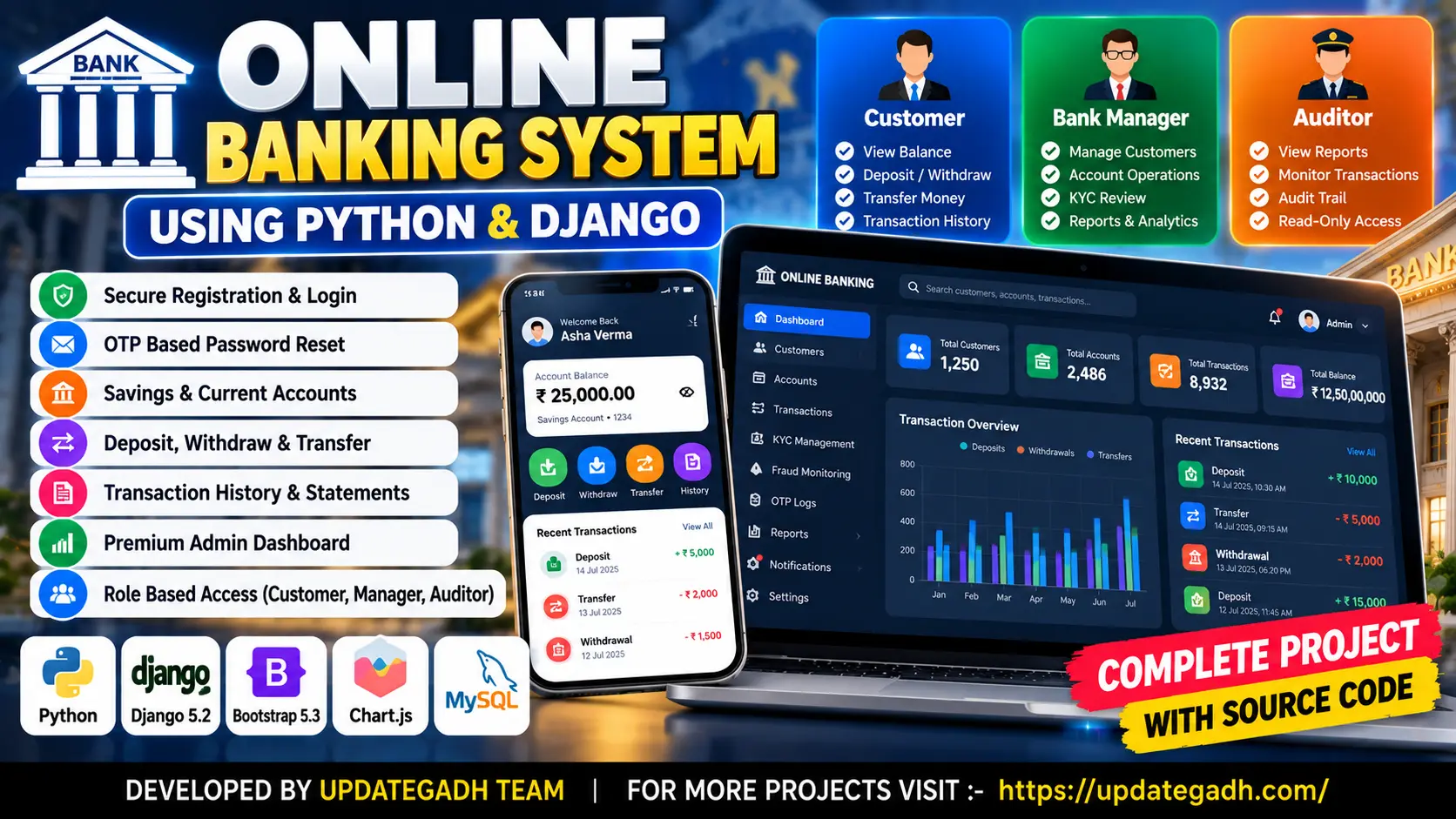
Online Banking System Using Python and Django is a web application for managing customer accounts, deposits, withdrawals, fund transfers, transaction history, account statements, and administrative banking operations.
Read more- Built with
- PythonDjangoBootstrapHTML/CSS
- You get
- Source codeDatabaseProject reportPPTSetup guide
- Delivery
- Instant download after payment
Project Overview
Online Banking System Using Python and Django is a web-based banking simulation developed using Python, Django 5.2, Django Templates, Bootstrap 5.3, and SQLite. It allows customers to manage banking accounts, perform demo deposits and withdrawals, transfer demo funds, and review transaction history. A custom administrative dashboard supports customer management, account operations, KYC reviews, fraud monitoring, audit logs, notifications, and reports.
Available Features
- Email-Based User Registration and Login
- Password Reset Using OTP
- Customer Dashboard with Account Balance and Transaction Statistics
- Savings and Current Accounts
- Demo Deposits, Withdrawals, and Fund Transfers
- Transaction Validation and Balance Checks
- Transaction History with Search, Filters, and Pagination
- Printable Account Statements
- Custom Admin Dashboard
- Customer Management and Account Operations
- KYC Reviews and Fraud Monitoring
- OTP Logs, Audit Trails, Notifications, and Reports
- Role-Based Access Control
- Bank Manager and Auditor Roles
- Transaction Limits and Interest Rate Configuration
- Dashboard Charts and Transaction Statistics
Technology Stack
- Programming Language: Python
- Backend Framework: Django 5.2
- Frontend: Django Templates, HTML, CSS, JavaScript, and Bootstrap 5.3
- Database: SQLite by default
- Charts: Chart.js
- Icons: Font Awesome
More Details and Full Documentation
- User Registration and Authentication
- Password Reset Using OTP
- Customer Dashboard
- Savings and Current Accounts
- Banking Transactions
- Transaction History and Statements
- Custom Admin Dashboard
- Customer Management
- KYC Reviews
- Fraud Monitoring
- Audit Logs and Notifications
- Role-Based Access Control
- Reports and Analytics
- Install Python, Visual Studio Code, and a Web Browser.
- Extract the project folder and open the online_banking folder in VS Code.
- Create a virtual environment:
python -m venv .venv
- Activate the environment:
.venv\Scripts\Activate.ps1
- Install the dependencies:
pip install -r requirements.txt
- Copy .env.example to .env:
Copy-Item .env.example .env
- Configure DJANGO_SECRET_KEY and other required environment variables.
- Apply database migrations:
python manage.py makemigrations
python manage.py migrate
- Create demo users and sample data:
python manage.py seed_demo
- Start the development server:
python manage.py runserver
- Open http://127.0.0.1:8000/ in your browser.
Stuck while running it? Chat with us on WhatsApp for free installation help.
No reviews yet. Be the first to review this project.