 40% OFF
 Canteen Ordering System in Django with PayPal Integration
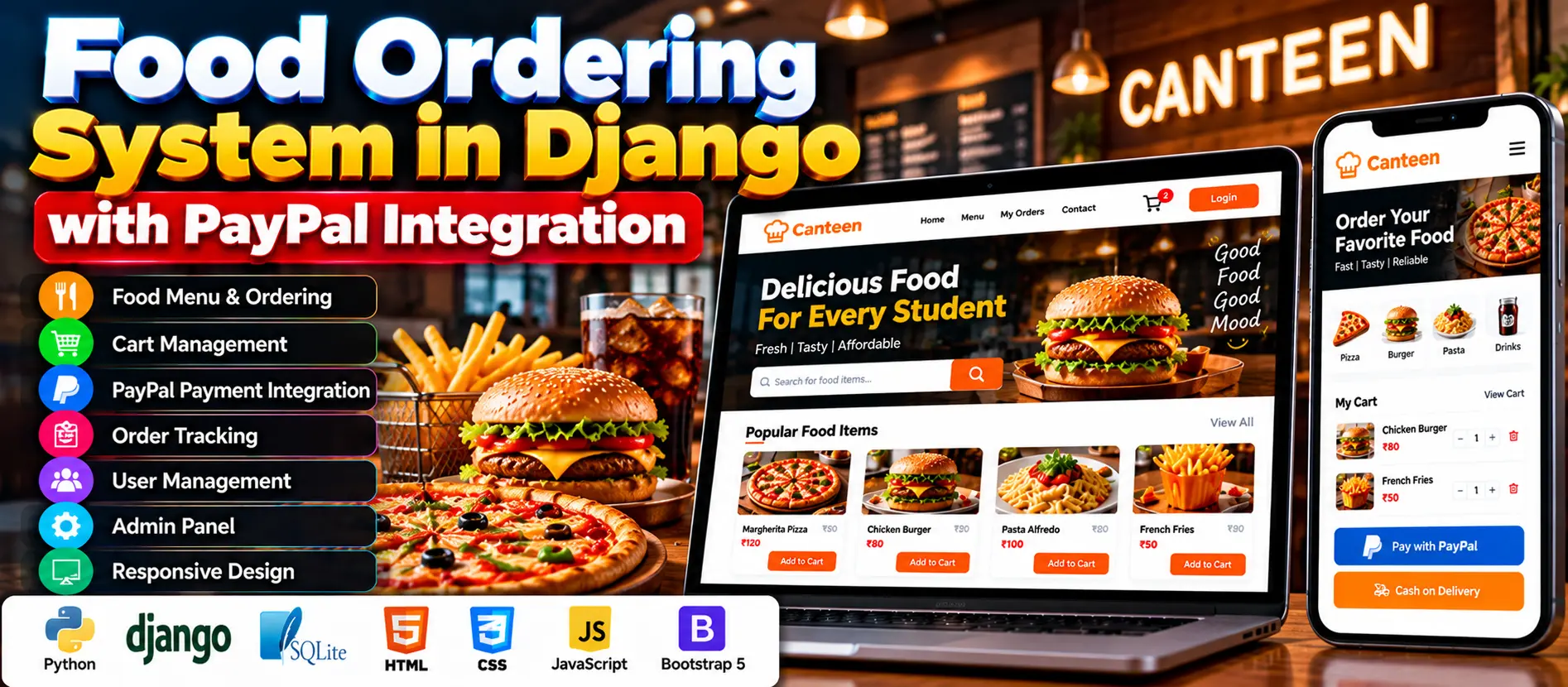
The Canteen Ordering System in Django with PayPal Integration is a web-based application that allows students to browse food items, manage their shopping carts, place orders, and pay using PayPal or Cash on Delivery. Canteen administrators can manage menu items, users, orders, and order statuses through Django’s built-in admin panel.
Read more- Built with
- PythonDjangoBootstrapHTML/CSSJavaScript
- You get
- Source codeDatabase
- Delivery
- Instant download after payment
Project Overview
The Canteen Ordering System in Django with PayPal Integration is a web application developed using Python and Django. It helps students browse available food items, add products to their carts, place orders, and track order progress. The system supports PayPal payments and Cash on Delivery, while canteen administrators manage menu items, users, and orders through Django's built-in admin panel.
Available Features
- User Registration and Login: Students can create accounts and sign in using Django authentication.
- Dynamic Food Listing: Display available food items with Add to Cart functionality.
- Cart Management: Increase or decrease item quantities and update or delete cart items.
- Navbar Cart Count: Display the number of items in the shopping cart.
- Checkout and Payments: Support PayPal payments and Cash on Delivery.
- Order Tracking: View current and previous orders and monitor status updates.
- Order Details: View ordered items, total costs, and order statuses.
- Menu Management: Administrators can add, update, and delete food items.
- Order Management: Administrators can review orders and update their statuses.
- User Management: Manage student accounts through Django's built-in admin panel.
- Feedback and Communication: Support feedback and monitor customer interactions.
- Responsive Interface: Use Bootstrap 5 for layouts that adapt to different screen sizes.
Which Technologies Are Used in This Project?
- Python and Django: Backend application development.
- SQLite: Stores user, menu, and order data.
- Django Template Language: Renders dynamic web pages.
- HTML and CSS: Structure and style the interface.
- JavaScript: Supports interactive cart updates and counters.
- Bootstrap 5: Provides responsive interface components.
- PayPal: Supports online payment processing.
More Details and Full Documentation
For complete project details and setup information, visit Best Canteen Ordering System in Django with PayPal Integration on UPDATEGADH.
- User Registration and Login
- Food Listing
- Shopping Cart Management
- Cart Quantity Updates
- Checkout and Payment
- PayPal Integration
- Cash on Delivery
- Order Tracking
- Order Details
- Menu Item Management
- Order Management
- User Management
- Feedback and Communication
- Django Built-in Admin Panel
- Install Python and Visual Studio Code.
- Download and extract the project ZIP file.
- Open the extracted project folder in Visual Studio Code.
- Create a virtual environment:
python -m venv venv
- Activate the environment on Windows:
venv\Scripts\activate
- Install the required dependencies using the supplied requirements file:
pip install -r requirements.txt
- Check the Django settings and configure the PayPal credentials as required by the project.
- Apply database migrations:
python manage.py migrate
- Create an administrator account if one is not already provided:
python manage.py createsuperuser
- Start the development server:
python manage.py runserver
- Open the website:
http://127.0.0.1:8000/
- Open the Django admin panel:
http://127.0.0.1:8000/admin/
- Test user registration, food browsing, cart management, checkout, and order tracking.
- Test PayPal payments using the appropriate sandbox credentials before enabling live payments.
Stuck while running it? Chat with us on WhatsApp for free installation help.
No reviews yet. Be the first to review this project.