 63% OFF
 Student Data Management System Using Python
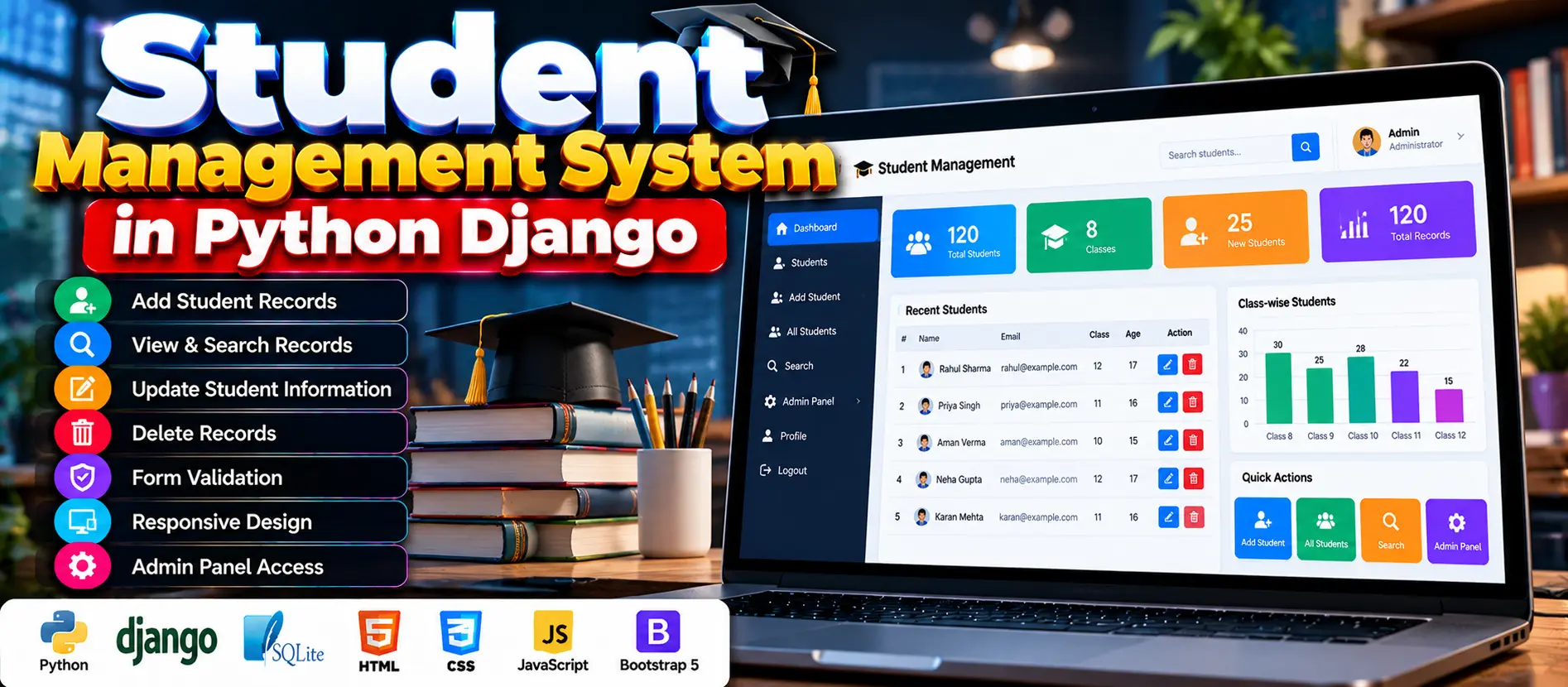
The Student Data Management System Using Python is a Django-based web application that helps manage student records. It supports adding, viewing, updating, searching, and deleting student information, with SQLite database storage, form validation, responsive design, and Django’s built-in administration interface.
Read more- Built with
- PythonDjangoHTML/CSS
- You get
- Source codeDatabase
- Delivery
- Instant download after payment
Project Overview
The Student Data Management System Using Python is a web application developed with Python Django to help schools and colleges maintain student records. It allows users to add, view, update, search, and delete student information through a web interface. The project uses SQLite for data storage and HTML, CSS, Bootstrap, and JavaScript for the interface.
Available Features
- Create Student Records: Add student details, including name, email, class, and age.
- View Student Records: View stored student records and individual student information.
- Update Student Information: Edit existing student details, including email and class information.
- Delete Student Records: Remove outdated or incorrect entries, with deletion restricted to authorized users.
- Search Functionality: Search student records using details such as name or email.
- Form Validation: Validate user input before saving information.
- Responsive Design: Use the interface on desktops, tablets, and smartphones.
- Administration Interface: Use Django’s built-in administration interface to manage student data and system settings.
Which Technologies Are Used in This Project?
- Backend: Python Django
- Frontend: HTML5, CSS3, Bootstrap, and JavaScript
- Database: SQLite
- Django Templating Engine: Connects frontend templates with backend logic.
- Django ORM: Handles database operations.
More Details and Full Documentation
For more information about the project, its features, and installation instructions, visit the official project page.
- Student Record Creation
- Student Record Viewing
- Student Information Update
- Student Record Deletion
- Student Search
- Form Validation
- Django Administration Interface
- Responsive User Interface
- SQLite Database Management
Step 1: Install Python and Visual Studio Code.
Step 2: Extract the project files and open the project folder in VS Code.
Step 3: Open the integrated terminal using Terminal > New Terminal.
Step 4: Create a virtual environment
python -m venv venv
Step 5: Activate the virtual environment on Windows
venv\Scripts\activate
Step 6: Install dependencies. If requirements.txt exists, run
pip install -r requirements.txt
If the project does not include a dependency file, install Django
pip install django
Step 7: Run database migrations from the directory containing manage.py
python manage.py migrate
Step 8: Start the development server
python manage.py runserver
Step 9: Open the application in your browser
http://127.0.0.1:8000/
Step 10: If administrator access is required and no superuser account exists, create one
python manage.py createsuperuser
Note: These are the setup steps documented on the project page. Actual dependencies and configuration may vary depending on the supplied source code.
Stuck while running it? Chat with us on WhatsApp for free installation help.
No reviews yet. Be the first to review this project.