 13% OFF
Petrol Station Management System Web and Mobile
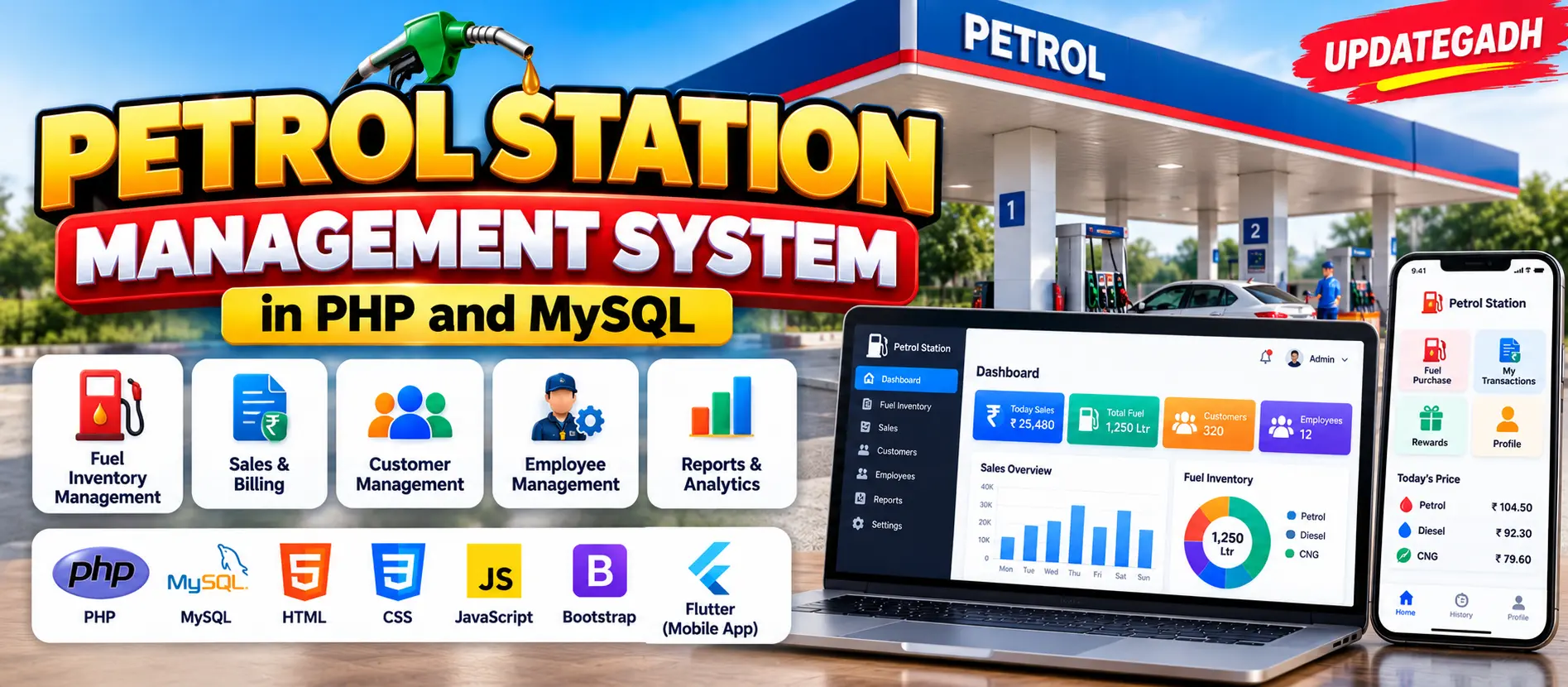
The Petrol Station Management System is a web and mobile application developed using HTML, CSS, Bootstrap, JavaScript, JQuery, AJAX, PHP, MySQL, Flutter, and Firebase. It manages fuel inventory, sales, billing, customer information, employee shifts, performance, and payroll across web and mobile platforms.
Read more- Built with
- PHPMySQLAndroidBootstrapHTML/CSSJavaScript
- You get
- Source codeDatabaseProject reportPPTSetup guide
- Delivery
- Instant download after payment
Project Overview
Petrol Station Management System is a web and mobile-based application designed to simplify petrol station operations, including fuel inventory management, sales and billing, customer management, and employee monitoring. Developed using PHP, MySQL, Flutter, and Firebase technologies, the system aims to provide centralized management and cross-platform accessibility through web and mobile applications.
The Petrol Station Management System provides a web interface and a mobile application for managing and monitoring petrol station activities. The web application uses PHP and MySQL, while the mobile application is developed using Flutter. Firebase Firestore is planned as a shared backend database to synchronize information between both platforms.
Key Features
- Track available fuel quantities.
- Receive alerts when fuel levels become low.
- Manage stock ordering based on fuel usage trends.
- Manage the billing process for fuel sales.
- Support multiple payment methods.
- Maintain secure payment history.
- Allow customers to view their previous purchases.
- Maintain customer information.
- Manage customer reward programs.
- Organize employee shifts.
- Monitor employee performance.
- Manage employee payroll processing.
- Connect web and mobile applications with a shared backend.
- Synchronize information related to orders, sales, and fuel inventory.
- Access the web application through desktop and mobile browsers.
- Use the Flutter mobile application on Android and iOS.
Technologies and Libraries Used
- HTML: Used to structure web pages.
- CSS: Used to style web pages.
- Bootstrap: Supports responsive web interface design.
- JavaScript: Provides interactive functionality.
- jQuery: Provides interactive functionality.
- AJAX: Supports dynamic updates.
- PHP: Handles backend business logic and CRUD operations.
- MySQL: Stores web application data.
- Flutter: Used to develop mobile applications for Android and iOS using a single codebase.
- Firebase Firestore: Planned as a cloud database for real-time synchronization between web and mobile applications.
- Firebase Authentication: Provides user authentication with support for multiple sign-in methods.
- Fuel Inventory Management
- Fuel Quantity Tracking
- Low Fuel Level Alerts
- Stock Ordering
- Fuel Usage Monitoring
- Sales and Billing Management
- Fuel Sales Billing
- Multiple Payment Methods
- Payment History
- Previous Purchases
- Customer Management
- Customer Information
- Customer Reward Programs
- Employee Management
- Employee Shift Management
- Employee Performance Monitoring
- Employee Payroll Processing
- Web Application
- Web Interface
- PHP Backend
- MySQL Database
- Mobile Application
- Flutter Mobile Application
- Android Support
- iOS Support
- Data Synchronization
- Orders Synchronization
- Sales Synchronization
- Fuel Inventory Synchronization
- Firebase Firestore Integration
Step 1: Install Required Software
- XAMPP – Apache, PHP and MySQL.
- Visual Studio Code – Code editor.
- Flutter SDK – For mobile application development.
- Android Studio – Android SDK and emulator.
- Git – Optional.
Step 2: Extract the Project
- Extract the project ZIP file.
- Open the extracted project folder.
- Identify the PHP web application folder and Flutter mobile application folder.
- Open the PHP project folder in VS Code.
Step 3: Run the PHP Web Application
- Copy the PHP project folder into C:\xampp\htdocs\
- Open XAMPP Control Panel.
- Start Apache and MySQL.
- Open http://localhost/phpmyadmin/
- Create a new MySQL database.
- Open dbConnection.php in VS Code.
- Check the database connection settings.
- Update the database name, username, and password according to your local MySQL configuration.
- Import the SQL script provided with the project, following its database setup instructions.
- Open http://localhost/PROJECT_FOLDER_NAME/
Step 4: Configure Email Notifications
- Open success.php.
- Find $mail->Username and $mail->Password.
- Configure them with the appropriate email credentials.
- Save the changes.
Step 5: Configure SSL Commerz Payment Gateway
- Open _checkout.php.
- Configure the sandbox payment settings.
- Check success.php for the corresponding payment configuration.
- Use sandbox credentials for testing.
Step 6: Run the Flutter Mobile Application
- Open the Flutter project folder in VS Code.
- Open the terminal.
- Run flutter doctor.
- Install project dependencies using flutter pub get.
- Connect an Android device or start an emulator.
- Run flutter run.
Step 7: Configure Firebase
- Configure Firebase Authentication for the required sign-in methods.
- Configure Firebase Firestore according to the application's data structure.
- Check the existing Firebase configuration files.
- Configure the web and mobile applications according to their existing integration.
Stuck while running it? Chat with us on WhatsApp for free installation help.
No reviews yet. Be the first to review this project.