 40% OFF
NGO Management System in PHP and MySQL
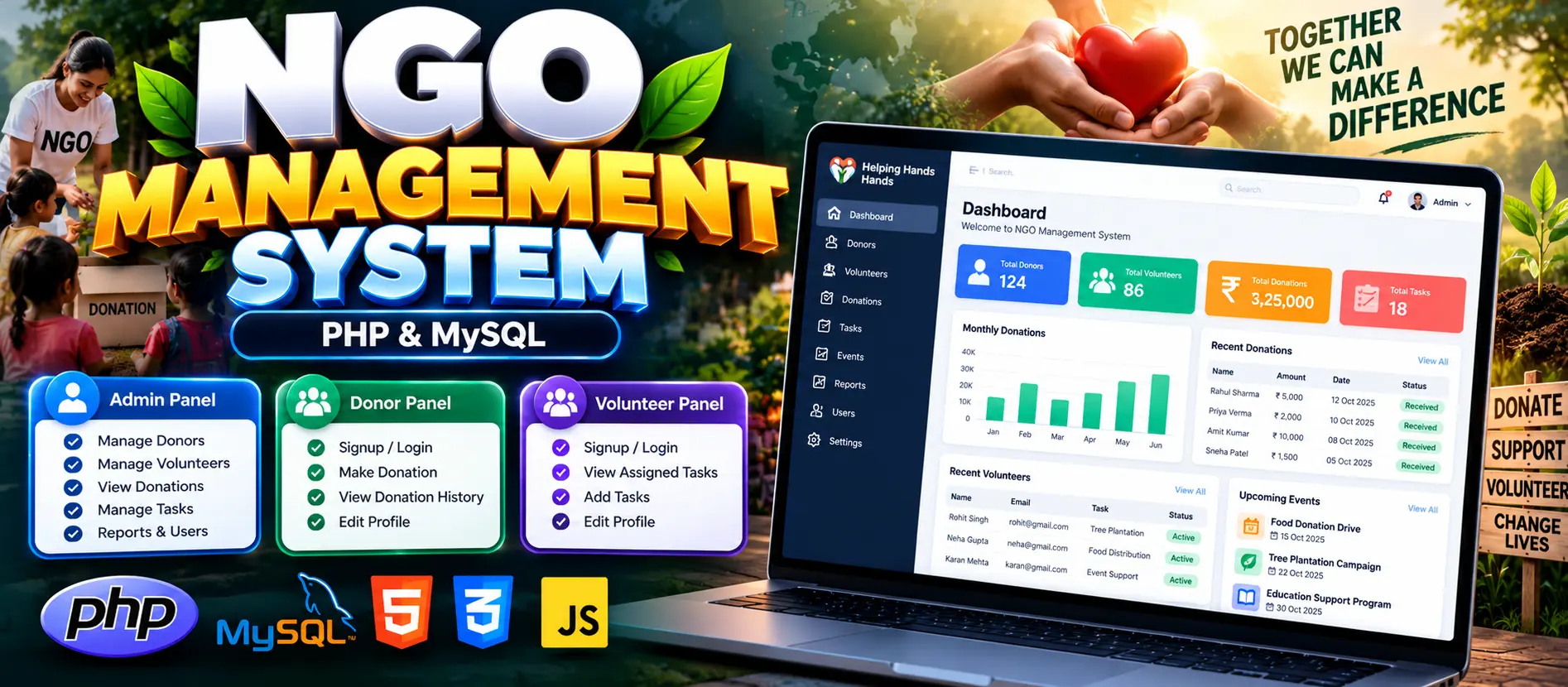
NGO Management System using PHP, MySQL, JavaScript, and Bootstrap. Includes Admin, Donor, and Volunteer panels with account management, donor management, donation transactions, money and item donations, and volunteer task management.
Read more- Built with
- PHPMySQLBootstrapHTML/CSSJavaScript
- You get
- Source codeDatabase
- Delivery
- Instant download after payment
Project Overview
The NGO Management System in PHP and MySQL is a web-based application designed to manage NGO activities, donor information, donations, and volunteer tasks. It provides separate roles for Admin, Donor, and Volunteer, helping organize donation records and volunteer activities through a centralized platform.
Available Features
- Admin, Donor, and Volunteer Signup
- Login and Account Editing
- Donor Management
- Volunteer Management
- User Role Management
- Money Donations
- Item Donations
- Donation Transaction Records
- Volunteer Task Creation
- Assigned Volunteer Task Viewing
Technology Stack
- Backend: PHP
- Database: MySQL
- Client-Side Scripting: JavaScript
- UI Framework: Bootstrap
- Local Server Environment: XAMPP
More Details and Full Documentation
For complete project details, available features, and installation instructions, visit the project page.
- Admin Panel
- Donor Panel
- Volunteer Panel
- Signup and Login
- Account Editing
- Donor Management
- Volunteer Management
- User Role Management
- Money Donation Management
- Item Donation Management
- Donation Transaction Records
- Volunteer Task Management
- Assigned Task Viewing
- Install XAMPP and Visual Studio Code.
- Extract the project ZIP file.
- Copy the NGO-Management-System folder into the XAMPP htdocs directory:
C:\xampp\htdocs\NGO-Management-System
- Start Apache and MySQL from the XAMPP Control Panel.
- Open phpMyAdmin:
http://localhost/phpmyadmin/
- Create a database named:
ngo
- Import the SQL file:
sql/ngo.sql
- Open the project folder in Visual Studio Code.
- Open the database configuration file:
pdo.php
- Verify the database connection settings. The example provided by the project is:
mysql:host=127.0.0.1;port=3306;dbname=ngo
Username: root
Password: Empty by default in the example
- Update the database credentials if your local MySQL configuration differs.
- Open the project in your browser:
http://localhost/NGO-Management-System/
- Register accounts for Donor and Volunteer roles, then test their respective features.
Stuck while running it? Chat with us on WhatsApp for free installation help.
No reviews yet. Be the first to review this project.