 40% OFF
PHP Projects
Vehicle Parking Management System Using PHP and MySQL
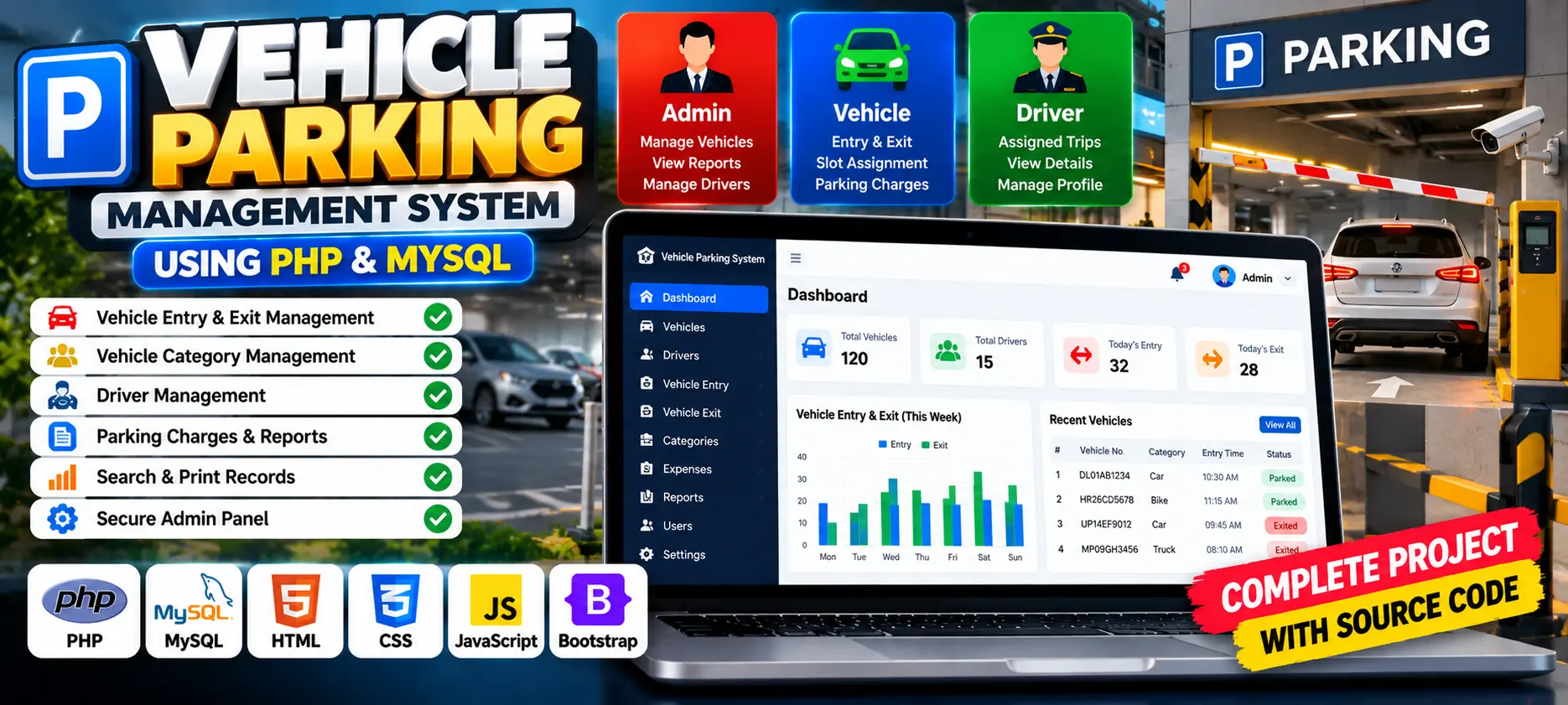
Vehicle Parking Management System is a web-based application developed using PHP and MySQL to manage vehicle entries, exits, parking slot assignments, and parking records. It includes an administrator interface for monitoring parking activities and generating reports.
Read more
₹1,199.00
₹1,999.0040% off
- Built with
- PHPMySQLBootstrapHTML/CSSJavaScript
- You get
- Source codeDatabaseProject reportPPTSetup guide
- Delivery
- Instant download after payment
Project Overview
Vehicle Parking Management System is a web-based application developed using PHP and MySQL to automate parking operations. It helps manage vehicle registration, parking slot assignments, vehicle entry and exit records, and parking reports.
Available Features
- Admin Login
- Password Reset or Change
- Admin Dashboard
- Incoming and Outgoing Vehicle Records
- Parking Slot Tracking
- Vehicle Registration
- Parking Slot Assignment
- Parking Activity Reports
- Print Vehicle Records and Reports
- Admin Profile Management
Technology Stack
- Backend: PHP
- Database: MySQL
- Frontend: HTML, CSS, and JavaScript
More Details and Full Documentation
- User Authentication
- Admin Dashboard
- Category Management
- Vehicle Entry Management
- Vehicle Exit Management
- Search Functionality
- Report Generation
- Print Records
- Admin Profile Management
- Install XAMPP and Visual Studio Code.
- Extract the project folder named Vehicle-Parking-Management-System.
- Copy the project folder into C:\xampp\htdocs.
- Start Apache and MySQL from the XAMPP Control Panel.
- Open http://localhost/phpmyadmin in your browser.
- Create a database named vpmsdb.
- Import the vpmsdb.sql file into the database.
- Open the includes folder and locate the database connection file, commonly dbconnection.php.
- Configure the MySQL connection using the vpmsdb database.
- Open http://localhost/vpms/ in your browser if you renamed the project folder to vpms.
- Log in using the credentials provided in the project database or configured during installation.
Stuck while running it? Chat with us on WhatsApp for free installation help.
It is a web application that helps administrators manage vehicle entries, exits, categories, parking charges, and reports.
The project uses PHP, MySQL, HTML, CSS, and JavaScript.
The installation instructions use MySQL with a database named vpmsdb.
Place the project folder in XAMPP's htdocs directory, start Apache and MySQL, import the SQL file, configure the database connection, and open the local project URL.
Yes. The described features include date-range reports and printable vehicle records for reviewing parking transactions and revenue.
No reviews yet. Be the first to review this project.