 25% OFF
 Smart Fuel Station Management System
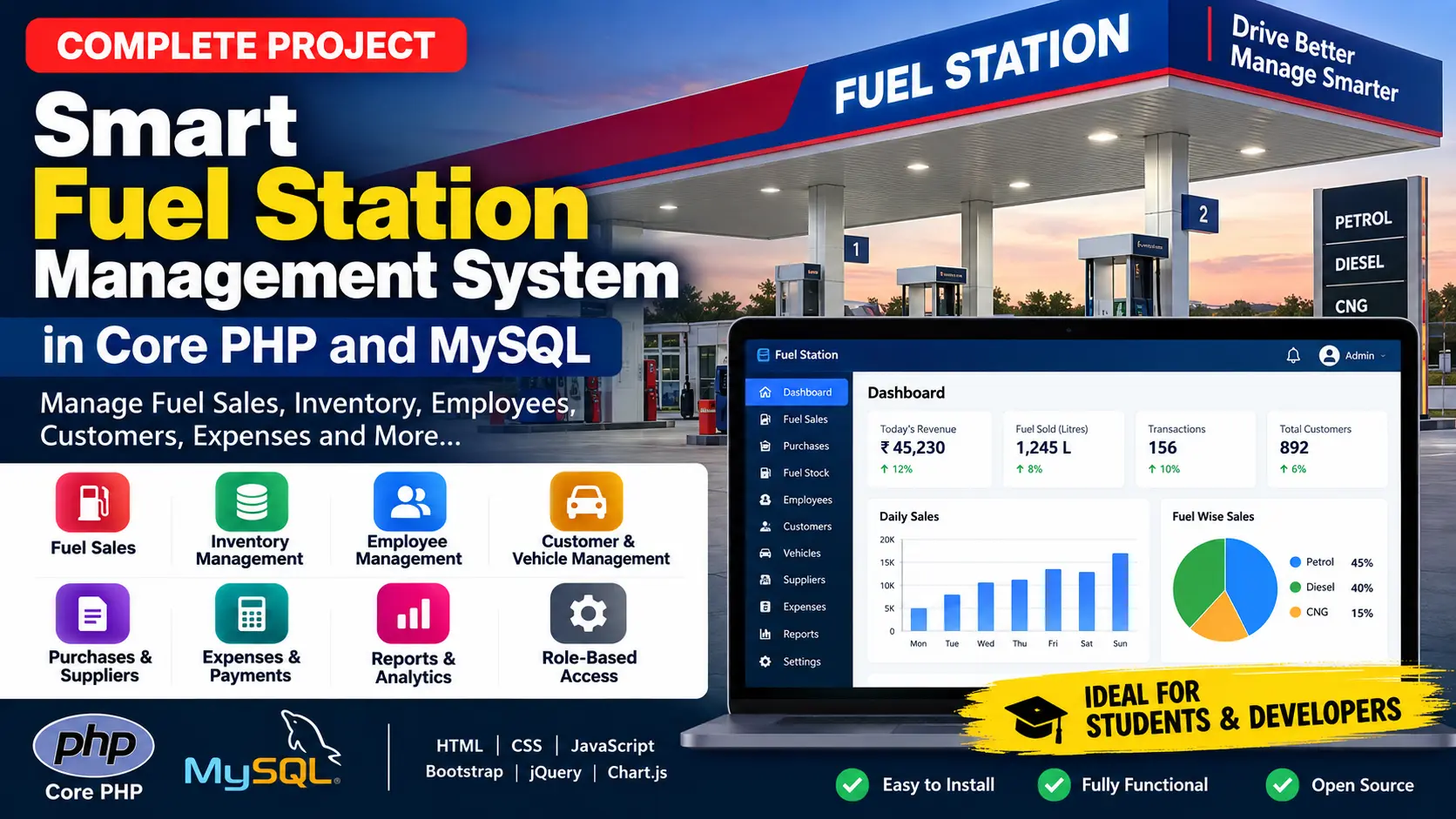
Smart Fuel Station Management System is a web-based petrol pump management application developed using Core PHP and MySQL for managing fuel sales, inventory, purchases, employees, attendance, customers, vehicles, suppliers, expenses, payments, reports, invoices, and daily station operations.
Read more- Built with
- PHPMySQLBootstrapHTML/CSSJavaScript
- You get
- Source codeDatabaseProject reportPPTSetup guide
- Delivery
- Instant download after payment
Smart Fuel Station Management System in PHP and MySQL is a web-based petrol pump and fuel station management application developed using Core PHP and MySQL. It provides a centralized platform for managing daily fuel station operations, including fuel sales, inventory, purchases, employees, attendance, customers, vehicles, suppliers, expenses, payments, and reports.
The system provides separate access for Super Admin, Admin/Station Manager, and Employee/Fuel Attendant. It includes fuel type, pump, nozzle, sales, stock, customer, vehicle, supplier, expense, payment, daily closing, reporting, invoice, notification, activity logging, and security features.
Key Features
- Secure Authentication: Login, logout, password recovery, session timeout, brute-force protection, and account lockout.
- Super Admin Panel: Complete control over fuel stations, users, employees, attendance, sales, purchases, stock, expenses, payments, reports, and settings.
- Station Manager Panel: Manage daily fuel station operations and related records.
- Employee/Fuel Attendant Panel: Manage attendance, create fuel sales, view transaction history, and manage employee profile.
- Fuel Station Management: Manage station details, contact information, GST number, license number, opening date, and active status.
- Employee Management: Manage employee profiles, photos, codes, departments, shifts, salary information, and emergency contacts.
- Attendance Management: Record employee check-in, check-out, working hours, and attendance status.
- Fuel Type Management: Manage fuel name, code, unit, purchase price, selling price, minimum stock level, and status.
- Pump & Nozzle Management: Manage pumps, nozzles, fuel types, opening meters, current meters, and status.
- Fuel Sales Management: Record fuel sales using pump and nozzle meter readings, fuel price, discounts, tax, and payment methods.
- Fuel Purchase Management: Manage supplier, purchase invoice, fuel type, quantity, purchase price, tax, total amount, and payment status.
- Fuel Stock Management: Track current stock, minimum stock alerts, stock adjustments, transaction history, and stock ledger.
- Customer Management: Manage customer details, GST number, credit limit, outstanding amount, vehicles, and fuel sales.
- Vehicle Management: Manage vehicle number, type, fuel type, company, model, registration date, customer, and status.
- Supplier Management: Manage supplier contact details, GST number, bank details, opening balance, and status.
- Expense Management: Manage electricity, salary, maintenance, rent, transport, cleaning, security, equipment, and other expenses.
- Payment Management: Support Cash, UPI, Card, and Credit payments with reconciliation and pending payment tracking.
- Daily Closing: Calculate expected cash, actual cash, cash difference, sales by payment method, and expenses.
- Reports: Generate sales, employee-wise sales, stock, attendance, financial, and outstanding payment reports.
- Invoice Generation: Generate printable invoices containing sale, customer, vehicle, fuel, tax, discount, and payment details.
- Notifications: Receive in-app notifications for important events and low-stock conditions.
- Activity Logs: Record login, logout, sales, purchases, stock adjustments, and other system activities.
- Security Features: PDO prepared statements, CSRF protection, SQL injection protection, bcrypt password hashing, role validation, session timeout, and file upload validation.
Technology Stack
| Technology | Details |
|---|---|
| Backend | Core PHP 8+ |
| Database | MySQL 8+ |
| Database Connection | PDO |
| Frontend | HTML5, CSS3, JavaScript |
| UI Framework | Bootstrap 5 |
| Charts | Chart.js |
| Icons | Font Awesome |
| Frontend Library | jQuery |
| Tables | DataTables |
| Web Server | Apache |
| Local Environment | XAMPP |
| Database Administration | phpMyAdmin |
System Requirements
- PHP 8+
- MySQL 8+
- XAMPP
- Apache
- phpMyAdmin
- Modern Web Browser
How It Works
The system starts with user authentication and role-based access. Super Admins have complete control of the system, while Station Managers manage daily station operations and Fuel Attendants handle attendance and fuel sales.
During a fuel sale, the user selects a pump and nozzle, enters the closing meter, and the system calculates litres sold from the difference between the closing and opening meter. The fuel price, discount, tax, and payment method are then applied. The system updates the nozzle meter, deducts fuel from stock, creates a payment record, generates an invoice, and records the activity in the audit log.
The daily closing module calculates expected cash using cash sales and expenses, compares it with actual cash, and calculates the cash difference. Daily sales can then be locked to prevent unauthorized modifications.
Perfect For
- College Projects
- University Projects
- Final Year Projects
- BCA Projects
- MCA Projects
- PHP and MySQL Students
- Fuel Station Management Projects
- Petrol Pump Management Projects
Future Enhancements
- Complete multi-station switching
- Payroll and salary processing
- SMS notifications
Watch Project Demo
More Details & Full Documentation
Authentication Module
- Login
- Logout
- Forgot Password
- Session Timeout
- Brute-Force Protection
- Account Lockout
- Role-Based Access
Super Admin Module
- User & Role Management
- Fuel Station Management
- Employee Management
- Attendance Management
- Fuel Type Management
- Pump Management
- Nozzle Management
- Customer Management
- Vehicle Management
- Supplier Management
- Fuel Purchase Management
- Fuel Sales Management
- Fuel Stock Management
- Expense Management
- Payment Management
- Daily Closing
- Reports
- Settings
- Activity Logs
Station Manager Module
- Daily Station Operations
- Employee Management
- Attendance Management
- Customer Management
- Vehicle Management
- Fuel Type Management
- Pump Management
- Nozzle Management
- Fuel Sales
- Fuel Purchases
- Supplier Management
- Stock Management
- Expense Management
- Payment Management
- Reports
Employee / Fuel Attendant Module
- Employee Dashboard
- Attendance
- New Fuel Sales
- Transaction History
- Employee Profile
Reports Module
- Sales Reports
- Employee-Wise Sales Reports
- Stock Reports
- Attendance Reports
- Financial Reports
- Outstanding Payment Reports
Other Modules
- Invoice Generation
- Notifications
- Activity Logs
- Security Features
Prerequisites
- XAMPP
- PHP 8+
- MySQL 8+
- phpMyAdmin
- Web Browser
Step 1: Install XAMPP
Install XAMPP on your computer.
Step 2: Copy the Project
Copy the complete project folder into
C:\xampp\htdocs\fuel-station
Step 3: Start Apache and MySQL
Open XAMPP Control Panel and start
- Apache
- MySQL
Step 4: Open phpMyAdmin
Open phpMyAdmin from your browser.
Step 5: Import Database
Import the following SQL file
database/fuel_station.sql
Step 6: Configure Database
Open
config/database.php
Configure the database name, username, password, and host according to your local MySQL setup.
Step 7: Configure Base URL
Open
config/config.php
Verify the application base URL.
Step 8: Open the Application
Open
http://localhost/fuel-station/
Step 9: Login
Use one of the available demo accounts to log in.
For production use, change the demo account password.
Stuck while running it? Chat with us on WhatsApp for free installation help.
No reviews yet. Be the first to review this project.