 23% OFF
 Bank Management System Using PHP
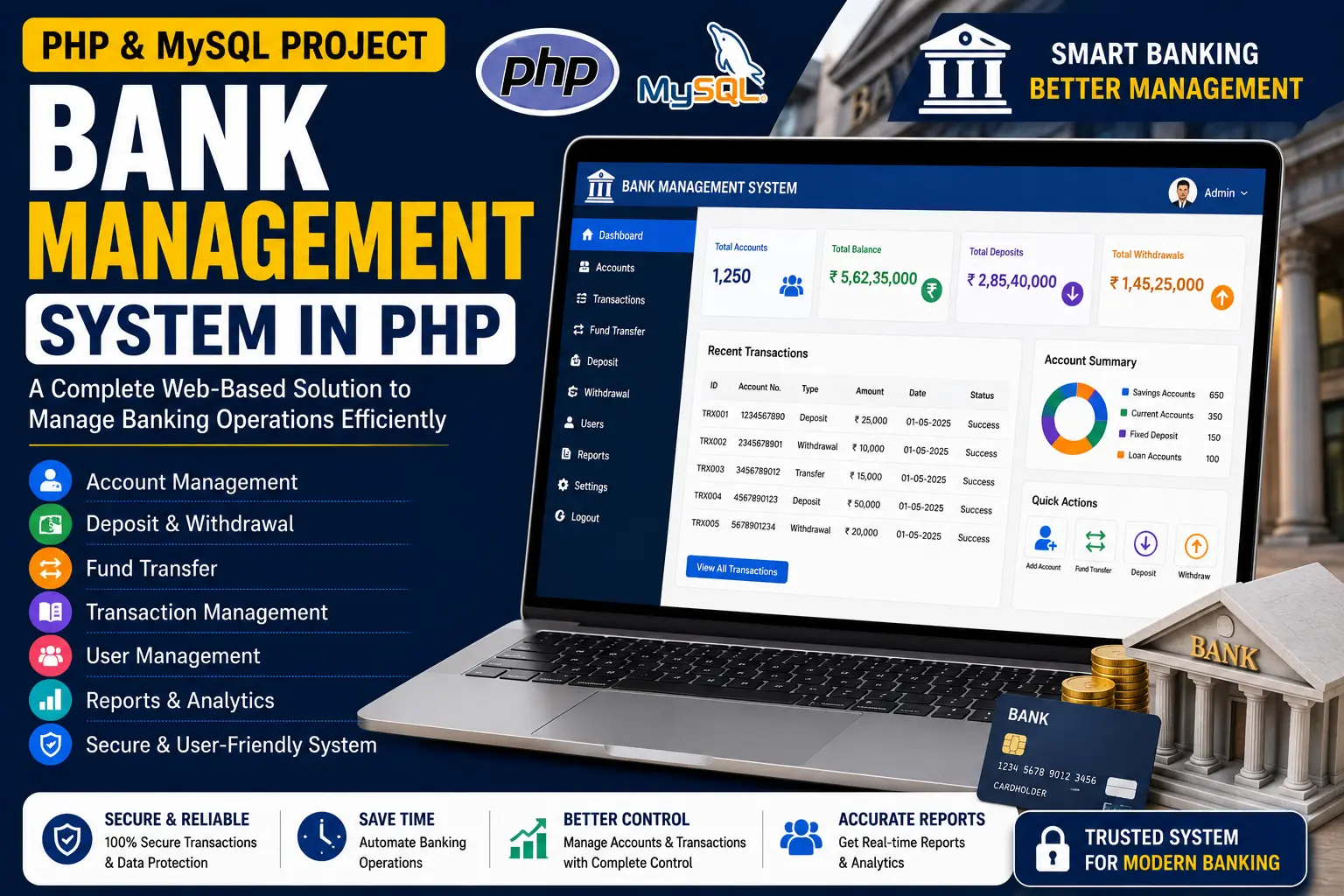
Bank Management System Using PHP and MySQL is a web-based banking application with User, Manager and Cashier modules for managing accounts, transactions, fund transfers, notifications and banking operations.
Read more- Built with
- PHPMySQLBootstrapHTML/CSSJavaScript
- You get
- Source codeDatabaseProject reportPPTSetup guide
- Delivery
- Instant download after payment
Bank Management System Using PHP and MySQL is a web-based banking application designed to simplify account and transaction management for customers and bank staff. Developed using PHP and MySQL with a responsive interface powered by Bootstrap Framework v4, the system provides separate User, Manager and Cashier modules for handling different banking operations.
The application allows customers to securely access their accounts, view account information and transaction statements, transfer funds and monitor account balances. The Manager module provides tools for managing customer accounts and cashier access, while the Cashier module handles physical money deposits and withdrawals.
Key Features
- Secure User Login: Provides secure access for account holders using protected login credentials and sessions.
- Account Information: Users can view their account type, balance and personal account details.
- Account Statement: Users can view and download their transaction history for monitoring and record-keeping.
- Funds Transfer: Users can transfer funds securely to other accounts through the banking system.
- Account Balance: Displays updated account balances after transactions.
- Notifications: Users can receive important bank notifications, messages and transaction alerts.
- Edit Profile: Users can update personal information such as email, phone number and address.
- Change Password: Users have the option to update their login password for account security.
- Customer Account Management: Managers can create, update and deactivate customer accounts.
- Send Notices: Managers can send announcements, updates and reminders to customer accounts.
- Customer Feedback: Managers can collect feedback from customers regarding banking services and user experience.
- Cashier Management: Managers can manage cashier roles and add or deactivate cashier access.
- Deposit and Withdrawal: Cashiers can handle physical money deposits and withdrawals for customer accounts.
Technology Stack
| Component | Technology |
|---|---|
| Frontend | HTML, CSS, Bootstrap 4 |
| Backend | PHP |
| Database | MySQL |
| Web Server | Apache via XAMPP / WAMP |
System Requirements
- PHP-supported local server such as XAMPP or WAMP
- MySQL database
- Apache Web Server
- PHP and MySQL environment
- Modern web browser such as Chrome, Firefox or Edge
How It Works
The Bank Management System is divided into three main modules: the User Module, Manager Module and Cashier Module.
In the User Module, account holders can securely log in, view their account information, check balances, access transaction statements, transfer funds and receive notifications. Users can also update their profile information and change their password.
The Manager Module provides bank managers with tools to create and manage customer accounts, send notices, collect customer feedback and manage cashier access.
The Cashier Module is designed for handling physical banking transactions. Cashiers can assist customers with depositing or withdrawing money from their accounts.
Perfect For
This project is suitable for BCA, MCA, B.Tech CS/IT students, developers and educators who want to learn how to build a PHP and MySQL-based banking management application.
It can be used for academic submissions, portfolio projects, learning purposes and understanding how different banking roles can be managed through separate modules in a database-driven web application.
What You Will Get
- Complete Project Files
- Database
- Step-by-Step Configuration Tutorial
Watch Project Demo
Watch the project walkthrough and setup tutorial on our YouTube channel.
▶ Watch on YouTube – Decode It
More Details & Full Documentation
For complete project details, source code and setup information, visit the official project page.
User Module
- Secure login
- View account information
- View account balance
- View and download account statement
- Transfer funds
- Receive notifications
- Edit profile
- Change password
Manager Module
- Manager login
- Add customer accounts
- Manage customer accounts
- Deactivate user accounts
- Send notices to customers
- Collect customer feedback
- Manage cashier access
- Add cashier accounts
Cashier Module
- Deposit money
- Withdraw money
- Handle customer physical transactions
- Install XAMPP or WAMP
- Start Apache and MySQL
- Download and extract the project ZIP file
- For XAMPP, copy the project folder into C:\xampp\htdocs
- For WAMP, copy the project folder into C:\wamp64\www
- Open the project using localhost
Stuck while running it? Chat with us on WhatsApp for free installation help.
No reviews yet. Be the first to review this project.