 20% OFF
Library Management System Using PHP
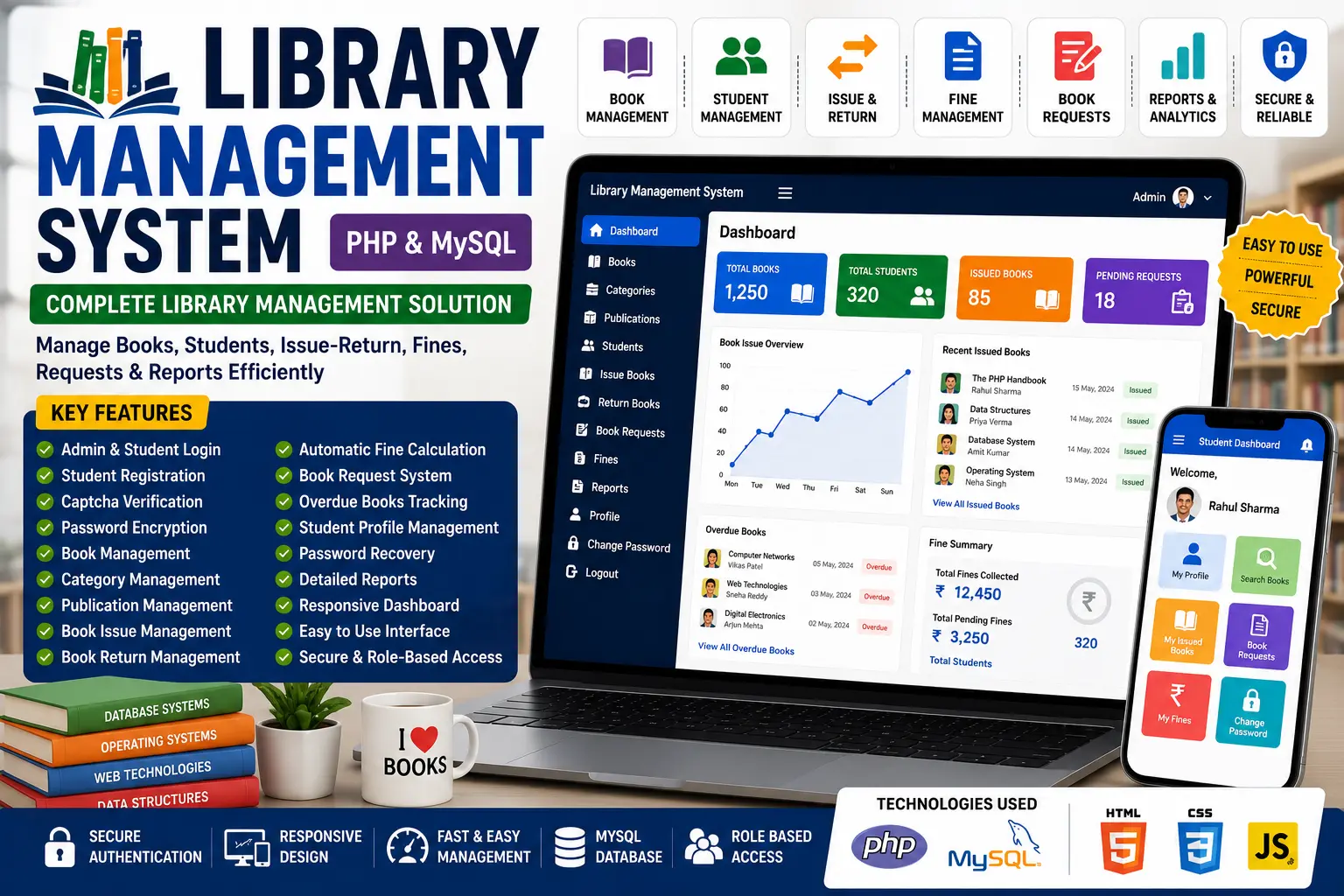
A complete Library Management System built with PHP and MySQL for managing books, students, categories, publications, book issue and return, fines, requests and reports.
Read more- Built with
- PHPMySQLHTML/CSS
- You get
- Source codeDatabaseProject reportPPTSetup guide
- Delivery
- Instant download after payment
Library Management System using PHP and MySQL is a full stack academic project that recreates the complete circulation workflow of a library, from cataloging and member registration all the way through to book issue, returns and fine settlement. It ships with a secure administrator panel and a separate member-facing portal, connected by a relational MySQL database. Written entirely in core PHP with no framework, every line remains readable and explainable, which makes it a strong choice for academic submission and viva questioning alike.
Key Features
- Secure admin login backed by password encryption and captcha verification, reducing the risk of unauthorized catalog access.
- Self-service student/member registration and login, giving each member a personalized dashboard and borrowing history.
- Full book management — add, edit, view and remove catalog records — keeping the collection accurate and current.
- Category management for organizing titles, making search and browsing easier for staff and members alike.
- Publication and publisher tracking linked to each book record for more complete cataloging.
- Book issue workflow where admins assign titles to members, with due dates recorded automatically.
- Automated overdue fine calculation on return, removing the need for manual tracking or arithmetic.
- Member-driven book requests, giving librarians visibility into what members actually want added to the collection.
- Report generation covering overdue books and overall circulation activity.
- Profile management and secure password recovery so members can maintain their own accounts without staff intervention.
Technology Stack
| Component | Technology |
|---|---|
| Backend | PHP |
| Database | MySQL |
| Frontend | HTML, CSS |
| Local development environment | XAMPP |
| Architecture | Modular separation of config, includes and views |
More Details & Full Documentation
For complete project details, screenshots and setup guide, visit the official project page.
Admin Module
- Admin Login
- Admin Dashboard
- Manage Books
- Manage Categories
- Manage Publications
- Manage Students
- Issue Books
- Return Books
- Manage Book Requests
- Fine Management
- Overdue Reports
- Usage Reports
Student Module
- Student Registration
- Student Login
- Student Dashboard
- View Available Books
- Search Books
- Request Books
- Track Issued Books
- View Due Dates
- View Fines
- Profile Management
- Change Password
- Password Recovery
Book Module
- Add Books
- Edit Books
- Delete Books
- View Books
- Book Availability
Category Module
- Add Category
- Edit Category
- Delete Category
- Organize Books
Publication Module
- Add Publication
- Edit Publication
- Delete Publication
- Publication Records
Issue & Return
- Issue Books
- Due Dates
- Return Books
- Overdue Tracking
- Automatic Fine Calculation
Reports
- Overdue Reports
- Issued Book Reports
- Student-Wise Reports
- Usage Reports
- Book Circulation Reports
Security
- CAPTCHA Verification
- Password Encryption
- Secure Login
- Role-Based Access
- Password Recovery
- Download and extract the ZIP file.
- Install XAMPP.
- Start Apache and MySQL.
- Copy the project folder into XAMPP/htdocs.
- Open the project in Visual Studio Code.
- Open phpMyAdmin.
- Create a database named library.
- Import library.sql.
- Open includes/config.php.
- Update database credentials if required.
- Run the project through localhost.
- Login using Admin or Student credentials.
Stuck while running it? Chat with us on WhatsApp for free installation help.
No reviews yet. Be the first to review this project.