 20% OFF
 Event Management System Using PHP and MySQL
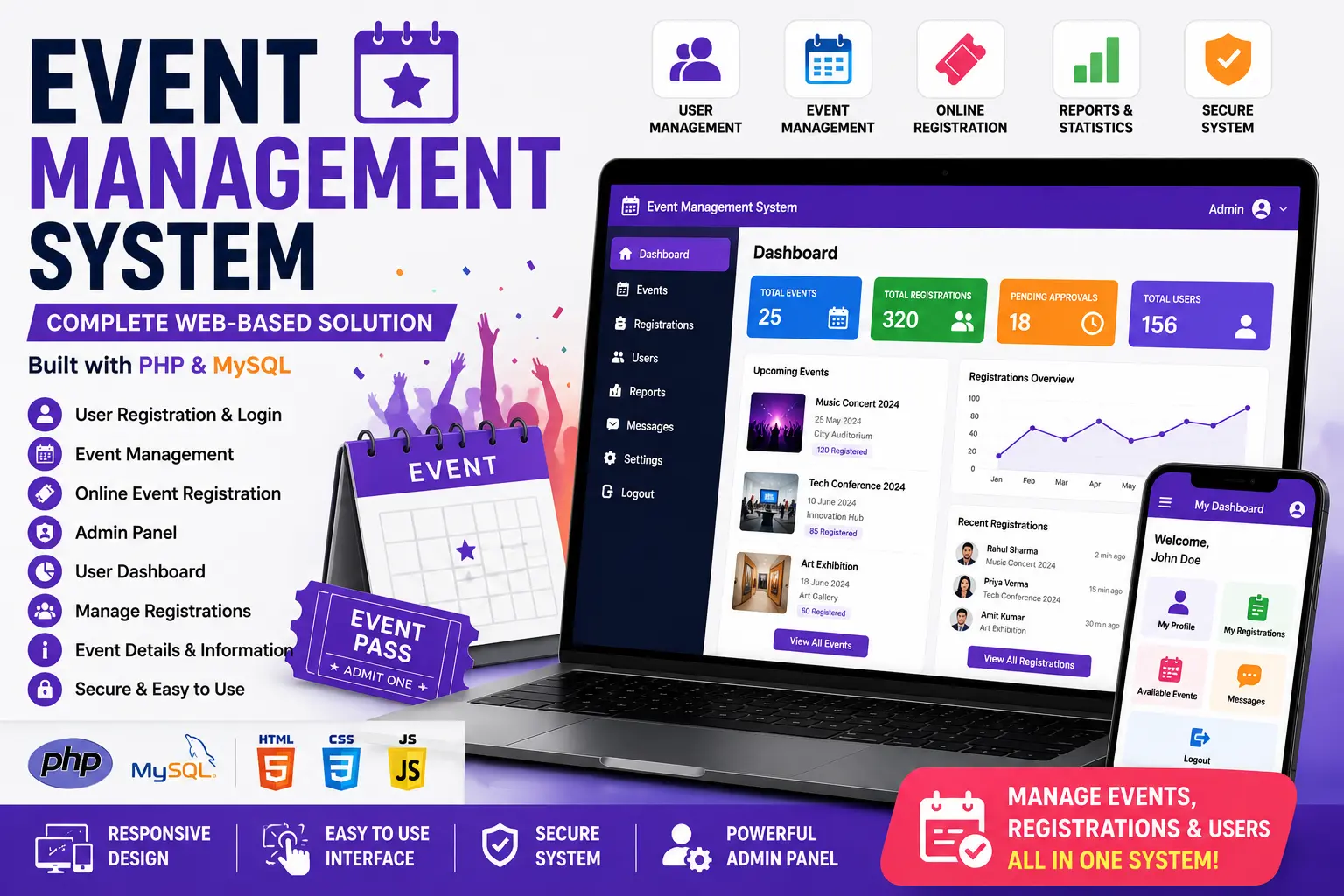
A complete Event Management System built with PHP and MySQL featuring user registration, event management, online event registration, admin panel and user dashboard.
Read more- Built with
- PHPMySQLHTML/CSS
- You get
- Source codeDatabaseProject reportPPTSetup guide
- Delivery
- Instant download after payment
Eventra – Event Management System in PHP and MySQL is a full campus event booking platform that replaces messy registration sheets and double-booked seats with a single, transaction-safe system. Students discover events, reserve a seat with capacity enforced at the database level, and receive a scannable QR ticket, while administrators run everything — events, venues, users, bookings and reviews — from an analytics-driven dashboard. Built in plain PHP 8.1 with no framework, it stays fully readable for academic submission while covering enough real-world depth (offline QR generation, transaction-safe booking, role-based access) to hold up in a viva or a placement interview.
Key Features
- Event discovery with search by name, venue or keyword, plus filters for category, date range and price.
- Detailed event pages showing live seat availability, venue information and related event suggestions.
- One-click booking with seat capacity enforced safely at the database level to prevent overselling.
- Unique, printable QR tickets generated entirely offline, with admin-side verification.
- Booking management covering upcoming, attended and cancelled bookings, with cancellation before the event starts.
- Reviews and star ratings for events actually attended.
- Email booking and cancellation confirmations, logged locally when no mail server is present.
- Profile management for updating name, email, phone and password.
- Admin analytics dashboard with booking trends, category breakdowns, recent activity and a low-sales watchlist.
- Full event, venue, user and booking management with review moderation.
- Light and dark themes, full responsiveness, and accessibility support including keyboard navigation and ARIA labels.
Technology Stack
| Layer | Technology |
|---|---|
| Frontend | HTML5, custom CSS design system, vanilla JavaScript |
| Backend | PHP 8.1 (plain PHP, no framework) |
| Database | MySQL |
| Data Access | PDO with prepared statements |
| Server | Apache (XAMPP / WAMP) |
| Extras | Custom QR encoder, local mail logger, GD image handling |
System Requirements
- PHP 8.1 or newer with pdo_mysql, gd and mbstring extensions
- MySQL 5.7+ or MariaDB 10.4+
- Apache web server (a standard XAMPP install has everything enabled by default)
- No Composer, Node.js or additional packages required
How It Works
A student registers and logs in through session-based authentication, then browses published events using category, date and price filters. Booking a seat runs inside a database transaction so the seat count stays accurate even under load, and a unique QR ticket is generated instantly for the student to print or show at the venue. Admins verify tickets through a QR verification link and manage every event, venue, user and booking from the dashboard, tracking activity through built-in analytics. After attending, students can leave a star rating and review, which admins can moderate.
Perfect For
This project suits BCA, MCA, B.Tech CS/IT, M.Tech and MBA final-year students who want a submission that goes well beyond basic CRUD. Two distinct roles with full create/read/update/delete operations, prepared statements, bcrypt password hashing, CSRF protection and transaction-safe booking give strong, defensible talking points for a viva — and the polished, responsive interface with light/dark themes makes it a genuinely resume-worthy portfolio piece.
Future Enhancements
The modular structure makes it straightforward to extend with online payment gateway integration for paid events, live QR scanning through a mobile check-in app, SMS/WhatsApp booking notifications, a waiting list with automatic seat allocation on cancellation, a separate organiser role for managing individual events, calendar export, downloadable PDF/Excel analytics reports, and multi-language support.
More Details & Full Documentation
For complete project details, screenshots, demo video and setup guide, visit the official project page.
Admin Module
- Admin Login
- Admin Dashboard
- Manage Events
- Add Events
- Edit Events
- Delete Events
- View Event Details
- Manage Event Registrations
- View Registered Users
User Module
- User Registration
- User Login
- User Dashboard
- User Profile
- View Available Events
- View Event Details
- Register for Events
- View Registered Events
Event Module
- Create Event
- Event Title
- Event Description
- Event Date
- Event Time
- Event Location
- Update Event
- Delete Event
- Event Registration
Authentication
- User Authentication
- Admin Authentication
- Secure Login
- Session Management
- Logout
Database
- User Management
- Event Records
- Registration Records
- MySQL Database
- Download and extract the ZIP file.
- Install XAMPP or WAMP.
- Copy the project folder into XAMPP/htdocs.
- Start Apache and MySQL.
- Open phpMyAdmin.
- Create a database named eventsite.
- Import database/events.sql.
- Update database credentials if required.
- Open the project in Visual Studio Code.
- Run the project using localhost.
- Register a new user or use the provided Admin credentials.
- Login and start managing events.
Stuck while running it? Chat with us on WhatsApp for free installation help.
No reviews yet. Be the first to review this project.