 20% OFF
 Clinic Management System Using PHP
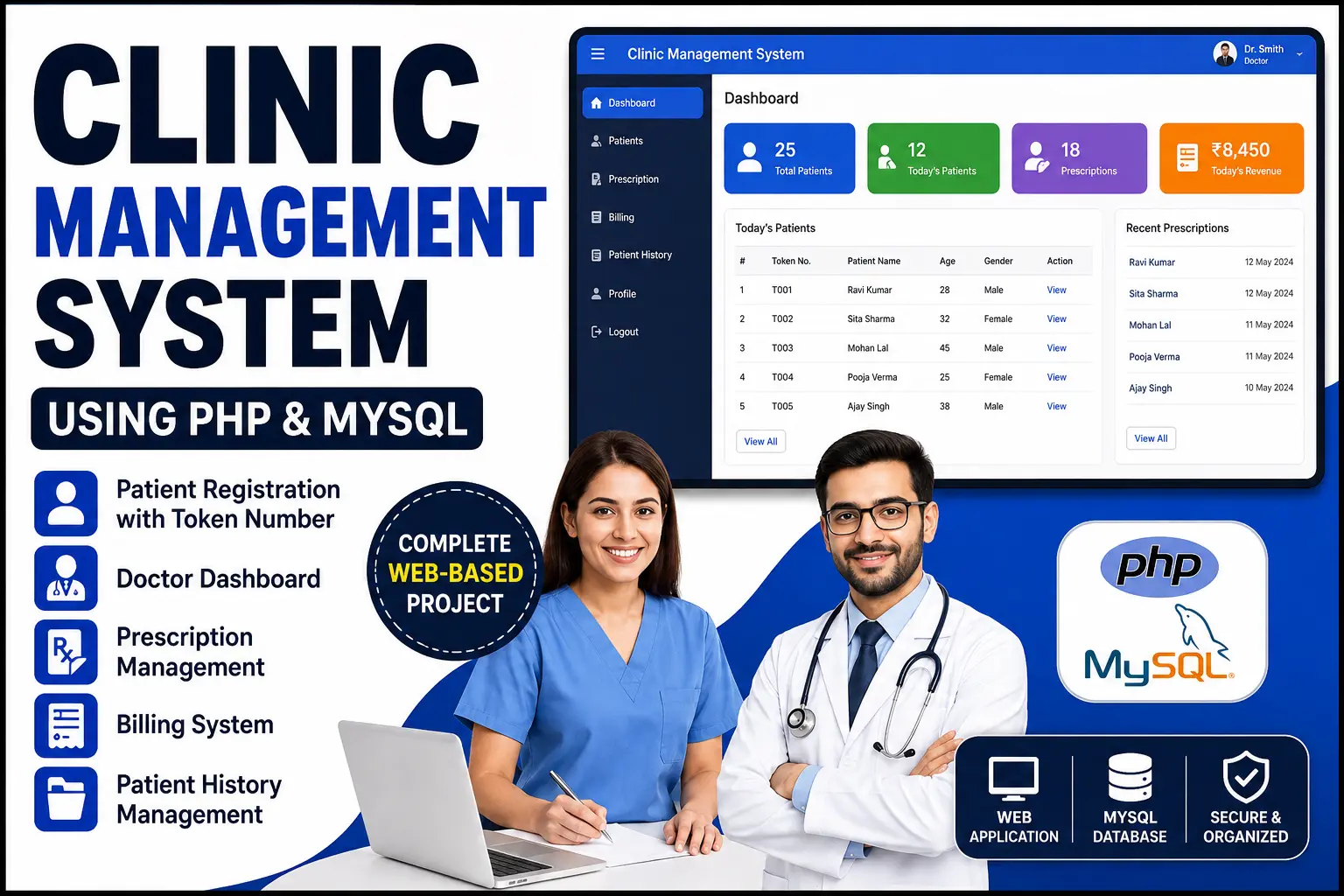
A complete Clinic Management System built with PHP and MySQL featuring patient registration, token management, doctor dashboard, prescriptions, billing and patient history.
Read more- Built with
- PHPMySQLHTML/CSS
- You get
- Source codeDatabaseProject reportPPTViva questionsSetup guide
- Delivery
- Instant download after payment
Clinic Management System Using PHP & MySQL
The Clinic Management System is a web-based application developed using PHP, MySQL, HTML, CSS and JavaScript to simplify the daily operations of a clinic. It provides a centralized platform for managing patients, doctors, appointments, prescriptions, billing and medical visit records.
The system provides separate access for doctors and receptionists. Receptionists can register patients, assign token numbers, manage patient information and generate bills. Doctors can view registered patients, examine patient information, add prescribed medicines and manage prescription records.
Patient visit history is stored in the MySQL database so authorized users can access previous records when required. This makes the project useful for learning how role-based web applications and database-driven healthcare workflows are implemented.
Project Highlights
- Doctor Login
- Receptionist Login
- Role-Based Authentication
- Patient Registration
- Patient Token Number
- Patient Management
- Doctor Dashboard
- Prescription Management
- Medicine Management
- Billing System
- Patient Visit History
- Medical Records Management
- MySQL Database
- Web-Based Interface
Receptionist Module
The Receptionist Module is designed to manage the front-desk activities of the clinic.
- Receptionist Login
- Register New Patients
- Enter Patient Details
- Generate Patient Token Number
- Manage Patient Records
- Forward Patient Information to Doctor
- Receive Prescription Details
- Generate Patient Bills
- View Patient Visit History
Doctor Module
The Doctor Module provides doctors with the information required to examine patients and maintain prescription records.
- Doctor Login
- Doctor Dashboard
- View Patient List
- View Patient Token Numbers
- View Patient Details
- Enter Prescribed Medicines
- Create Prescription Records
- View Previous Patient History
Patient Management
The patient management section allows receptionists to register and maintain patient information in a structured database.
- New Patient Registration
- Patient Personal Information
- Patient Token Number
- Patient Records
- Patient Visit Information
- Patient History
Token Management
A token number is assigned to each registered patient to help organize the patient queue and make it easier for the doctor to identify patients waiting for consultation.
- Automatic/Unique Token Assignment
- Token-Based Patient Identification
- Doctor Patient Queue
- Token Status Management
Prescription Management
Doctors can record prescribed medicines and other prescription information for registered patients. Prescription data is stored in the database for future reference.
- Create Prescription
- Add Prescribed Medicines
- Save Prescription Records
- View Previous Prescriptions
- Prescription History
Billing System
The billing module allows the receptionist to generate patient bills after receiving the doctor's consultation and prescription information.
- Generate Patient Bill
- Prescription-Based Billing
- Billing Records
- Patient Billing History
Patient History
The system maintains previous patient visit information in the database. Authorized users can review available patient history when required.
- Previous Visit Records
- Prescription History
- Patient Information
- Medical Visit Records
Role-Based Authentication
The application provides separate login functionality for doctors and receptionists. Each role gets access to the features required for its responsibilities.
- Doctor Authentication
- Receptionist Authentication
- Role-Based Access
- Protected Dashboard Access
Technologies Used
- Frontend: HTML5, CSS3, JavaScript
- Backend: PHP
- Database: MySQL
- Server: Apache / XAMPP
- Editor: Visual Studio Code
Database
MySQL is used to store patient information, token numbers, prescriptions, medicines, billing information and patient visit history. The database allows the system to retrieve and manage records efficiently.
Installation Guide
- Download and extract the project ZIP file.
- Install XAMPP on your computer.
- Copy the project folder into the XAMPP htdocs directory.
- Start Apache and MySQL from the XAMPP Control Panel.
- Open phpMyAdmin in your browser.
- Create a new database for the project.
- Import the provided SQL database file.
- Update the database configuration with your MySQL credentials.
- Open the project folder in Visual Studio Code.
- Run the project using the XAMPP localhost server.
- Open the project URL in your browser.
- Login using the provided Doctor or Receptionist credentials.
System Requirements
- Windows / Linux / macOS
- XAMPP
- Apache Server
- PHP
- MySQL
- Visual Studio Code or any PHP-compatible editor
- Modern Web Browser
How the System Works
- Receptionist logs into the system.
- A new patient is registered with the required information.
- The system assigns a patient token number.
- Patient information is made available to the doctor.
- Doctor logs into the Doctor Dashboard.
- Doctor views the patient details and token number.
- Doctor examines the patient and enters prescribed medicines.
- Prescription information is saved in the database.
- Receptionist receives the prescription details.
- Receptionist generates the patient's bill.
- Patient visit and prescription information remains available as history.
Benefits
- Centralized patient record management
- Simple patient registration
- Token-based patient workflow
- Separate Doctor and Receptionist roles
- Digital prescription management
- Easy billing management
- Patient history storage
- MySQL database integration
- Easy XAMPP installation
- Suitable for academic and learning purposes
Who Can Use This Project?
This Clinic Management System is suitable for BCA, MCA, B.Tech, M.Tech and other computer science students looking for a practical PHP and MySQL project. It is useful for understanding role-based authentication, CRUD operations, database management and real-world healthcare workflows.
The project can also be used as a starting point for developing a customized clinic management application with additional features such as appointment scheduling, SMS notifications, multi-doctor support and advanced reporting.
Conclusion
The Clinic Management System provides a simple and structured solution for managing patient registration, token numbers, doctor consultations, prescriptions, billing and patient history. Built using PHP and MySQL, it demonstrates how a database-driven web application can streamline the workflow between clinic receptionists and doctors.
This project is intended as an educational and customizable software solution and should be adapted with appropriate security, privacy and compliance measures before being used with real patient data.
Receptionist Module
- Receptionist Login
- Receptionist Dashboard
- Patient Registration
- Patient Details
- Generate Token Number
- Manage Patient Records
- Send Patient Information to Doctor
- Receive Prescription
- Generate Patient Bills
- View Patient History
Doctor Module
- Doctor Login
- Doctor Dashboard
- View Patient List
- View Token Numbers
- View Patient Details
- Examine Patient Records
- Add Prescribed Medicines
- Create Prescription
- Save Prescription
- View Patient History
Patient Module
- Patient Registration
- Patient Profile
- Token Number
- Patient Visit Records
- Prescription Records
- Billing Information
- Medical History
Management Module
- Patient Management
- Token Management
- Prescription Management
- Billing Management
- Patient History Management
- Database Management
Authentication
- Doctor Login
- Receptionist Login
- Role-Based Access
- Secure Dashboard Access
- Download and extract the ZIP file.
- Install XAMPP on your computer.
- Copy the project folder into XAMPP/htdocs.
- Start Apache and MySQL from XAMPP.
- Open phpMyAdmin.
- Create a new MySQL database.
- Import the provided SQL database file.
- Update the database credentials in the configuration file.
- Open the project folder in Visual Studio Code.
- Run the project using XAMPP localhost.
- Open the project URL in your browser.
- Login using the provided Doctor or Receptionist credentials.
Stuck while running it? Chat with us on WhatsApp for free installation help.
No reviews yet. Be the first to review this project.