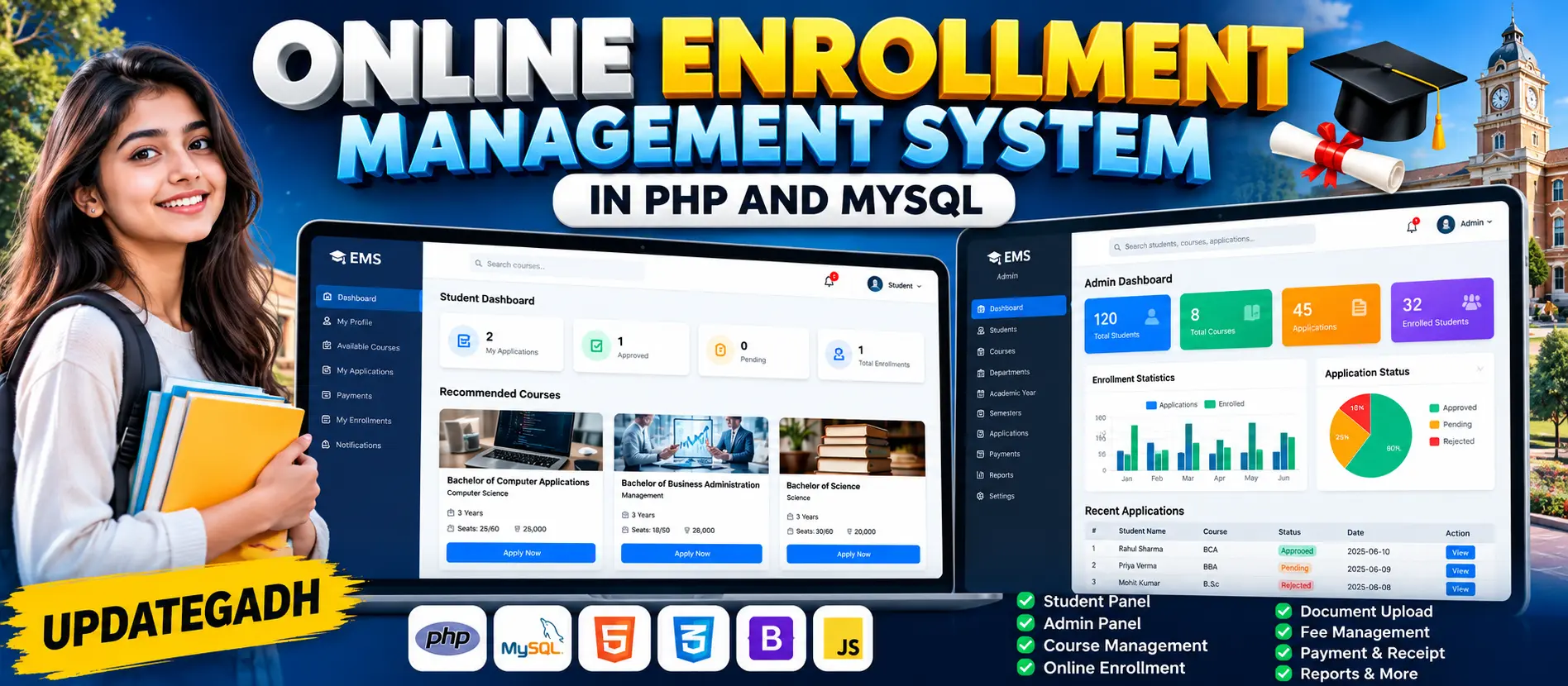
Online Enrollment Management System in PHP and MySQL
Online Enrollment Management System in PHP and MySQL is a professional web-based education management application for handling student registration, course selection, enrollment applications, document verification, seat availability, fees, payments, notifications and enrollment confirmation. It provides dedicated Student and Administrator workspaces with real database-driven dashboard statistics and structured enrollment workflows.
What You Will Get
Project Overview
Online Enrollment Management System in PHP and MySQL is a web-based education management application designed to digitize and centralize the complete student enrollment process. The system allows students to register, manage their profiles, browse courses, check eligibility and available seats, submit enrollment applications, upload required documents, track application status, manage fees and view enrollment history.
The system also provides a dedicated Administrator workspace for managing students, courses, departments, academic years, semesters, enrollment applications, documents, course capacity, fees, payments, notifications, reports and activity records.
Available Features
- Student Registration and Login
- Administrator Login
- Role-Based Access
- Student Profile Management
- Password Change
- Course Management
- Department Management
- Academic Year Management
- Semester Management
- Student Management
- Online Course Enrollment
- Enrollment Application Management
- Application Number Generation
- Enrollment Number Generation
- Course Eligibility Checking
- Course Seat Capacity Management
- Available Seat Tracking
- Document Upload
- Document Verification
- Course Fee Management
- Payment Management
- Payment Status Tracking
- Payment History
- Receipt Generation
- Enrollment Confirmation
- Search and Filtering
- Enrollment History
- Notifications
- Activity Records
- Basic Reports
- System Settings
Technology Stack
- PHP
- MySQL
- HTML
- CSS
- Bootstrap
- JavaScript
- Apache
- XAMPP
- phpMyAdmin
Software and Tools Required
- XAMPP
- PHP
- MySQL
- Apache
- phpMyAdmin
- Visual Studio Code
- Modern Web Browser
Complete Enrollment Workflow
- Student Registration
- Student Login
- Browse Available Courses
- Select Eligible Course
- Check Available Seats
- Complete Enrollment Form
- Upload Required Documents
- Submit Enrollment Application
- Administrator Reviews Application
- Administrator Verifies Documents
- Application Approval or Rejection
- Enrollment Number Generation
- Fee Payment
- Receipt Generation
- Enrollment Confirmation
More Details and Full Documentation
View Online Enrollment Management System in PHP and MySQL Details
Project Modules
2. Administrator Login Module
3. Role-Based Access Module
4. Student Profile Management
5. Password Change Module
6. Student Management Module
7. Course Management Module
8. Department Management Module
9. Academic Year Management
10. Semester Management
11. Course Eligibility Module
12. Course Seat Capacity Module
13. Available Seat Tracking
14. Online Enrollment Module
15. Enrollment Application Module
16. Application Number Generation
17. Enrollment Number Generation
18. Document Upload Module
19. Document Verification Module
20. Application Approval and Rejection Module
21. Course Fee Management
22. Payment Management
23. Payment Status Module
24. Payment History Module
25. Receipt Generation Module
26. Enrollment Confirmation Module
27. Enrollment History Module
28. Search and Filtering Module
29. Notification Module
30. Administrator Dashboard
31. Reports Module
32. Activity Records Module
33. System Settings Module
34. MySQL Database Module
Installation Guide
1. Install XAMPP on your computer.
2. Start Apache and MySQL from the XAMPP Control Panel.
3. Extract the project ZIP file.
4. Copy the project folder into the XAMPP htdocs directory.
5. Use the project folder name: enrollment_management_system
6. Open phpMyAdmin in your browser using: http://localhost/phpmyadmin/
7. Create a MySQL database named: enrollment_management_system
8. Select the enrollment_management_system database.
9. Import the SQL file included with the project.
10. Open the project's database configuration file.
11. Configure the database host as: localhost
12. Configure the database username as: root
13. Configure the database password as:
14. Configure the database name as: enrollment_management_system
15. Save the database configuration.
16. Open the project folder in Visual Studio Code.
17. Make sure Apache and MySQL are running.
18. Open the project in your browser using: http://localhost/enrollment_management_system/
19. Register a student account to access the Student workspace.
20. Use the Administrator account to access enrollment management features.
FAQ for this project coming soon.
No reviews yet. Be the first to review!
Write a Review
Related Projects
 20% OFF
Featured
20% OFF
Featured
 13% OFF
Hot
13% OFF
Hot
 50% OFF
Featured
50% OFF
Featured
 23% OFF
Featured
23% OFF
Featured