 46% OFF
 Hotel Booking Management System in PHP and MySQL
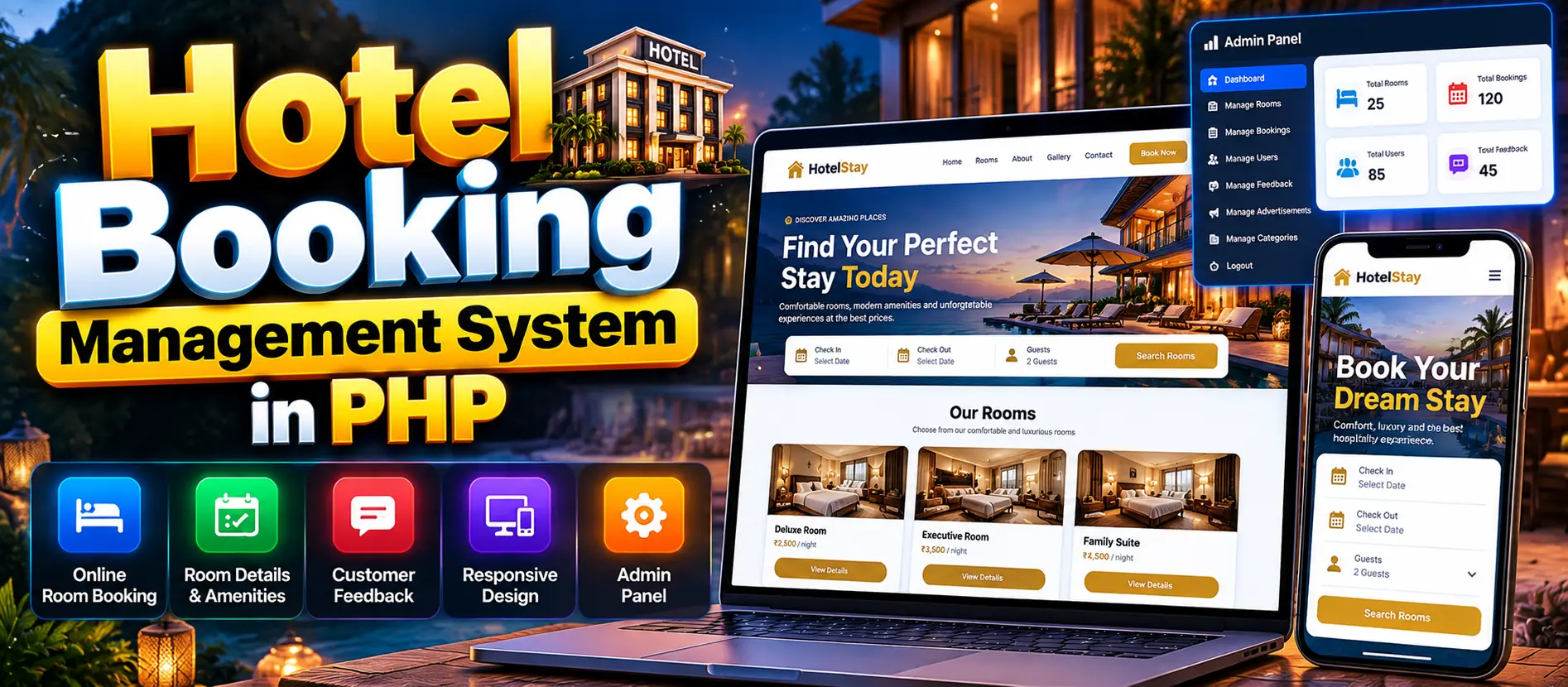
Hotel Booking Management System in PHP and MySQL is a web-based application that allows customers to browse hotel rooms, view room descriptions, prices, amenities, and images, make online reservations, and submit feedback. It includes a separate admin panel and a responsive interface for desktop and mobile devices.
Read more- Built with
- PHPMySQLBootstrapHTML/CSSJavaScript
- You get
- Source codeDatabase
- Delivery
- Instant download after payment
Project Overview
The Hotel Booking Management System in PHP and MySQL is a web-based application designed to simplify hotel room browsing and online reservations. Customers can explore room options, review prices and amenities, make bookings, and share feedback about their stay. The application includes a separate admin panel and a responsive interface for convenient access across desktop computers, tablets, and mobile devices.
Available Features
- Online Room Booking: Customers can make reservations through the website.
- Detailed Room Information: View room descriptions, amenities, prices, and images.
- Customer Feedback System: Allow customers to share feedback about their stay.
- Responsive Design: Access the website using desktop computers, tablets, and mobile devices.
- User-Friendly Interface: Browse room options and booking information through a simple interface.
- Admin Panel: Provides a separate interface for administrative functions.
- User Panel: Supports customer room browsing, booking, and feedback activities.
Which Technologies Are Used in This Project?
- PHP: Handles server-side application functionality.
- MySQL: Used for database management as specified by the project title.
- HTML: Structures the website pages.
- CSS: Styles the website and supports responsive layouts.
- JavaScript: Supports interactive interface elements.
More Details and Full Documentation
For project details, screenshots, and installation instructions, visit Hotel Booking Management System in PHP and MySQL on UPDATEGADH.
- User Panel
- Admin Panel
- Room Browsing
- Room Details and Amenities
- Room Pricing and Images
- Online Room Booking
- Customer Feedback
- Responsive Website Interface
- Install XAMPP or WAMP Server on your computer.
- Download and extract the project ZIP file.
- Copy the extracted project folder into the appropriate server directory:
XAMPP: C:\xampp\htdocs\
WAMP: C:\wamp\www\
- Start the required web server and database services.
- Open http://localhost/phpmyadmin/ in your browser if you are using XAMPP.
- Check the project's database configuration to identify the correct database name.
- Create the database using the name specified in the project configuration.
- Open the Import tab and select the supplied SQL file.
- Import the SQL file into the database.
- Open the relevant PHP database configuration file in Visual Studio Code.
- Verify the database name, username, password, and connection settings.
- Save any necessary changes.
- Open the project in your browser using:
http://localhost/PROJECT_FOLDER_NAME/
- Replace PROJECT_FOLDER_NAME with the actual extracted folder name.
- Test room browsing, booking functionality, customer feedback, and the available admin panel features.
Stuck while running it? Chat with us on WhatsApp for free installation help.
No reviews yet. Be the first to review this project.