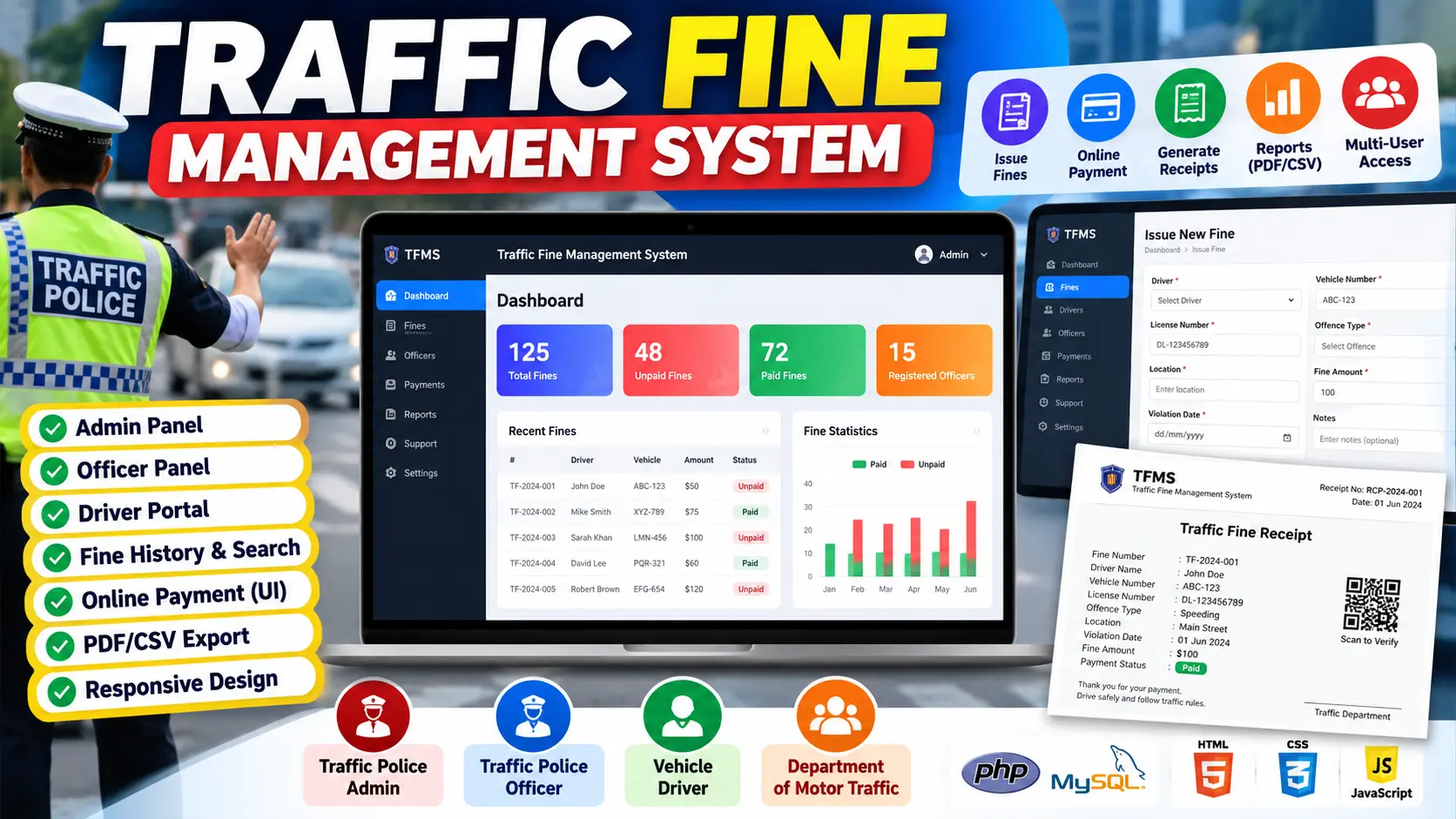
Traffic Fine Management System in PHP and MySQL
Traffic Fine Management System is a PHP and MySQL based web application for managing traffic violations, fines, drivers, vehicles, officers, and departments. The system provides role-based access for Admin, Traffic Officer, Department, and Driver users with dashboards, fine management, payment tracking, reports, and violation records.
What You Will Get
Traffic Fine Management System in PHP and MySQL
Traffic Fine Management System is a web-based application developed using PHP and MySQL to manage traffic violations, fines, drivers, vehicles, officers, departments, and payment records through a centralized platform.
The system provides separate access for Admin, Traffic Officer, Department, and Driver users. Each role has access to features according to its responsibilities, making it easier to record traffic violations, issue fines, manage payments, and maintain organized traffic-related records.
Key Features
- Admin dashboard
- Traffic Officer dashboard
- Department dashboard
- Driver dashboard
- Driver registration and management
- Vehicle management
- Traffic officer management
- Department management
- Traffic violation management
- Fine creation and management
- Fine payment tracking
- Fine status management
- Violation history
- Driver fine records
- Search and filtering functionality
- Traffic-related reports
- Role-based access control
- Session-based authentication
- MySQL database integration
Technology Stack
| Technology | Purpose |
|---|---|
| PHP | Backend development and server-side processing |
| MySQL | Database management |
| HTML | Web page structure |
| CSS | Interface styling |
| JavaScript | Client-side functionality |
| Bootstrap | Responsive user interface |
Software Requirements
- XAMPP
- Apache
- MySQL
- PHP
- Visual Studio Code
- Modern web browser
More Details and Full Documentation
For complete project information, source documentation, installation instructions, and implementation details, visit the original UpdateGadh project page.
Project Modules
2. Traffic Officer Module
3. Department Module
4. Driver Module
5. Driver Management Module
6. Vehicle Management Module
7. Traffic Officer Management Module
8. Department Management Module
9. Traffic Violation Module
10. Fine Management Module
11. Fine Payment Module
12. Violation History Module
13. Fine Status Module
14. Search and Filter Module
15. Reports Module
16. Role-Based Access Module
17. Authentication and Session Module
18. MySQL Database Module
Installation Guide
1. Install XAMPP on your computer.
2. Start Apache and MySQL from the XAMPP Control Panel.
3. Install Visual Studio Code.
4. Extract the Traffic Fine Management System project files.
5. Move the extracted project folder into the XAMPP htdocs directory.
6. Open phpMyAdmin in your browser.
7. Create the required MySQL database.
8. Import the SQL database file included with the project.
9. Open the project folder in Visual Studio Code.
10. Locate the database configuration file.
11. Configure the MySQL host, username, password, and database name.
12. Save the database configuration.
13. Make sure Apache and MySQL are running.
14. Open the project through the localhost URL in your browser.
15. Access the login page.
16. Log in using the appropriate Admin, Traffic Officer, Department, or Driver account.
17. Add and manage drivers, vehicles, officers, departments, violations, and fines.
18. Test the fine payment and payment status functionality.
19. Review traffic violation and fine records from the relevant dashboard.
20. Test the available search, filtering, and reporting functionality.
FAQ for this project coming soon.
No reviews yet. Be the first to review!
Write a Review
Related Projects
 38% OFF
Hot
38% OFF
Hot
 21% OFF
Featured
21% OFF
Featured
 25% OFF
Featured
25% OFF
Featured
 20% OFF
Featured
20% OFF
Featured