 23% OFF
 Appointment Management System
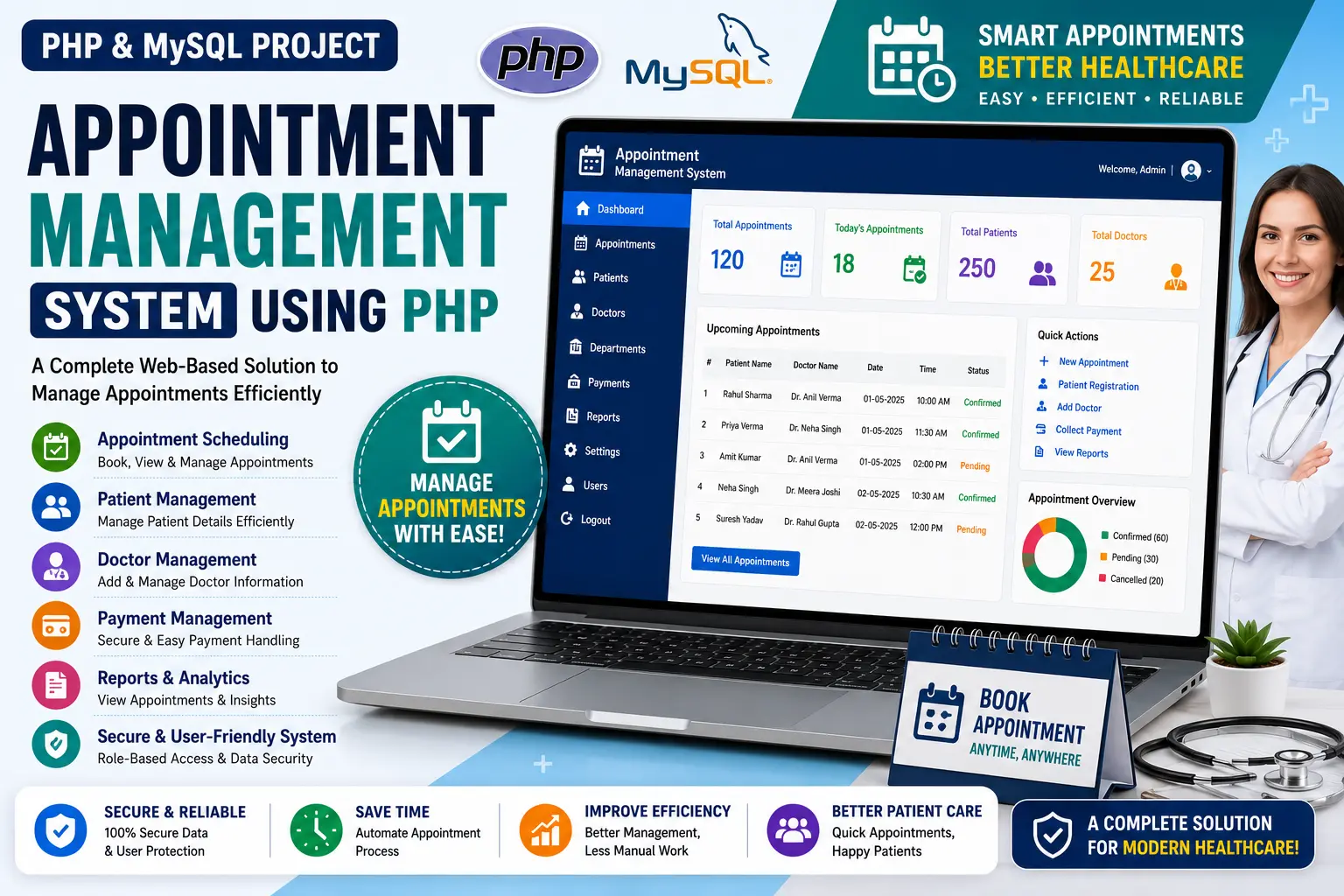
Appointment Management System Using PHP is a web-based healthcare platform for booking doctor appointments, finding nearby hospitals and accessing specialized doctor information using PHP and MySQL.
Read more- Built with
- PHPMySQLBootstrapHTML/CSSJavaScript
- You get
- Source codeDatabaseProject reportPPTSetup guide
- Delivery
- Instant download after payment
Appointment Management System Using PHP is a web-based healthcare application designed to make patient and doctor interactions more accessible and convenient. Developed using PHP and MySQL, the system provides an easy-to-use platform where users can book appointments with specialists, find nearby hospitals and explore doctor information based on their specialization.
The system focuses on simplifying healthcare appointment management by allowing patients to access healthcare services online. Users can register and log in to book appointments, explore specialized doctors and locate hospitals through the healthcare platform.
Key Features
- Easy Appointment Scheduling: Users can book appointments with their preferred specialists through the online appointment system.
- User Registration and Login: Users need to log in to access the appointment booking functionality. New users can quickly register for an account.
- Locate Nearby Hospitals: The platform provides a map and list of hospital names and locations, helping users find healthcare facilities in their area.
- Specialized Doctors: Users can explore detailed information about doctors categorized according to their medical specializations.
- Healthcare Information: The system provides users with access to medical and healthcare-related information through the online platform.
- Admin Contact Information: Users can access contact information for system administrators when additional support or assistance is required.
- User-Friendly Interface: The platform is designed to provide a straightforward experience for patients accessing healthcare services online.
Technology Stack
| Component | Technology |
|---|---|
| Frontend | HTML, CSS, JavaScript |
| Backend | PHP |
| Database | MySQL |
| UI Framework | Bootstrap |
| Web Server | Apache via XAMPP |
System Requirements
- PHP-supported local server such as XAMPP
- MySQL database
- Apache Web Server
- PHP and MySQL environment
- Modern web browser such as Chrome, Firefox or Edge
How It Works
The Appointment Management System provides an online platform for patients to access healthcare services. Users can register for an account and log in to the system before booking an appointment with their chosen specialist.
After accessing the platform, users can explore doctors according to their specialization and select the appropriate healthcare professional. The system also provides a map and list of hospitals, allowing users to locate nearby healthcare facilities.
The platform combines appointment scheduling, doctor information and hospital location details into one healthcare application, providing users with a convenient way to access healthcare-related services online.
Perfect For
This project is suitable for BCA, MCA, B.Tech CS/IT students, developers and educators who want to learn how to build a healthcare-based web application using PHP and MySQL.
It can be used for academic submissions, portfolio projects, learning purposes and understanding how online appointment scheduling, doctor information and hospital location services can be implemented in a PHP-based application.
Watch Project Demo
Watch the project walkthrough and setup tutorial on our YouTube channel.
▶ Watch on YouTube – Decode It
More Details & Full Documentation
For complete project details, source code and setup information, visit the official project page.
User Module
- User registration
- User login
- Book doctor appointments
- Find nearby hospitals
- View hospital locations
- Explore specialized doctors
- View healthcare information
- Access admin contact information
- Install XAMPP
- Start Apache and MySQL
- Download and extract the project ZIP file
- Copy the project folder into C:\xampp\htdocs
- Open phpMyAdmin
- Create a database named medical
- Import medical.sql into the medical database
- Open the project using localhost
- Access the Appointment Management System
Stuck while running it? Chat with us on WhatsApp for free installation help.
No reviews yet. Be the first to review this project.