 50% OFF
 Hospital Management System in PHP and MySQL
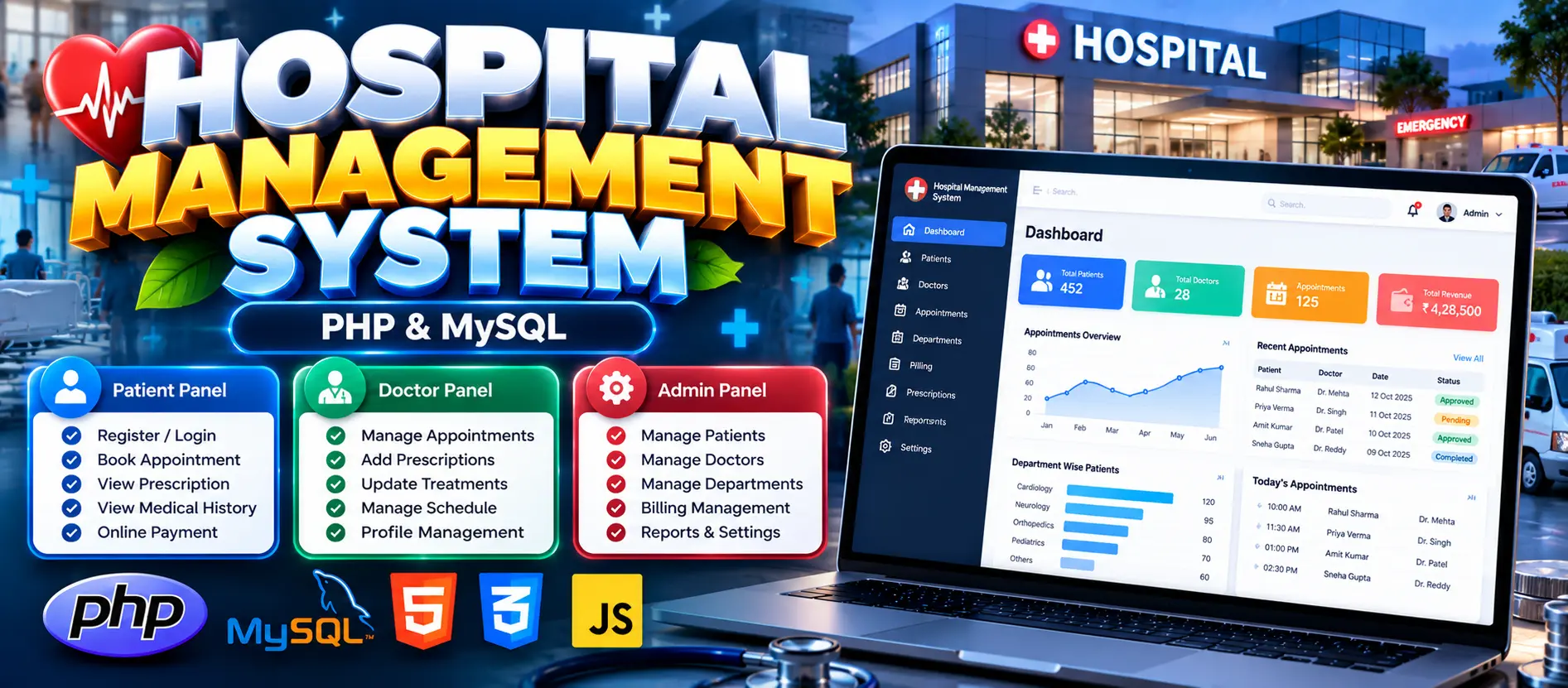
Hospital Management System using PHP, MySQL, HTML5, CSS3, JavaScript, and Bootstrap. Includes Patient, Doctor, and Admin modules for appointment booking, medical records, prescriptions, treatment management, billing, and payment tracking.
Read more- Built with
- PHPMySQLBootstrapHTML/CSSJavaScript
- You get
- Source codeDatabaseProject reportPPTViva questionsSetup guide
- Delivery
- Instant download after payment
Project Overview
The Hospital Management System in PHP and MySQL is a web-based application designed to organize hospital operations and healthcare information. It provides separate modules for patients, doctors, and administrators to manage appointments, prescriptions, treatments, patient records, and billing.
Available Features
- Patient Registration and Login
- Patient Profile Management
- Appointment Booking
- Medical History and Reports
- Prescription Access
- Hospital Bill Viewing
- Doctor Login and Dashboard
- Appointment Approval and Rejection
- Diagnosis and Treatment Records
- Prescription and Medicine Management
- Doctor Profile and Availability Management
- Admin Dashboard
- Doctor and Patient Management
- Hospital Department Management
- Doctor Assignment to Departments
- Billing and Payment Status Tracking
- Prescription and Treatment Report Generation
- Contact Form
- Account Recovery and Password Changing
Technology Stack
- Backend: PHP
- Database: MySQL
- Frontend: HTML5, CSS3, JavaScript
- UI Framework: Bootstrap
More Details and Full Documentation
For complete project details, features, screenshots, and installation instructions, visit the project page.
- Patient Registration and Login
- Patient Profile Management
- Appointment Management
- Medical History Management
- Prescription Management
- Patient Billing
- Doctor Login and Dashboard
- Appointment Approval and Rejection
- Diagnosis and Treatment Management
- Doctor Profile Management
- Doctor Availability Management
- Admin Dashboard
- Doctor Management
- Patient Management
- Department Management
- Doctor Department Assignment
- Medicine Management
- Billing Management
- Payment Status Tracking
- Report Generation
- Contact Form
- Account Recovery and Password Management
- Install XAMPP and Visual Studio Code.
- Extract the project ZIP file.
- Copy the Hospital_Management_System folder into the XAMPP htdocs directory:
C:\xampp\htdocs\Hospital_Management_System
- Start Apache and MySQL from the XAMPP Control Panel.
- Open phpMyAdmin:
http://localhost/phpmyadmin/
- Create a database named:
ohmsphp
- Import the SQL file from the project's DATABASE FILE folder:
ohmsphp.sql
- Open the extracted project folder in Visual Studio Code.
- Verify the database connection configuration if the project requires changes.
- Open the project in your browser:
http://localhost/Hospital_Management_System/
- If your extracted folder has a different name, update the local URL accordingly.
Stuck while running it? Chat with us on WhatsApp for free installation help.
No reviews yet. Be the first to review this project.