 20% OFF
 Railway Management System in PHP and MySQL
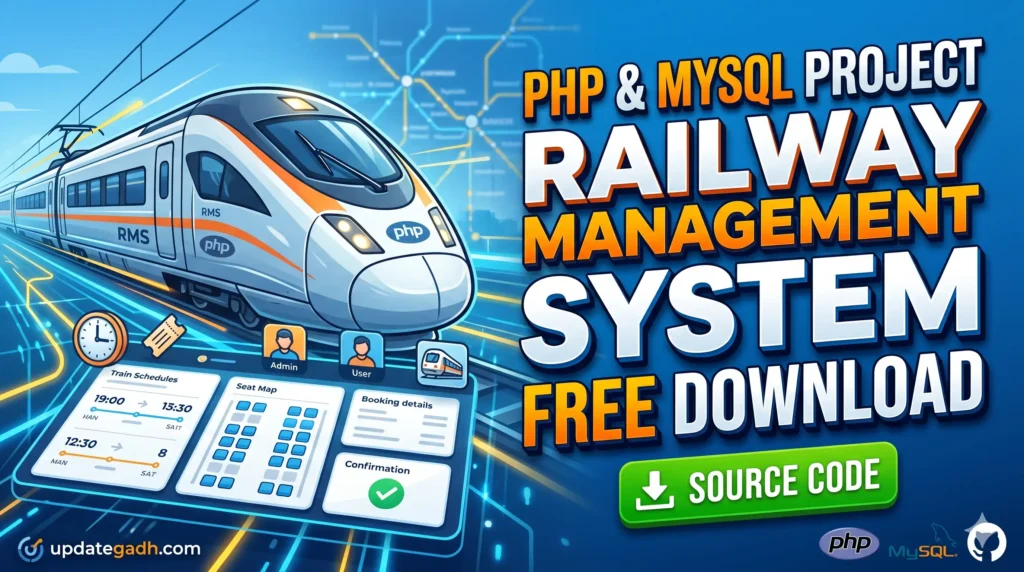
Railway Management System in PHP and MySQL is a web-based application for managing train schedules, routes, seat availability, ticket reservations, and booking history. It provides separate Admin and User dashboards, along with PDF ticket generation and a responsive interface for desktop and mobile devices.
Read more- Built with
- PHPMySQLBootstrapHTML/CSSJavaScript
- You get
- Source codeDatabaseProject reportPPTSetup guide
- Delivery
- Instant download after payment
Project Overview
The Railway Management System in PHP and MySQL is a web-based application designed to simplify train scheduling and ticket reservations. It provides separate dashboards for administrators and users. Administrators can manage train routes, schedules, timings, and capacity, while users can check train availability, request seat reservations, view booking history, and download or print reservation tickets.
Available Features
- Role-Based Authentication: Separate login access for administrators and users.
- Train Schedule Management: Create, edit, and remove train schedules.
- Route Management: Manage train routes and timings.
- Capacity Management: Configure train capacity constraints.
- Train Availability: Allow users to check train availability.
- Ticket Booking: Let users request seat reservations.
- Booking History: Allow users to review their previous bookings.
- PDF Ticket Generation: Generate downloadable and printable reservation slips using the Dompdf library.
- Responsive Interface: Support desktop, tablet, and mobile screen sizes.
Which Technologies Are Used in This Project?
- PHP: Handles server-side application logic.
- MySQL: Stores train, schedule, route, and reservation data.
- HTML5: Structures the website pages.
- CSS3: Styles the user interface.
- JavaScript: Supports interactive functionality.
- Bootstrap 5: Helps create responsive layouts.
- Dompdf: Supports PDF ticket generation.
More Details and Full Documentation
For complete project details and installation instructions, visit Railway Management System in PHP and MySQL on UPDATEGADH.
Watch Project Demo
- Admin Dashboard
- User Dashboard
- Role-Based Authentication
- Train Schedule Management
- Route Management
- Train Timing Management
- Train Capacity Management
- Train Availability Checking
- Seat Reservation
- Booking History
- PDF Ticket Generation
- Responsive User Interface
- Install XAMPP or WAMP and Visual Studio Code.
- Download and extract the project ZIP file.
- For XAMPP, copy the extracted project folder into C:\xampp\htdocs\.
- Start Apache and MySQL from the XAMPP Control Panel.
- Open http://localhost/phpmyadmin/ in your browser.
- Create a MySQL database, for example railway_management.
- Open the Import tab and select the SQL backup file included in the project folder.
- Import the SQL file to create the required database tables.
- Open the project folder in Visual Studio Code.
- Locate the database connection configuration file, which may be named connect.php or stored in an assets/db directory.
- Update the database connection settings to match your local MySQL configuration.
- Ensure the Dompdf dependency is available if PDF ticket generation is required.
- Open the project in your browser using http://localhost/railway/.
- If you used a different folder name, replace railway in the URL with that folder name.
- Test the admin login, train schedules, availability checking, reservations, booking history, and PDF ticket generation.
Stuck while running it? Chat with us on WhatsApp for free installation help.
No reviews yet. Be the first to review this project.