 10% OFF
 Internship Placement System Using Node.js, Express and MongoDB
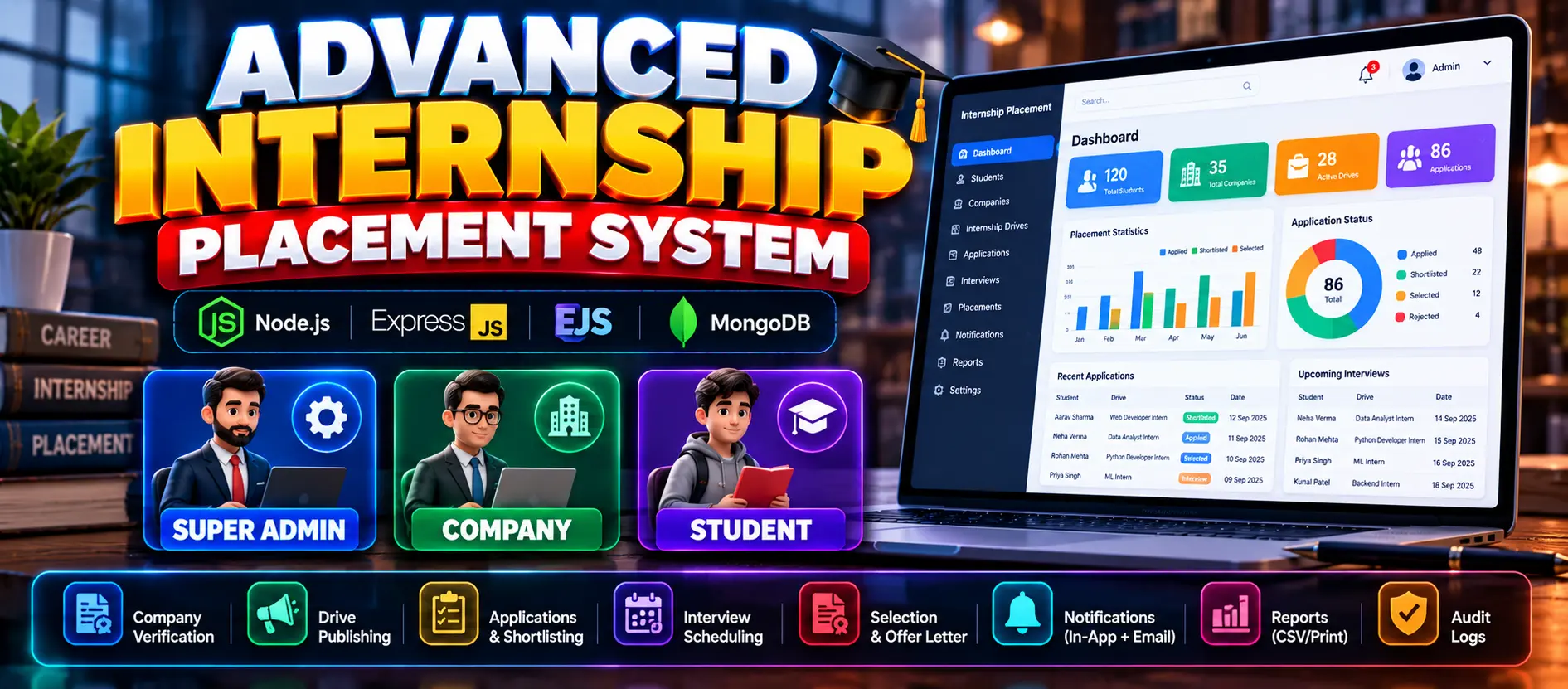
Internship Placement System is a full-stack web application developed using Node.js, Express.js, EJS, and MongoDB. It helps administrators manage students, companies, departments, eligibility criteria, and placements while allowing companies to post internship opportunities and students to apply.
Read more- Built with
- ReactBootstrapJavaScriptNode.jsMongoDB
- You get
- Source codeDatabaseProject reportPPTSetup guide
- Delivery
- Instant download after payment
Project Overview
Internship Placement System is a full-stack web application designed to manage the internship placement process for colleges. It provides separate functionalities for administrators, companies, and students to manage internship opportunities, eligibility criteria, applications, and placement results.
Available Features
- Admin Authentication and Dashboard
- Student and Company Management
- Department and Eligibility Criteria Management
- Placement Drive Management
- Company Registration and Login
- Internship Posting and Eligibility Requirements
- Eligible Student Listing
- Candidate Shortlisting and Selection
- Student Registration and Login
- Student Profile Management and Profile Image Upload
- Internship Browsing and Applications
- Eligibility Checking Based on CGPA and Department
- Placement Results Management
- Email Notifications for Placement Updates
- Role-Based Authorization
Technology Stack
- Frontend: EJS Templates and Bootstrap
- Backend: Node.js and Express.js
- Database: MongoDB and Mongoose
- Authentication: JWT
- Password Hashing: bcrypt
- Email Notifications: Nodemailer
More Details and Full Documentation
- Admin Dashboard
- Student Management
- Company Management
- Department Management
- Eligibility Criteria Management
- Placement Drive Management
- Internship Posting
- Student Registration and Login
- Internship Applications
- Eligibility Checking
- Candidate Shortlisting and Selection
- Placement Results Management
- Email Notifications
- Role-Based Authorization
- Install Node.js, MongoDB, Visual Studio Code, and a web browser.
- Extract the project ZIP file.
- Open the internship_placement_system-main folder in VS Code.
- Open the terminal and navigate to the backend folder:
cd backend
- Install dependencies:
npm install
- Open backend/config/db.config.js.
- Configure the MongoDB connection string for your database.
- Ensure the MongoDB server is running.
- Start the application:
npm start
- If required by the project configuration, run:
node app.js
- Open the application using the local URL configured by the project.
Stuck while running it? Chat with us on WhatsApp for free installation help.
No reviews yet. Be the first to review this project.