 50% OFF
 Inventory Management System Using MERN Stack
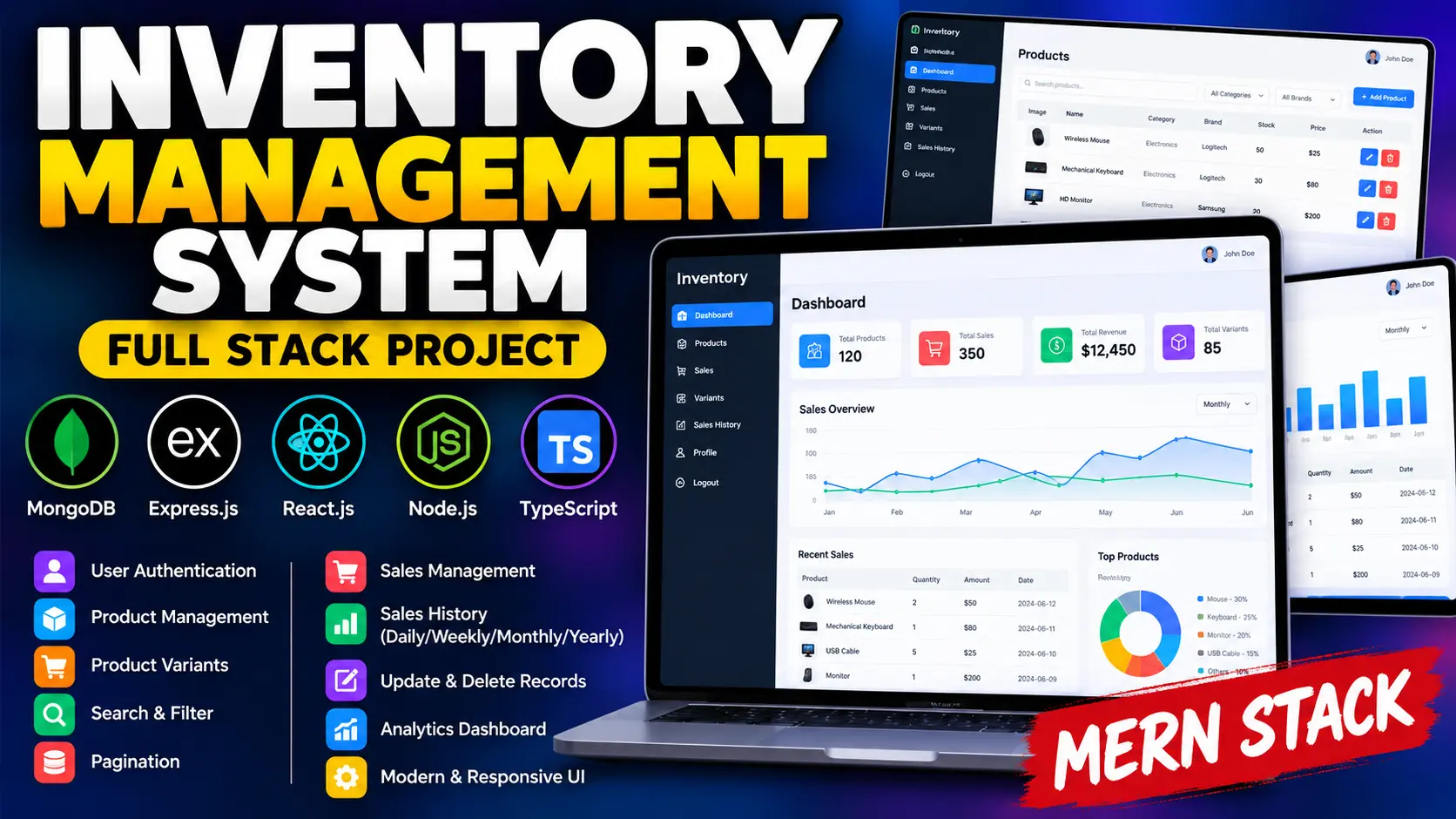
Inventory Management System Using MERN Stack is a full-stack business application built with React.js, TypeScript, Node.js, Express.js, and MongoDB. It enables users to manage products, create product variants, record sales transactions, search and filter inventory records, and review daily, weekly, monthly, and yearly sales history.
Read more- Built with
- ReactBootstrapHTML/CSSJavaScriptNode.jsMongoDB
- You get
- Source codeDatabaseProject reportPPTSetup guide
- Delivery
- Instant download after payment
Project Overview
Inventory Management System Using MERN Stack is a full-stack web application designed to organize product information and sales transactions. It provides a centralized interface where users can manage products, create variants, record sales, and review historical sales activity across different time periods.
The application is built with React.js and TypeScript on the frontend, Node.js and Express.js on the backend, and MongoDB for data storage. It also uses Redux Toolkit for state management, Ant Design for interface components, React Router DOM for navigation, Zod for data validation, and Recharts for data visualization.
Key Features
- User Registration and Login: Register new accounts and sign in to access inventory records associated with the logged-in user.
- Product Management: Add, view, update, and delete product records.
- Product Search and Filtering: Search and filter product lists using available fields.
- Product Pagination: Navigate product records in paginated lists.
- Product Variants: Create variants of existing products to organize different product options.
- Sales Recording: Record sales against selected products.
- Sales Management: View, update, and delete previously recorded sales transactions.
- Sales Pagination: Navigate sales records through paginated views.
- Daily Sales History: Review recorded sales activity by day.
- Weekly Sales History: Examine sales records across weekly periods.
- Monthly Sales History: Review transactions by month.
- Yearly Sales History: Explore sales activity across yearly periods.
- JWT Authentication: Use token-based authentication to protect application access.
- Input Validation: Use Zod validation to help validate data submitted to the backend.
- Responsive Web Interface: Use React-based interface components to navigate inventory and sales workflows.
Product Management Module
The product management module allows authenticated users to create and maintain product records. Users can browse their own products, search and filter records, navigate paginated results, update product details, delete products, and create variants where required.
Sales Management Module
The sales module records transactions associated with selected products. Users can view sales records, navigate paginated results, update transaction information, and remove sales records when necessary. This helps keep the application's sales information organized.
Sales History and Reporting
The sales history section organizes recorded transactions by daily, weekly, monthly, and yearly periods. These views help users review sales activity over time and understand historical transaction patterns.
User Access and Data Management
Users can register and log in to access the application. Product records are associated with the logged-in user, helping separate inventory information between accounts. JWT-based authentication and backend validation support protected application workflows.
Technology Stack
- Frontend: React.js, TypeScript, JavaScript, HTML, and CSS
- State Management: Redux Toolkit
- UI Components: Ant Design
- Routing: React Router DOM
- Backend: Node.js and Express.js
- Database: MongoDB
- Authentication: JSON Web Tokens (JWT)
- Validation: Zod
- Charts and Visualization: Recharts
- Notifications: SweetAlert2
Software and Tools Required
- Node.js and npm
- MongoDB installed locally or a MongoDB Atlas database
- Visual Studio Code
- A modern web browser
- The extracted project source code
Project Applications
This project can be used by small businesses, retail stores, wholesale businesses, and e-commerce operators that need an organized way to maintain product records and sales transactions. It is also suitable for students who want hands-on experience with TypeScript, React, Node.js, Express.js, MongoDB, authentication, and full-stack application development.
More Details and Full Documentation
For screenshots, project details, the original installation guide, and additional documentation, visit the official UPDATEGADH project page:
- Install Node.js, npm, MongoDB, and Visual Studio Code.
- Extract the project ZIP file and open the project folder in Visual Studio Code.
- Open the terminal in the directory containing the backend package.json file.
- Create a .env file in the backend project root.
- Add the following environment variables: NODE_ENV=dev, PORT=5000, DATABASE_URL=your_mongodb_connection_string, JWT_SECRET=your_jwt_secret
- Replace the example database URL with your MongoDB connection string and use a secure JWT secret.
- Install backend dependencies using: npm install
- Start the backend using: npm run dev
- Open a second terminal and navigate to the frontend directory using: cd frontend
- Install frontend dependencies using: npm install
- Start the frontend using the script configured in package.json, such as: npm start
- Open the frontend URL displayed in the terminal.
- Register a new account or log in using an existing account.
- Add products, create product variants, search and filter records, and record sales.
- Review sales history by day, week, month, and year.
- Install Node.js, npm, MongoDB, and Visual Studio Code.
- Extract the project ZIP file and open the project folder in Visual Studio Code.
- Open the terminal in the directory containing the backend package.json file.
- Create a .env file in the backend project root.
- Add the following environment variables: NODE_ENV=dev, PORT=5000, DATABASE_URL=your_mongodb_connection_string, JWT_SECRET=your_jwt_secret
- Replace the example database URL with your MongoDB connection string and use a secure JWT secret.
- Install backend dependencies using: npm install
- Start the backend using: npm run dev
- Open a second terminal and navigate to the frontend directory using: cd frontend
- Install frontend dependencies using: npm install
- Start the frontend using the script configured in package.json, such as: npm start
- Open the frontend URL displayed in the terminal.
- Register a new account or log in using an existing account.
- Add products, create product variants, search and filter records, and record sales.
- Review sales history by day, week, month, and year.
Stuck while running it? Chat with us on WhatsApp for free installation help.
No reviews yet. Be the first to review this project.