 24% OFF
 Banking Management System Using MERN Stack
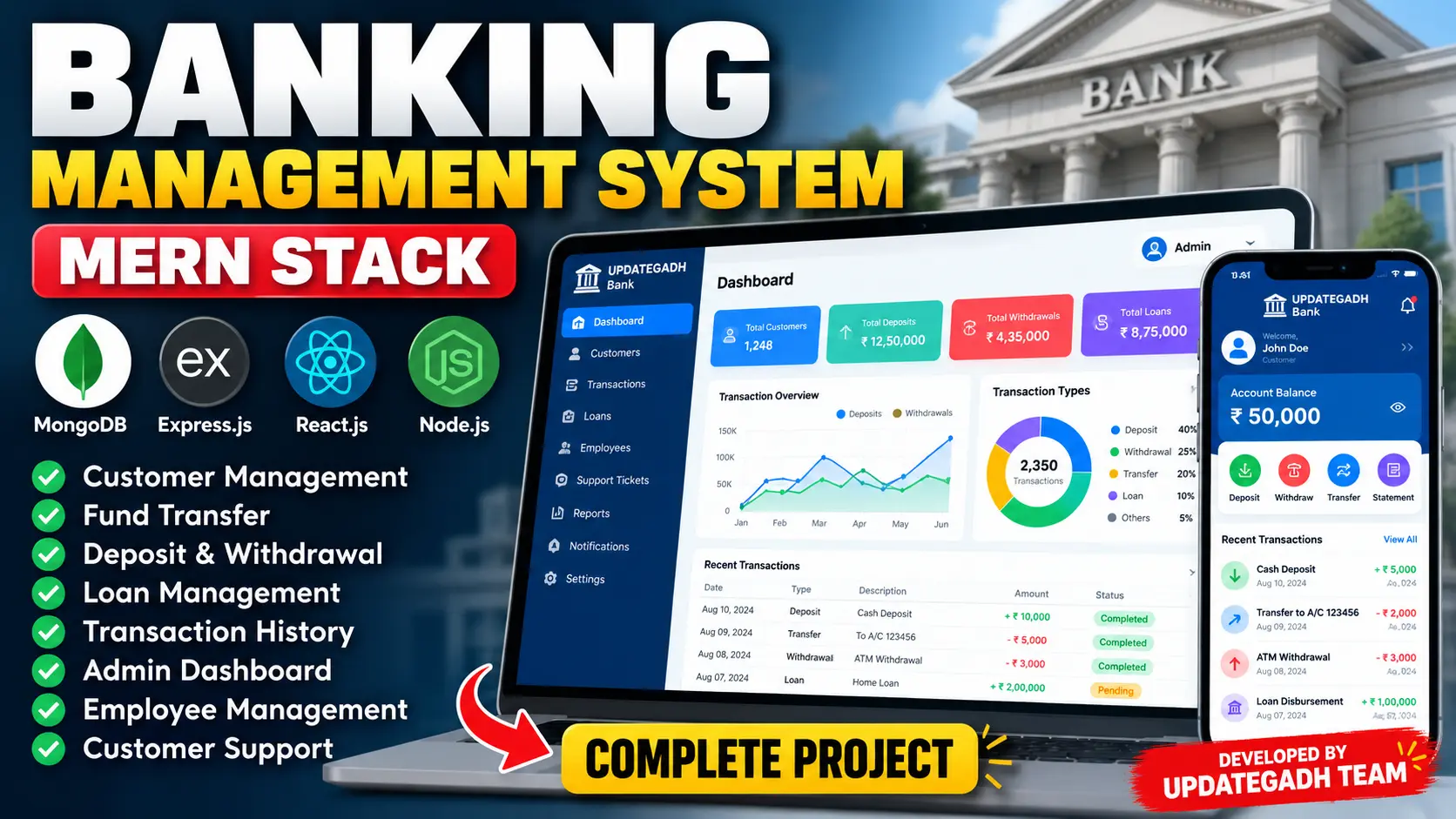
Banking Management System Using MERN Stack is a full-stack web application developed using MongoDB, Express.js, React.js, and Node.js. It provides separate interfaces for customers, employees, and administrators to manage bank accounts, deposits, withdrawals, fund transfers, transaction history, loan applications, and customer support. The application includes transaction verification, graphical reports, PDF receipts, CSV statements, notifications, and role-based access control.
Read more- Built with
- ReactJavaScriptNode.jsMongoDB
- You get
- Source codeDatabaseProject reportPPTSetup guide
- Delivery
- Instant download after payment
Project Overview
The Banking Management System Using MERN Stack is a full-stack web application designed to simulate essential banking operations in a digital environment. Developed using MongoDB, Express.js, React.js, and Node.js, it provides separate interfaces for customers, employees, and administrators.
The system supports customer account management, deposits, withdrawals, fund transfers, transaction verification, loan applications, notifications, and customer support. Administrative dashboards help monitor banking activities and review transaction statistics.
Key Features
- Admin Dashboard: View customer accounts, monitor deposits and withdrawals, review fund transfers, track pending verifications and loan applications, and analyze banking statistics through graphical reports.
- Customer Account Management: Search customers, view account details and balances, update customer information, and manage eligible account activation, suspension, and closure operations.
- Deposit and Withdrawal Management: Record deposits and withdrawals through authorized workflows and maintain transaction records.
- Fund Transfers: Transfer funds between eligible accounts, generate transaction reference numbers, verify or reject transactions, and reverse eligible completed transfers.
- Transaction History: Filter transactions by date, type, status, and reference. Download transaction statements in CSV format and generate PDF receipts.
- Customer Banking Portal: View account balances, transfer funds, review transaction statuses, access statements, and receive account-related notifications.
- Loan Management: Display available loan types, accept loan applications, record requested amounts and repayment periods, upload supporting documents, estimate monthly installments, and track application status.
- Loan Processing: Allow authorized staff to approve or reject loan applications and manage loan disbursements and installment payments.
- Employee Management: Create employee accounts, assign permissions, and control access to account management, transaction verification, loan applications, and customer support.
- Customer Support: Create support tickets, exchange messages, track ticket statuses, and allow authorized staff to respond to customer queries.
- Notifications: Display notifications related to banking activities and allow users to mark notifications as read.
- Authentication and Security: Include role-based access restrictions, protected API routes, password hashing, configurable JWT authentication, input validation, transaction idempotency support, and audit and login history functionality.
User Roles
Administrator
Administrators monitor banking activities, manage customer accounts and employee access, review transactions, oversee loan applications, access customer support tickets, and analyze reports.
Employee
Employees receive permissions for assigned banking operations, including customer account management, transaction verification, loan processing, and customer support.
Customer
Customers can view account information, transfer funds, access transaction history, download statements and receipts, submit loan applications, track application statuses, and manage support requests.
Technology Stack
- Frontend: React.js and Vite
- Programming Language: JavaScript
- Backend: Node.js and Express.js
- Database: MongoDB
- Database Modeling: Mongoose
- Dashboard Charts: Recharts
- PDF Generation: PDFKit
- Document Uploads: Multer
- Package Manager: npm
Software and Tools Required
- Node.js 18 or a compatible newer version
- npm package manager
- MongoDB Community Server or MongoDB Atlas
- Visual Studio Code
- A modern web browser
Important Project Limitations
This project is an educational banking simulation, not a production-ready banking platform. The source documentation identifies additional requirements for real-world deployment, including multi-factor authentication, KYC verification, regulatory compliance, secure secrets management, encryption at rest, stronger session security, double-entry accounting, financial reconciliation, monitoring, backups, and independent security audits.
Project Benefits
- Demonstrates full-stack development using the MERN stack.
- Organizes customer accounts and banking transactions.
- Implements transaction verification and loan application workflows.
- Provides customer, employee, and administrator interfaces.
- Supports PDF receipts, CSV statements, and graphical reports.
- Demonstrates authentication, role-based access, and database operations.
More Details and Full Documentation
For complete project details, screenshots, features, installation instructions, and development test accounts, visit the original UPDATEGADH project page.
- Admin Dashboard and Analytics
- Customer Account Management
- Deposit and Withdrawal Management
- Fund Transfer Management
- Transaction Verification and History
- Customer Banking Portal
- Loan Application and Processing
- Employee Management
- Customer Support and Notifications
- Authentication and Security Controls
- PDF Receipts and CSV Statements
- Audit and Login History
- Install Node.js 18 or a compatible newer version, npm, MongoDB, and Visual Studio Code.
- Extract the project ZIP file and open the project folder in Visual Studio Code.
- Open the terminal and navigate to the backend directory: cd server
- Create the backend environment file: copy .env.example .env
- Alternatively, create the environment file in PowerShell: Copy-Item .env.example .env
- Open server/.env and configure the MongoDB connection, JWT secret, and administrator credentials, including ADMIN_PASSWORD where required.
- Install backend dependencies: npm install
- Prepare development data using synthetic records: npm run seed
- Start the backend development server: npm run dev
- Open a second terminal from the project root and navigate to the frontend directory: cd client
- Create the frontend environment file: copy .env.example .env
- Alternatively, use PowerShell: Copy-Item .env.example .env
- Install frontend dependencies: npm install
- Start the frontend development server: npm run dev
- Open http://localhost:5173 in your browser.
- Keep both the frontend and backend terminals running while using the application.
- After seeding, use the documented development accounts: Employee: employee@bank.local, Customer: customer1@bank.local or customer2@bank.local, Password: Test@1234.
- Use the administrator credentials configured in the backend environment file for administrator access.
- For MongoDB transactions, configure MongoDB as a replica set and set USE_TRANSACTIONS=true. Otherwise, leave this option disabled.
- Do not use development credentials or synthetic data in production.
Stuck while running it? Chat with us on WhatsApp for free installation help.
No reviews yet. Be the first to review this project.