 25% OFF
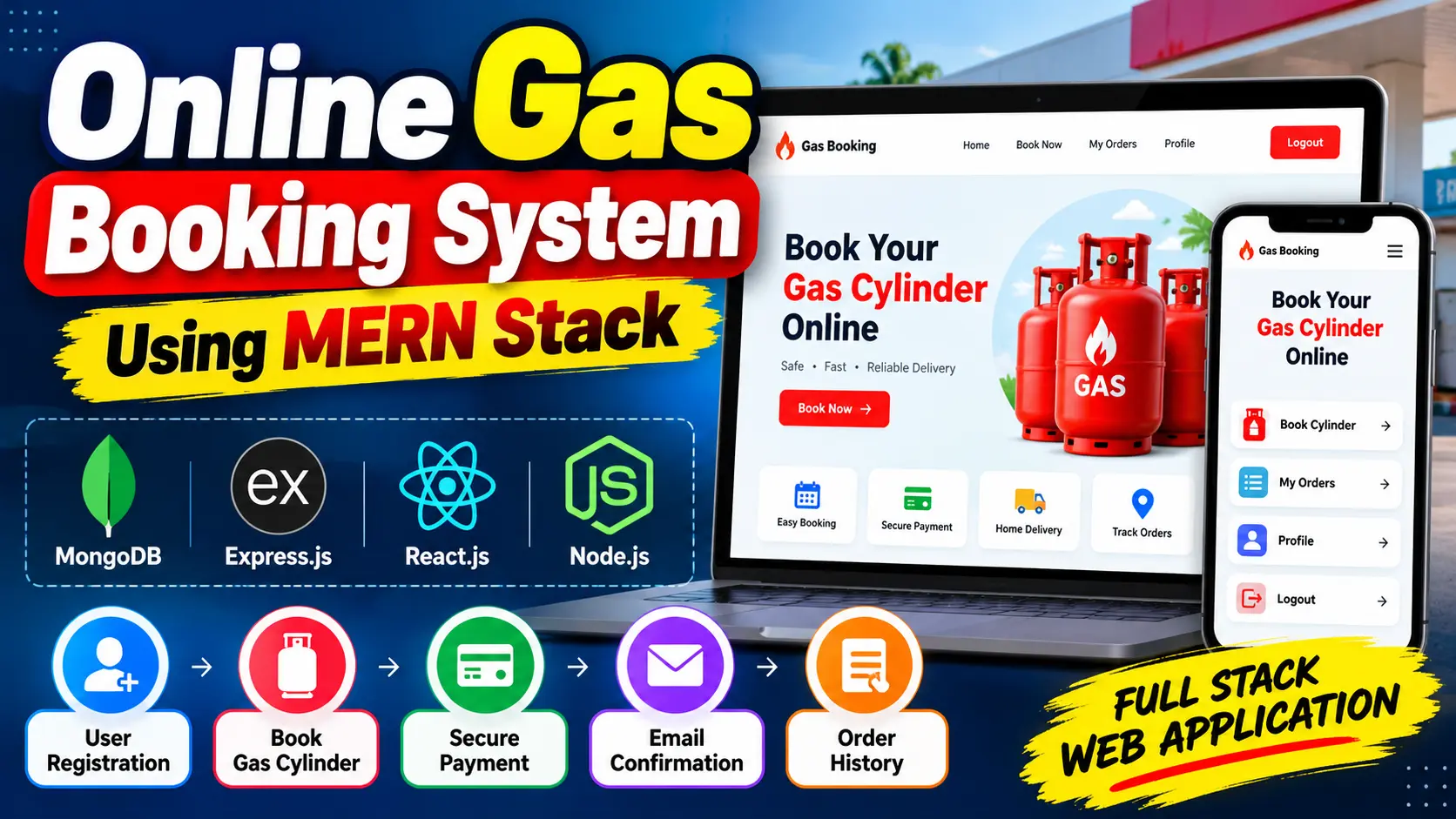
 Online Gas Booking System Using MERN Stack
Online Gas Booking System Using MERN Stack is a full-stack web application built with React.js, Node.js, Express.js, and MongoDB. It allows users to register, log in, book gas cylinders online, receive email confirmations, and view previous booking records through a user-friendly dashboard.
Read more- Built with
- ReactJavaScriptNode.jsMongoDB
- You get
- Source codeDatabaseProject reportPPTSetup guide
- Delivery
- Instant download after payment
Project Overview
Online Gas Booking System Using MERN Stack is a full-stack web application designed to simplify the process of booking gas cylinders online. It provides users with a convenient way to submit booking requests, receive email confirmations, and review their booking history through a centralized interface.
The application uses React.js for the frontend, Node.js and Express.js for backend processing, and MongoDB for storing user and booking records. It demonstrates frontend and backend integration, database connectivity, user authentication, and email communication in a practical booking application.
Key Features
- User Registration: Allow new users to create accounts through the registration interface.
- User Login: Enable registered users to sign in and access their booking dashboard.
- Online Gas Cylinder Booking: Submit gas cylinder booking requests through the application.
- Email Confirmation: Send booking confirmation emails when the email service is correctly configured.
- Booking History: View previous and current booking records through the user dashboard.
- Session Access and Logout: Access account features after login and sign out when finished.
- MongoDB Data Storage: Store user information and gas booking records in the database.
- Responsive Web Interface: Provide a browser-based interface for accessing booking functions.
User Workspace
The user workspace allows customers to register, log in, submit gas cylinder booking requests, receive email confirmations when email settings are configured, and view their booking history. It keeps essential booking activities accessible from one interface.
Gas Booking Workflow
- The user creates an account or logs in with existing credentials.
- The user opens the gas booking interface and submits a booking request.
- The backend processes the request and stores the booking record in MongoDB.
- The system sends a confirmation email when the email service is configured correctly.
- The user opens the booking history section to review available booking records.
Technology Stack
- Frontend: React.js
- Frontend Technologies: HTML, CSS, and JavaScript
- Backend: Node.js and Express.js
- Database: MongoDB
- Email Integration: Configured email service for booking confirmations
Software and Tools Required
- Node.js and npm
- MongoDB installed locally or MongoDB Atlas access
- Visual Studio Code
- A modern web browser
- Email account credentials or an email app password for confirmation emails
Real-World Applications
This project demonstrates how a digital booking portal can organize customer information and gas cylinder booking records. It can serve as a learning example for gas agency booking portals, customer service applications, and full-stack web development coursework.
Future Scope
The application could be extended with administrator booking management, cylinder inventory and price management, booking status tracking, delivery scheduling, online payment integration, SMS notifications, booking reports, and customer feedback. These are potential enhancements rather than confirmed features of the documented version.
More Details and Full Documentation
For the original project overview, screenshots, installation instructions, and documentation, visit the official UPDATEGADH project page:
- User Registration Module
- User Login Module
- Gas Cylinder Booking Module
- Booking Request Processing Module
- Email Confirmation Module
- Booking History Module
- User Dashboard Module
- Logout Module
- Backend API Module
- MongoDB Database Module
- Install Node.js, npm, MongoDB or MongoDB Atlas access, and Visual Studio Code.
- Extract the project ZIP file and open the project folder in Visual Studio Code.
- Locate the backend and frontend directories.
- Open a terminal and navigate to the backend directory using: cd backend
- Install backend dependencies using: npm install
- Open a second terminal and navigate to the frontend directory using: cd frontend
- Install frontend dependencies using: npm install
- Create a .env file inside the backend directory.
- Add the following environment variables: MONGO_URI=your_mongodb_connection_string, PORT=5000, EMAIL_USER=your_email@example.com, EMAIL_PASS=your_email_app_password
- Replace the example values with your MongoDB connection string and email credentials. Use an email app password where required.
- Start the backend server using: npm start
- In the frontend terminal, start the application using: npm run dev
- Open the frontend URL displayed in the terminal.
- Register a new account or log in with existing credentials.
- Submit a gas cylinder booking request and review the booking history.
- Verify email confirmation functionality after configuring the email service correctly.
Stuck while running it? Chat with us on WhatsApp for free installation help.
No reviews yet. Be the first to review this project.