 20% OFF
 School Management System Using MERN Stack
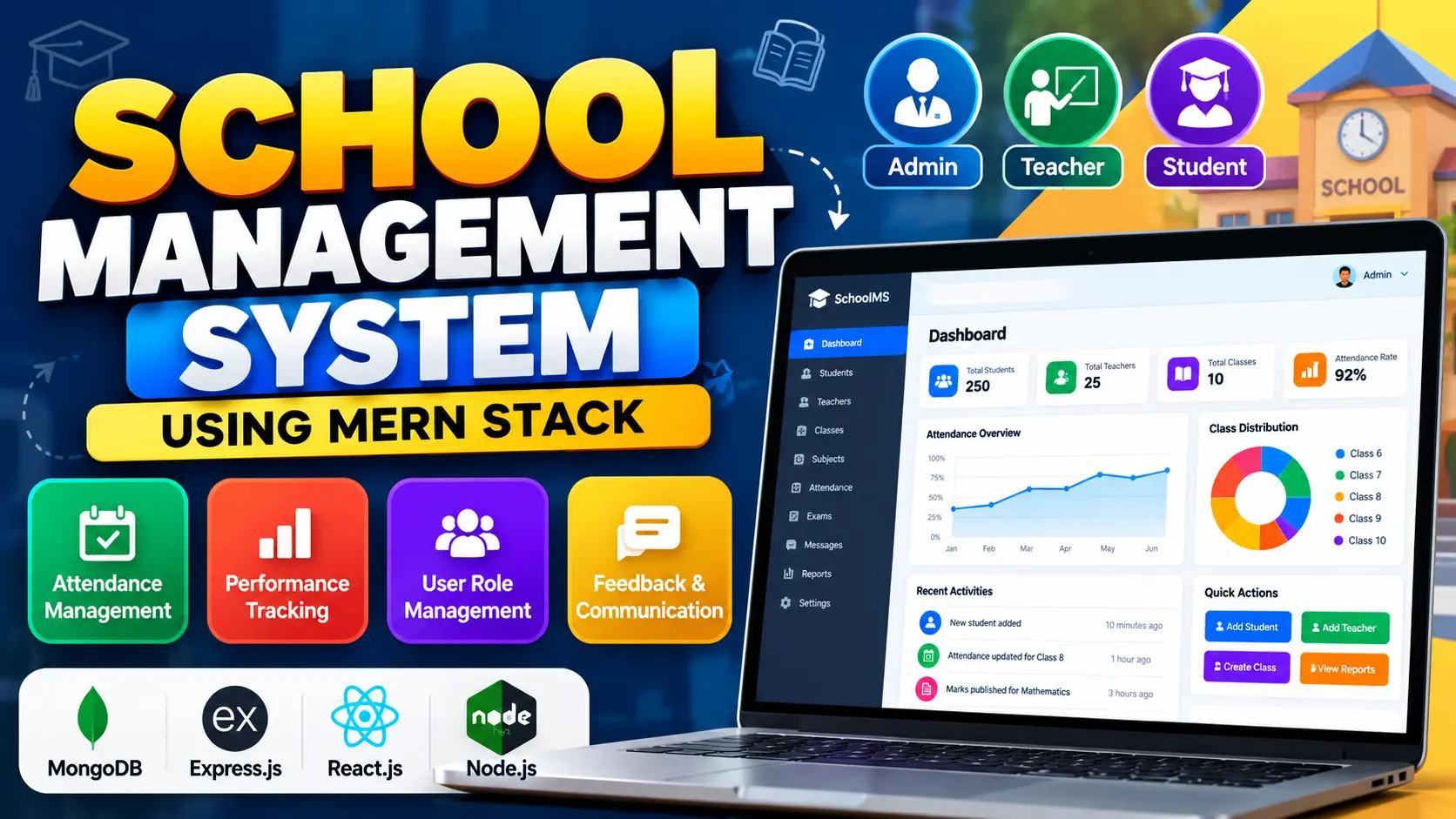
School Management System Using MERN Stack is a full-stack web application built with MongoDB, Express.js, React.js, and Node.js. It provides separate Admin, Teacher, and Student panels for managing student records, teachers, classes, subjects, attendance, examination marks, academic feedback, and communication. The system also includes dashboards with charts and tables to help monitor student performance and attendance.
Read more- Built with
- ReactJavaScriptNode.jsMongoDB
- You get
- Source codeDatabaseProject reportPPTSetup guide
- Delivery
- Instant download after payment
Project Overview
School Management System Using MERN Stack is a web-based application designed to organize school administration and academic activities. It provides a centralized platform for managing students, teachers, classes, attendance, examination marks, and communication between teachers and students.
The project uses MongoDB, Express.js, React.js, and Node.js. React.js and Material UI provide the frontend interface, Redux manages application state, Express.js handles backend routes and APIs, and MongoDB stores application data.
Key Features
- Role-Based Access: Provide separate Admin, Teacher, and Student roles with access to relevant features.
- Admin Dashboard: Manage student accounts, teacher records, classes, subjects, user accounts, attendance reports, and academic performance statistics.
- Student Management: Add and maintain student records through the administrator interface.
- Teacher Management: Register and manage teacher accounts.
- Class Management: Create classes and organize students and academic activities.
- Subject Assignment: Assign subjects to classes for academic management.
- Attendance Management: Allow teachers to mark students as Present or Absent and store attendance records in the database.
- Attendance Reports: Allow teachers and students to review attendance records and administrators to monitor attendance reports.
- Student Performance Assessment: Record examination marks for different subjects and assessments.
- Academic Progress Tracking: Allow students to view examination marks and review their academic progress.
- Feedback and Communication: Support messaging and feedback between teachers and students.
- Data Visualization: Present academic performance and progress through interactive charts and tables.
- Redux State Management: Manage application state and data flow across the React interface.
- MongoDB Integration: Store academic and administrative records in a NoSQL database.
Administrator Workspace
Administrators oversee the platform and manage student and teacher records, classes, subjects, and user accounts. The dashboard also provides access to attendance reports and academic performance statistics, helping administrators monitor school activities.
Teacher Workspace
Teachers can mark attendance for their respective classes, maintain attendance records, record examination marks, evaluate student performance, provide feedback, and communicate with students through the available messaging features.
Student Workspace
Students can view their attendance records, check examination marks, read teacher feedback, and review their academic progress through charts and tables. The student interface helps organize essential academic information in one place.
Attendance Management
The attendance module allows teachers to mark students as Present or Absent. Attendance information is stored in the database so teachers and students can review records while administrators monitor attendance reports.
Student Performance Assessment
Teachers can record marks for different subjects and assessments. Students can view their results and use the available academic charts and tables to understand their performance and identify subjects that may require additional attention.
Feedback and Communication
The application includes messaging and feedback functionality to support communication between teachers and students. Academic feedback and discussions can be managed within the platform, helping keep relevant communication organized.
Technology Stack
- Frontend: React.js
- UI Library: Material UI
- State Management: Redux
- Backend: Node.js and Express.js
- Database: MongoDB
- Programming Language: JavaScript
- Architecture: Full-stack MERN web application
Software and Tools Required
- Node.js and npm
- MongoDB installed locally or a MongoDB Atlas connection
- Visual Studio Code
- A modern web browser
- The extracted project source code
More Details and Full Documentation
For the original project overview, feature descriptions, screenshots, and installation instructions, visit the official UPDATEGADH project page:
- Admin Dashboard Module
- User Role Management Module
- Student Management Module
- Teacher Management Module
- Class Management Module
- Subject Assignment Module
- Attendance Management Module
- Attendance Reports Module
- Examination Marks Management Module
- Student Performance Assessment Module
- Feedback and Communication Module
- Academic Data Visualization Module
- Student Dashboard Module
- Teacher Dashboard Module
- Redux State Management Module
- Backend API Module
- MongoDB Database Module
- Install Node.js, npm, MongoDB, and Visual Studio Code.
- Extract the project ZIP file and open the project folder in Visual Studio Code.
- Identify the actual frontend and backend folders in the extracted project.
- Open a terminal in the backend directory.
- Install backend dependencies using: npm install
- Create a .env file inside the backend directory.
- Add the required configuration: PORT=5000, MONGO_URI=your_mongodb_connection_string, JWT_SECRET=your_secret_key
- Replace the example values with your MongoDB connection string and a secure JWT secret.
- Start the backend using the command specified in the backend package.json, such as: npm start
- Open a second terminal in the frontend directory.
- Install frontend dependencies using: npm install
- Start the frontend using the command specified in the frontend package.json, such as: npm start
- Open the frontend URL displayed in the terminal.
- Sign in with a valid account and test the Admin, Teacher, and Student panels.
- Verify student records, teacher records, class and subject management, attendance, examination marks, feedback, and academic charts.
Stuck while running it? Chat with us on WhatsApp for free installation help.
No reviews yet. Be the first to review this project.