 44% OFF
 E-commerce Website Using MERN Stack
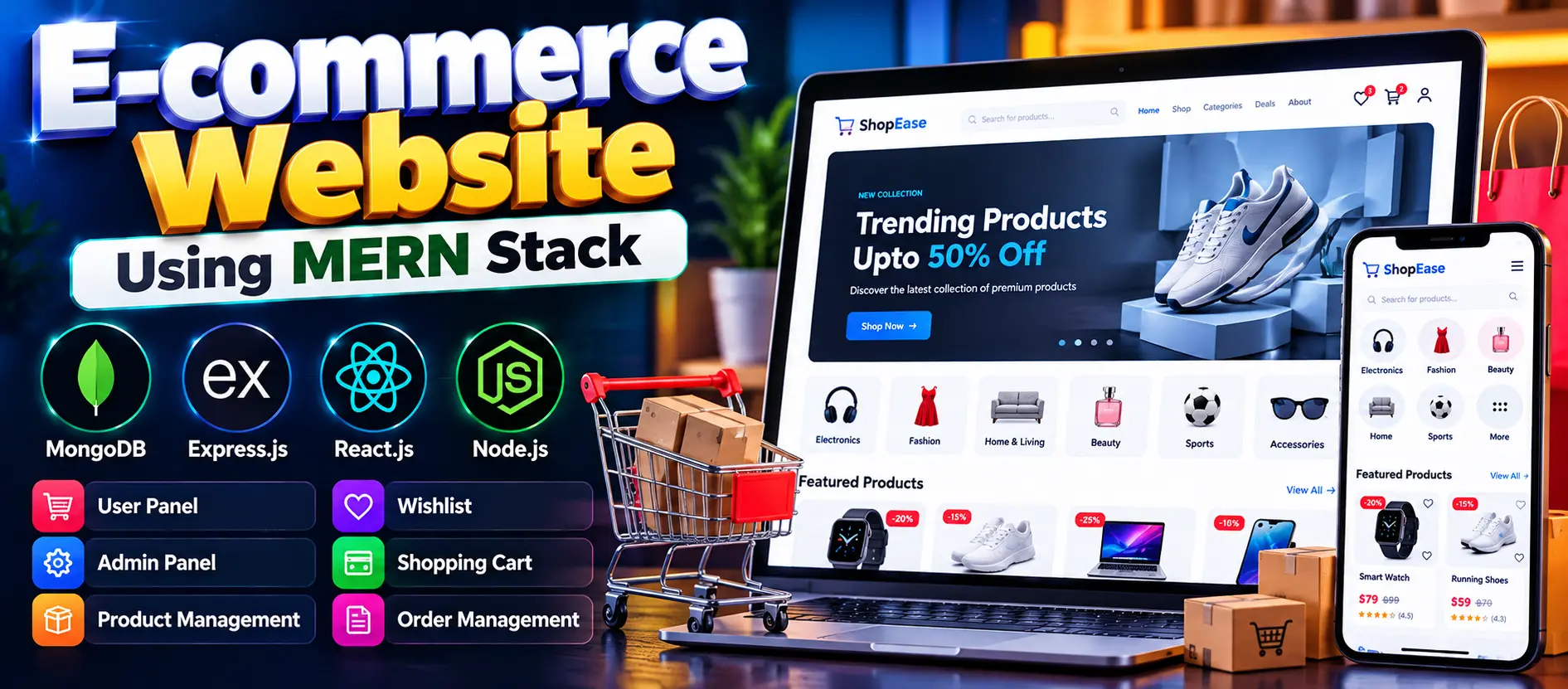
E-commerce Website Using MERN Stack is a full-stack online shopping application developed using MongoDB, Express.js, React.js, and Node.js. It allows customers to browse products, manage wishlists and shopping carts, submit product reviews, place and track orders, and update their profiles. The administrator interface supports product management, inventory control, and order processing. The application also includes authentication, OTP verification, password reset, and a responsive user interface.
Read more- Built with
- ReactJavaScriptNode.jsMongoDB
- You get
- Source codeDatabaseProject reportPPTSetup guide
- Delivery
- Instant download after payment
Project Overview
The E-commerce Website Using MERN Stack is a full-stack web application designed to provide a convenient online shopping experience. Built with MongoDB, Express.js, React.js, and Node.js, the project combines frontend development, backend APIs, database management, and authentication in one application.
Customers can browse products, manage their shopping carts, create wishlists, submit product reviews, and track orders. Administrators can manage product information, maintain inventory records, and update order statuses through the administration interface.
Key Features
- Product Browsing: Explore available products, review descriptions, and use supported category filters.
- Shopping Cart: Add products, update quantities, remove items, and review subtotals before checkout.
- Wishlist Management: Save preferred products and remove items when they are no longer needed.
- Product Reviews: Write, edit, and delete product reviews. Ratings help customers evaluate products.
- Order Management: Create orders, view order history, and monitor order status.
- Profile Management: Update personal information, account details, and supported delivery addresses.
- Product Management: Administrators can add, edit, deactivate, and delete products.
- Inventory Management: Maintain product stock information and availability.
- Order Administration: View customer orders and update their statuses, such as Pending, Shipped, and Delivered.
- Authentication: Supports registration, login, OTP verification, password reset, and logout.
- Responsive Interface: Uses Material UI components to provide a consistent experience across different screen sizes.
User Roles
Customer
Customers can register and log in, browse products, manage wishlists and shopping carts, submit reviews, place orders, view order history, track order progress, and manage their profiles.
Administrator
Administrators can access the management interface to maintain product information, manage inventory, review customer orders, and update order statuses.
Technology Stack
- Frontend: React.js and Material UI
- Programming Language: JavaScript and JSX
- Backend: Node.js and Express.js
- Database: MongoDB
- State Management: Redux Toolkit
- Authentication: JWT and cookies
- Interface Styling: CSS and Material UI
Software and Tools Required
- Node.js and npm
- MongoDB Community Server or a configured MongoDB database
- Visual Studio Code
- A modern web browser
Project Applications
- Online retail stores that need product catalog and order management.
- Small businesses establishing an online storefront.
- Product inventory and availability management.
- Customer review and rating management.
- Order administration and delivery status monitoring.
More Details and Full Documentation
For the complete project details, screenshots, installation instructions, and usage guide, visit the original UPDATEGADH project page.
- User Registration and Login
- Product Browsing
- Shopping Cart Management
- Wishlist Management
- Product Reviews and Ratings
- Customer Profile Management
- Order Management and Tracking
- Product Management
- Inventory Management
- Authentication and OTP Verification
- Install Node.js, npm, MongoDB, and Visual Studio Code.
- Extract the project ZIP file and open the project directory in Visual Studio Code.
- Open a terminal and navigate to the backend directory: cd backend
- Install backend dependencies: npm install
- Open a second terminal and navigate to the frontend directory: cd frontend
- Install frontend dependencies: npm install
- Create a .env file inside the backend directory.
- Configure the required environment variables: MONGO_URI=mongodb://127.0.0.1:27017/mern-ecommerce, ORIGIN=http://localhost:3000, EMAIL=your-email@example.com, PASSWORD=your-email-app-password, LOGIN_TOKEN_EXPIRATION=30d, OTP_EXPIRATION_TIME=120000, PASSWORD_RESET_TOKEN_EXPIRATION=2m, COOKIE_EXPIRATION_DAYS=30, SECRET_KEY=your-secure-secret-key, PRODUCTION=false.
- Replace the placeholder email credentials and secret key with your own configuration. Keep sensitive values private.
- If required by the frontend configuration, set REACT_APP_BASE_URL=http://localhost:8000 in the frontend .env file.
- If a seed script is available, run it from the backend directory: npm run seed
- Start the backend from the backend directory: npm run dev
- Open another terminal, navigate to the frontend directory, and run: npm start
- Open http://localhost:3000 in your browser.
- Check the backend at http://localhost:8000 if that port is configured in the project.
- If any command or port differs, verify the backend and frontend package.json files and environment configuration before running the application.
Stuck while running it? Chat with us on WhatsApp for free installation help.
No reviews yet. Be the first to review this project.