 40% OFF
 Online Book Store Project Using MERN Stack
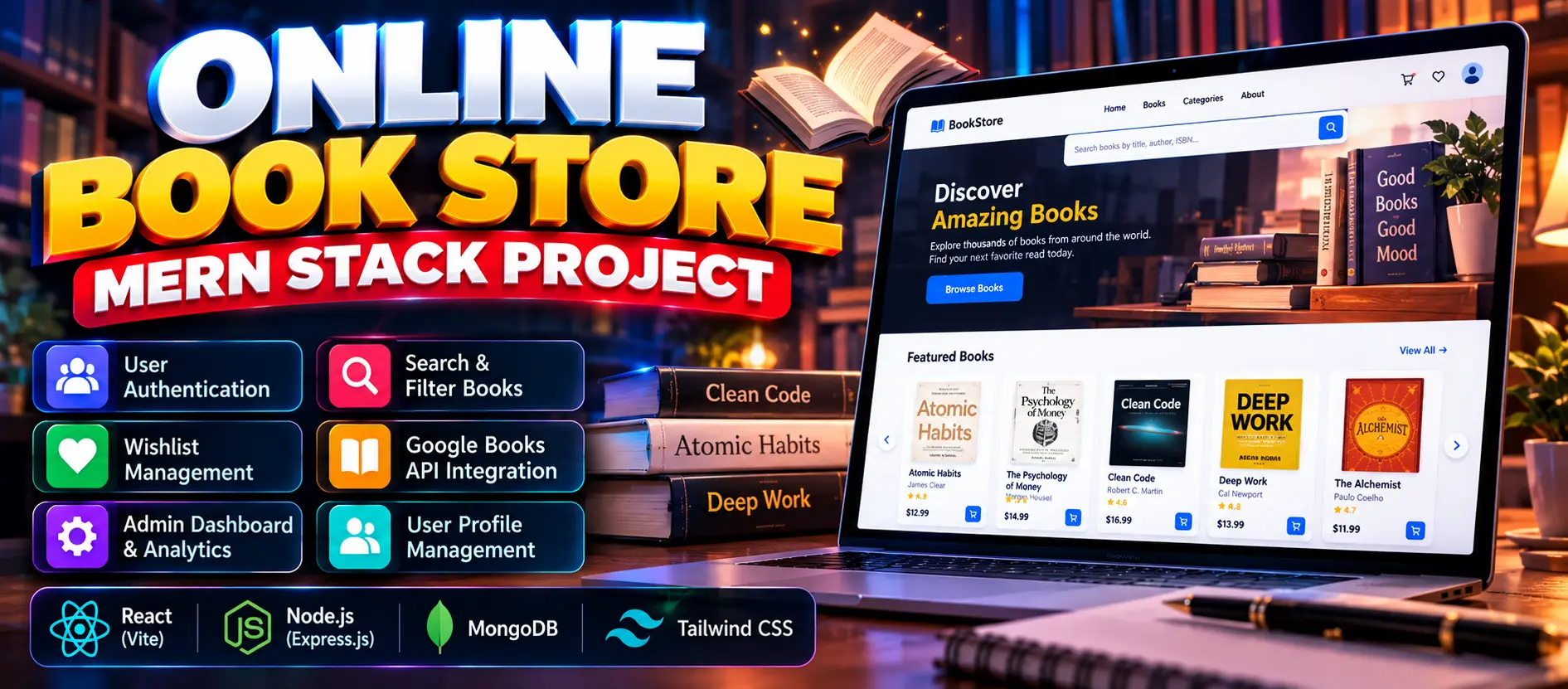
Online Book Store Project Using MERN Stack is a full-stack web application built with React, Node.js, Express.js, MongoDB, and Tailwind CSS. It includes user authentication, book browsing, search and filtering, personal wishlists, Google Books API synchronization, and an admin dashboard.
Read more- Built with
- ReactJavaScriptNode.jsMongoDB
- You get
- Source codeDatabaseProject reportPPTSetup guide
- Delivery
- Instant download after payment
Project Overview
The Online Book Store Project Using MERN Stack is a full-stack web application that allows users to browse books, search by title or author, view book details, and maintain personal wishlists. The application uses React, Node.js, Express.js, MongoDB, and Tailwind CSS. It also integrates the Google Books API to synchronize book information.
Available Features
- User Registration and Login
- Profile Editing, Password Changes, and Account Deletion
- Book Browsing and Search by Title, Author, ISBN, or Keyword
- Filtering by Category, Language, Publisher, and Price
- Sorting and Pagination
- Book Details and Related Books
- Personal Wishlist Management
- Google Books API Synchronization
- Admin Dashboard with Database Statistics and Charts
- Book, Category, User, and Wishlist Management
- Synchronization Logs and Retry Functionality
Technology Stack
- Frontend: React and Tailwind CSS
- Backend: Node.js and Express.js
- Database: MongoDB
- External API: Google Books API
- Authentication: JSON Web Tokens (JWT) and bcrypt
More Details and Full Documentation
- User Authentication and Account Management
- Book Browsing and Search
- Book Details and Related Books
- Personal Wishlist
- Google Books API Synchronization
- Admin Dashboard and Analytics
- Book Management
- Category Management
- User Management
- Wishlist Management
- Synchronization Logs and Retry Functionality
- Install Node.js 18 or later, MongoDB or MongoDB Atlas, Visual Studio Code, and a web browser.
- Extract the project ZIP file and open the bookstore folder in VS Code.
- Open a terminal in the server folder.
- Run npm install.
- Create the backend environment file using copy .env.example .env.
- Configure MONGODB_URI, JWT_SECRET, and administrator credentials in server/.env.
- Create the administrator account using npm run seed.
- Start the backend using npm run dev.
- Open a second terminal in the client folder.
- Run npm install.
- Create the frontend environment file using copy .env.example .env.
- Start the frontend using npm run dev.
- Open http://localhost:5173 in your browser.
- Sign in using the administrator credentials configured in server/.env.
- Open Admin → Google Books Sync to import book information.
Stuck while running it? Chat with us on WhatsApp for free installation help.
No reviews yet. Be the first to review this project.