 56% OFF
 Vehicle Management System Using MERN Stack
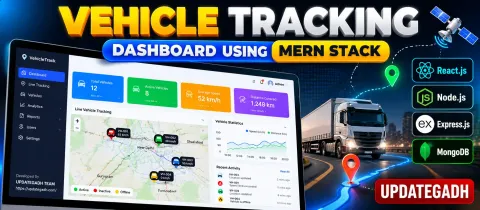
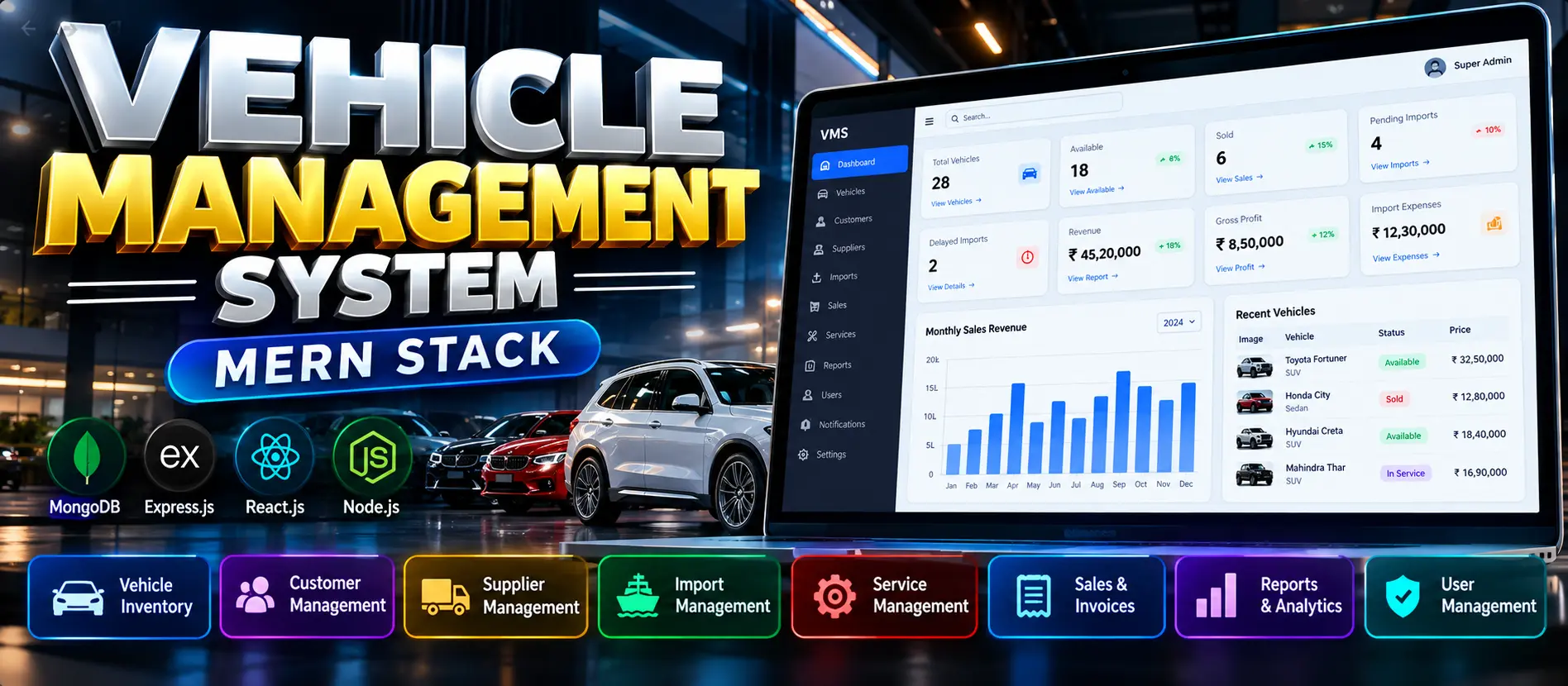
Vehicle Management System Using MERN Stack is a full-stack web application developed using MongoDB, Express.js, React.js, and Node.js. It helps dealerships manage vehicle inventory, customers, suppliers, imports, shipments, maintenance, sales, bookings, and financial reports. The system includes JWT authentication, dashboard analytics, vehicle status tracking, PDF invoice generation, CSV exports, and a responsive interface.
Read more- Built with
- ReactJavaScriptNode.jsMongoDB
- You get
- Source codeDatabase
- Delivery
- Instant download after payment
Project Overview
The Vehicle Management System Using MERN Stack is a web-based application designed to manage vehicle inventory, customers, suppliers, sales, imports, and vehicle maintenance through a centralized dashboard. Developed using MongoDB, Express.js, React.js, and Node.js, it helps vehicle dealerships organize daily operations, track vehicle availability, manage transactions, and monitor business performance.
Available Features
1. Dashboard Management
Displays vehicle inventory statistics, available and sold vehicles, pending imports, delayed imports, revenue, gross profit, and import expenses. Monthly sales revenue can be presented through charts using database records.
2. Vehicle Inventory Management
- Add, view, update, and delete vehicle records.
- Search vehicles and filter records by status.
- Manage brand, model, VIN, fuel type, transmission, and color.
- Maintain purchase price, selling price, and landed cost.
- Track available, reserved, sold, and maintenance statuses.
3. Customer Management
Maintain customer names, email addresses, phone numbers, and address details. Customer records can be associated with relevant sales and booking workflows.
4. Supplier Management
Store supplier contact information and connect suppliers with vehicle import orders to organize procurement records.
5. Import and Shipment Management
- Create and manage vehicle import orders.
- Track shipment references and expected delivery dates.
- Monitor shipping and customs clearance statuses.
- Record shipping charges, customs fees, taxes, and other expenses.
- Allocate import costs to calculate vehicle landed costs.
6. Vehicle Service and Maintenance
Manage service jobs, vehicle inspections, repair notes, assigned employees, spare parts, labour costs, service expenses, and maintenance statuses. Service scheduling helps organize vehicle maintenance activities.
7. Sales and Booking Management
- Create sales quotations and vehicle bookings.
- Record booking amounts and payments.
- Manage discounts and refunds.
- Complete or cancel sales transactions.
- Generate PDF invoices where supported by the configured workflow.
8. Reports and Financial Tracking
Generate sales reports and export supported data to CSV. Financial summaries can include revenue, vehicle costs, import expenses, and gross profit.
9. Authentication and User Management
JWT-based authentication protects access to authorized application areas. The project also includes role-aware navigation, password change functionality, account profiles, and backend support for activity audit logs.
10. Notifications and Responsive Interface
The application includes backend notification support and a responsive layout designed for desktop and mobile devices.
Technology Stack
- Frontend: React.js
- Backend: Node.js and Express.js
- Database: MongoDB
- Data Modelling: Mongoose
- Authentication: JWT
- Styling: Tailwind CSS
- Charts: Recharts
- PDF Generation: PDFKit
Software and Tools Required
- Node.js 18 or later
- MongoDB Community Server or MongoDB Atlas
- Visual Studio Code
- npm package manager
- A web browser
More Details and Full Documentation
For complete project details, screenshots, features, and installation instructions, visit the original UPDATEGADH project page.
- Dashboard Management
- Vehicle Inventory Management
- Customer Management
- Supplier Management
- Import and Shipment Management
- Vehicle Service and Maintenance
- Sales and Booking Management
- Reports
- Authentication and User Management
- Install Node.js 18 or later, npm, MongoDB Community Server or MongoDB Atlas, and Visual Studio Code.
- Extract the project ZIP file and open the vms folder in Visual Studio Code.
- Open a terminal and navigate to the server directory: cd server
- Copy the backend environment configuration file: copy .env.example .env
- Open server/.env and configure MONGO_URI, JWT_SECRET, SUPERADMIN_EMAIL, and SUPERADMIN_PASSWORD.
- Set a valid MongoDB connection string and use a strong JWT secret and Super Admin password.
- Install backend dependencies: npm install
- Start the backend server: npm run dev
- Open a second terminal and navigate to the client directory: cd client
- Copy the frontend environment configuration file: copy .env.example .env
- Install frontend dependencies: npm install
- Start the frontend application: npm run dev
- Open http://localhost:5173 in your browser.
- Sign in using the Super Admin credentials configured in server/.env.
- Keep both frontend and backend terminals running while using the application.
Stuck while running it? Chat with us on WhatsApp for free installation help.
No reviews yet. Be the first to review this project.