 10% OFF
 Medical Stock Management System in Java
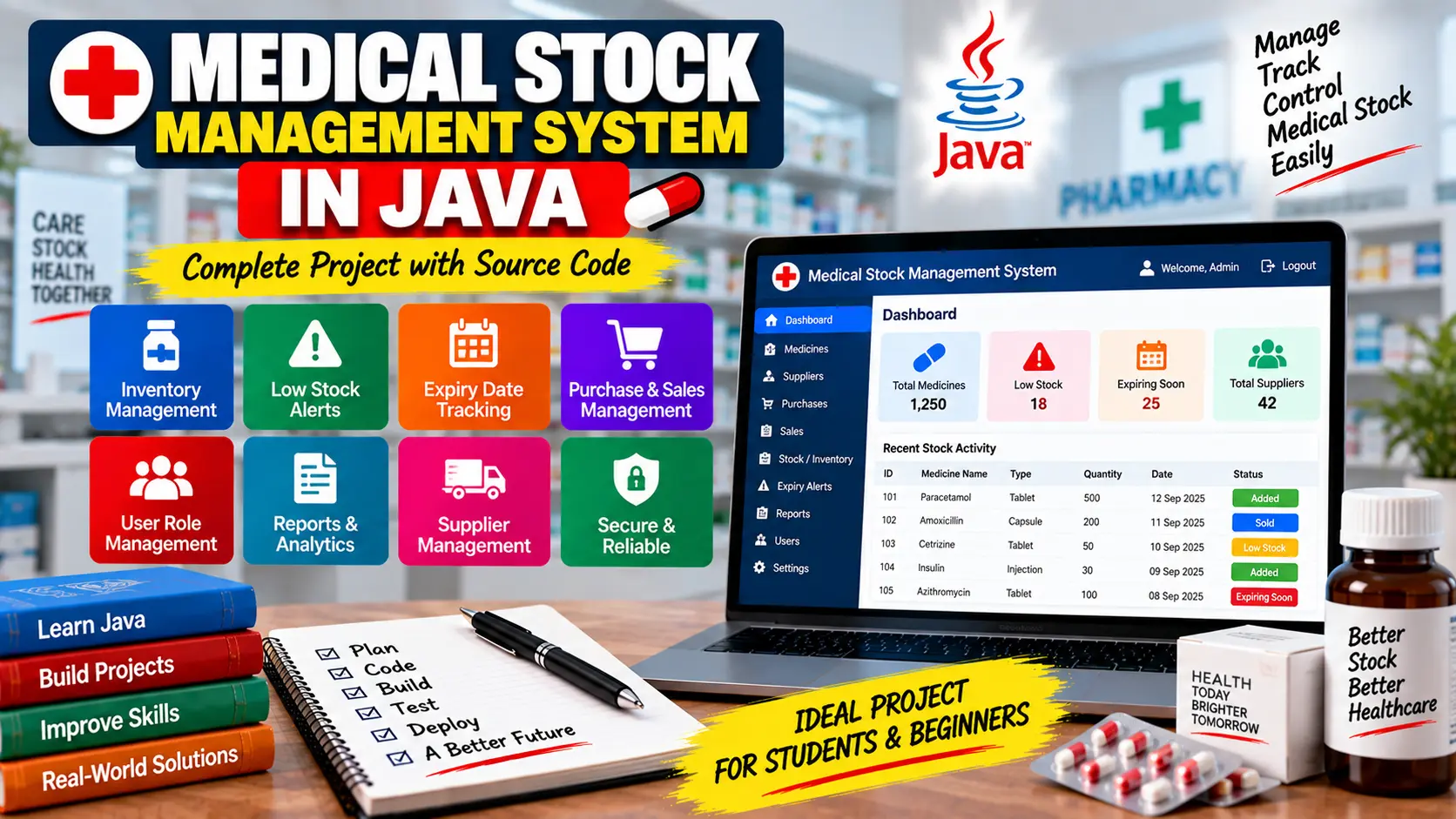
Medical Stock Management System in Java is a healthcare inventory management project for managing medicines, medical equipment, stock levels, expiry dates, purchases, sales, suppliers, user roles, reports, and data security.
Read more- Built with
- JavaMySQLHTML/CSSJavaScript
- You get
- Source codeDatabase
- Delivery
- Instant download after payment
Medical Stock Management System in Java
The Medical Stock Management System in Java is a healthcare inventory management application designed to help hospitals, clinics, pharmacies, and medical stores manage their medical supplies efficiently. The system helps track medicines, equipment, stock levels, expiry dates, purchases, sales, suppliers, and reports from a centralized application.
Project Overview
Managing medical stock is important because healthcare organizations need to maintain the availability and quality of medicines and other supplies. This Java-based project provides features that help users monitor inventory, identify low-stock items, track expiry dates, and maintain purchase and sales records.
Key Features
- Medical inventory management
- Low stock alerts
- Medicine expiry date tracking
- Purchase record management
- Sales record management
- User role management
- Supplier management
- Reporting and analytics
- Security and data backup
Inventory Management
The inventory module helps users maintain records of medicines, medical equipment, and other healthcare items. Stock information can be monitored to keep track of available supplies and support efficient inventory management.
Low Stock Alerts
The system can identify medical items whose stock levels are running low. Low-stock alerts help staff recognize which products may need to be reordered before they become unavailable.
Expiry Date Tracking
Expiry date tracking helps medical stores and healthcare facilities monitor medicines and other products with limited shelf life. This feature can assist staff in identifying items that are approaching their expiry dates.
Purchase and Sales Records
The project supports maintaining purchase and sales records. These records can help organizations track stock movement and maintain a clearer history of inventory transactions.
Supplier Management
Supplier management helps maintain information related to suppliers and supports better organization of the sources used for purchasing medicines and medical supplies.
User Role Management
The system includes user role management to control access to different parts of the application. This helps protect inventory information and restrict access according to user responsibilities.
Reporting and Analytics
Reporting and analytics features can provide useful information about medical stock and inventory activity. These reports can help organizations review their inventory and make better stock management decisions.
Security and Data Backup
Security is important when managing healthcare inventory information. The project includes security and data backup considerations to help protect important stock records and support data recovery.
Benefits of Java
- Cross-Platform Compatibility: Java applications can run across platforms such as Windows, Linux, and macOS.
- Scalability: The system can be extended as an organization grows and manages more inventory data.
- Security: Java provides mechanisms such as authentication, authorization, and encryption.
- Extensibility: Additional healthcare integrations and features can be added as the system evolves.
- User-Friendly Interfaces: Java technologies such as JavaFX and Swing can be used to build graphical interfaces.
Technology Stack
- Programming Language: Java
- Application Type: Medical Stock Management System
- GUI Technologies: JavaFX / Swing
Software and Tools Required
- Java Development Kit (JDK)
- Java-compatible IDE
- Required database environment included with the project package
Project Package
The project package includes the full project files, database, remote setup support, and step-by-step configuration tutorial.
Watch Project Demo
Watch Medical Stock Management System Project Demo
More Details and Full Documentation
View complete Medical Stock Management System project details
- Inventory Management
- Medicine Stock Management
- Low Stock Alerts
- Expiry Date Tracking
- Purchase Management
- Sales Management
- Supplier Management
- User Role Management
- Reporting and Analytics
- Security Management
- Data Backup
- Install the Java Development Kit (JDK) on your computer.
- Install a Java-compatible IDE such as NetBeans, Eclipse, or IntelliJ IDEA.
- Extract the Medical Stock Management System project files.
- Open or import the project into your Java IDE.
- Configure the database included with the project package.
- Update the database connection settings according to your local environment.
- Make sure all required Java libraries and dependencies are available.
- Build or compile the project and resolve any dependency issues.
- Run the main application class.
- Test the inventory, stock alerts, expiry tracking, purchase, sales, supplier, user role, and reporting features.
- Follow the included step-by-step configuration tutorial for any additional project-specific setup.
Stuck while running it? Chat with us on WhatsApp for free installation help.
No reviews yet. Be the first to review this project.