 23% OFF
 Human Resource Management System
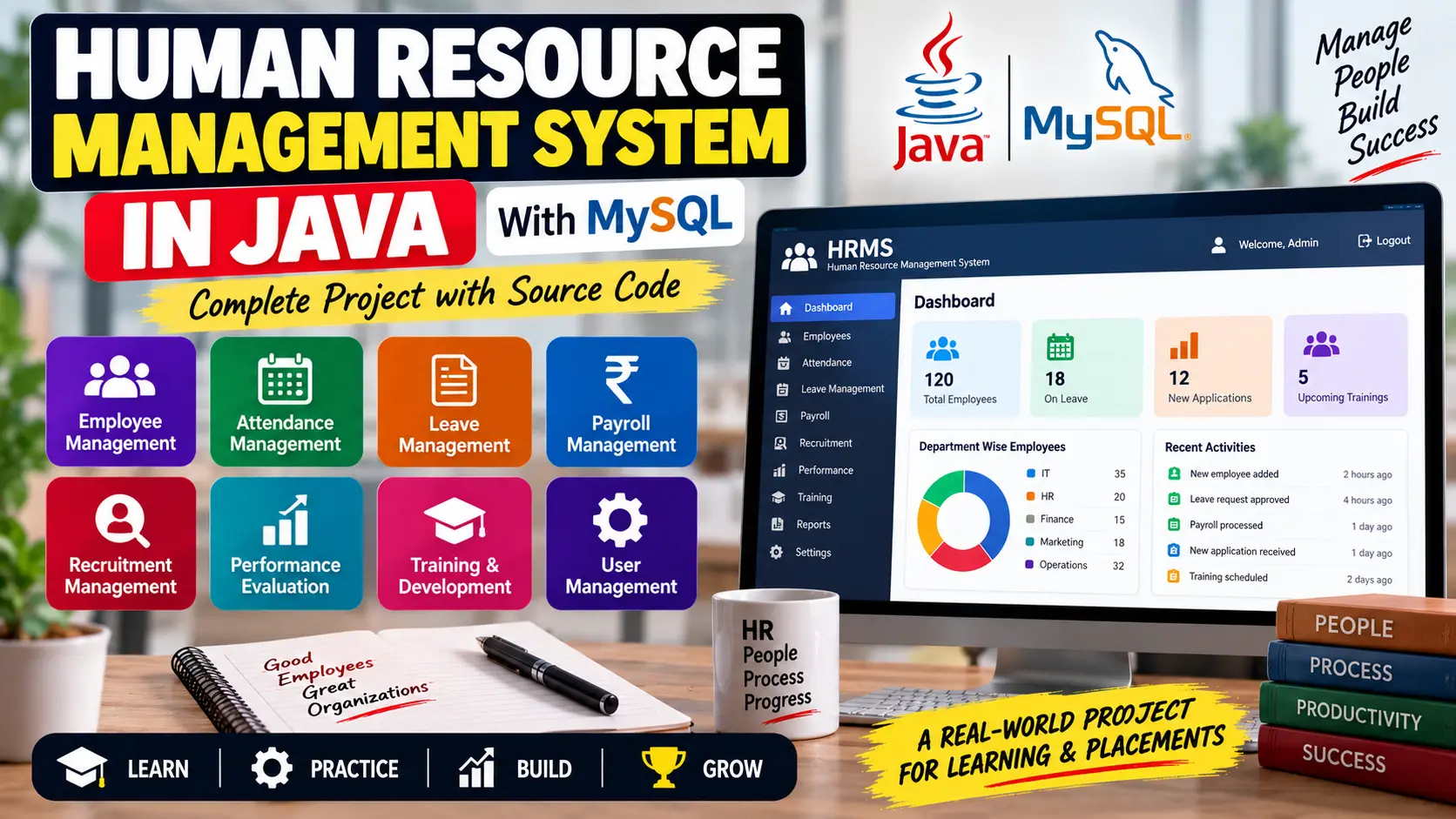
Human Resource Management System in Java is an HR management project designed to manage employee information, attendance, leave, payroll, recruitment, performance evaluation, and employee training using Java and MySQL.
Read more- Built with
- JavaMySQLHTML/CSS
- You get
- Source codeDatabaseProject reportPPTSetup guide
- Delivery
- Instant download after payment
Human Resource Management System in Java
Project Overview
The Human Resource Management System in Java is a Java-based project designed to manage important HR activities within an organization. The system covers employee information, attendance, leave management, payroll, recruitment, performance evaluation, and employee development.
The project uses Java for application development and MySQL for storing HR-related information. It is useful for students and developers who want to understand how different human resource management modules can be connected within a single application.
Key Features
- Employee information management
- Employee personal and job details
- Attendance tracking
- Leave request and approval management
- Leave balance and leave history
- Payroll calculation
- Salary, bonuses, deductions, and tax calculation
- Pay slip generation
- Recruitment and job posting management
- Applicant tracking
- Employee onboarding
- Performance evaluation
- Employee goals and objectives
- Training and development planning
- Programming Language: Java
- Database: MySQL
- Database Connectivity: JDBC
- GUI: Java Swing or JavaFX
- Web Deployment: Apache Tomcat
- JDK 8 or higher
- Eclipse or IntelliJ IDEA
- MySQL
- Apache Tomcat
- JDBC Libraries
- Employee Table: Stores employee ID, name, designation, department, and salary.
- Attendance Table: Stores employee attendance records, dates, and status.
- Leave Table: Stores leave applications, leave type, start date, and end date.
- Payroll Table: Stores basic salary, bonuses, deductions, and net salary information.
Technology Stack
Software and Tools Required
Database Tables
Watch Project Demo
Watch Human Resource Management System in Java Demo
More Details & Full Documentation
- Employee Information Management
- Attendance Management
- Leave Management
- Payroll Management
- Recruitment Management
- Employee Onboarding
- Performance Evaluation
- Training and Development
- Employee Goals and Objectives
- MySQL Database Management
- Install JDK 8 or higher.
- Install Eclipse or IntelliJ IDEA.
- Install MySQL Server.
- Install Apache Tomcat if using the web-based deployment.
- Create the required MySQL database.
- Create/import the employee, attendance, leave, and payroll database tables.
- Add the required JDBC libraries to the project.
- Configure the MySQL database connection in the Java project.
- Set the database URL, username, and password according to your MySQL setup.
- Open the project in Eclipse or IntelliJ IDEA.
- Compile the project and resolve any required dependencies.
- Run the application.
- Test employee, attendance, leave, payroll, recruitment, and performance modules.
- For web deployment, package the application as a WAR file and deploy it on Apache Tomcat.
Stuck while running it? Chat with us on WhatsApp for free installation help.
No reviews yet. Be the first to review this project.