 50% OFF
 Library Management System Using Object-Oriented
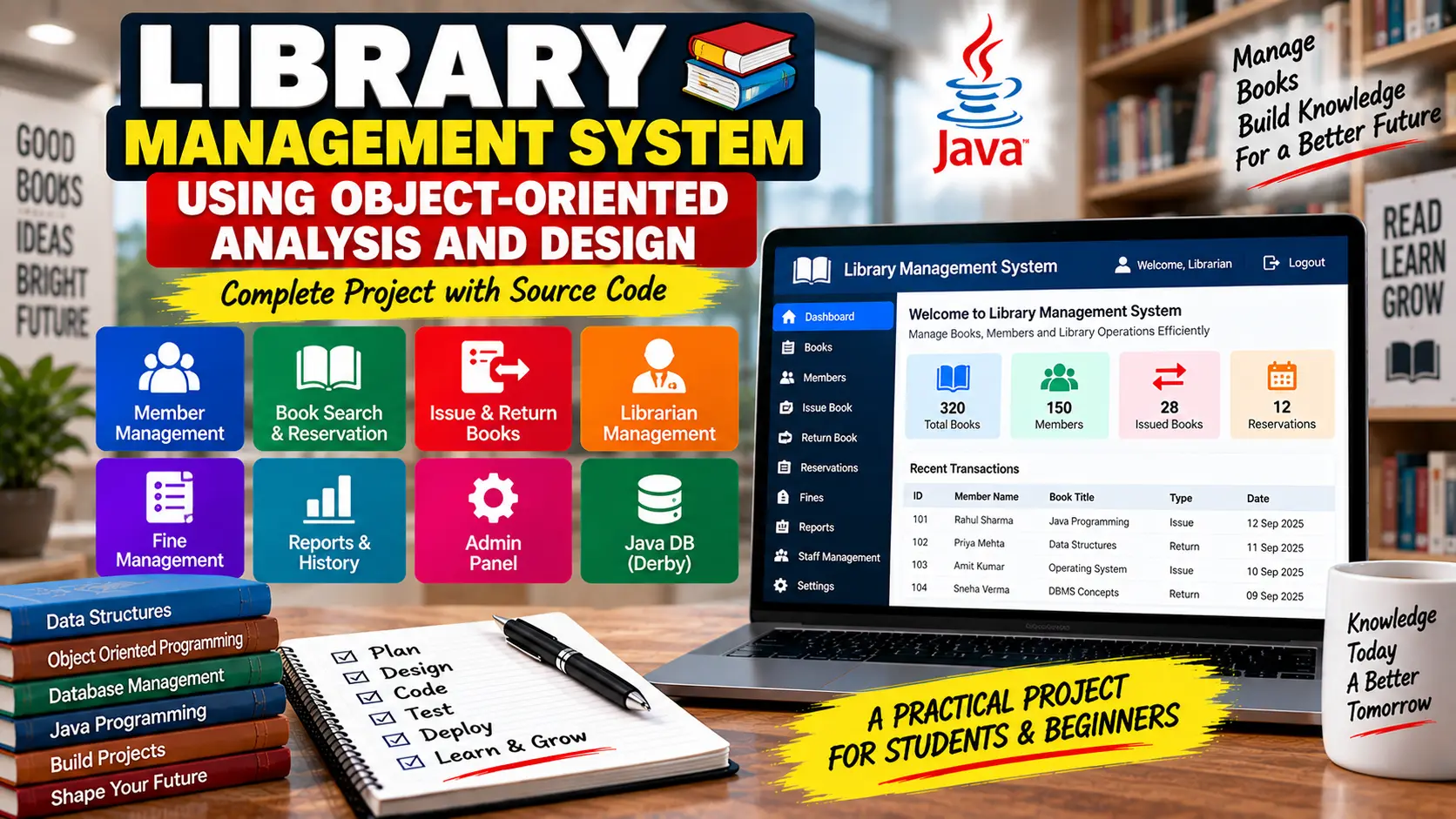
Library Management System Using Object-Oriented Analysis and Design is a Java-based library application that manages books, borrowers, book issues, returns, renewals, holds, fine payments, staff, and library records using OOAD and MVC principles.
Read more- Built with
- JavaMySQLHTML/CSSJavaScript
- You get
- Source codeDatabase
- Delivery
- Instant download after payment
Library Management System Using Object-Oriented Analysis and Design
The Library Management System Using Object-Oriented Analysis and Design is a Java-based application developed using OOAD principles. The system focuses on creating a modular and maintainable library solution with clearly defined entities, user roles, and responsibilities.
Project Overview
The application manages common library operations such as searching books, issuing and returning books, renewing loans, placing books on hold, managing borrowers, recording fine payments, and maintaining library staff and book information.
System Roles
- Borrower: Searches books, places books on hold, views personal information, and checks currently borrowed books.
- Checkout Clerk: Checks books in and out, renews loans, records fine payments, and manages borrower information.
- Librarian: Adds, removes, and updates books in the library collection.
- Administrator: Manages staff, views issued book history, and accesses the complete book collection.
Book Search and Hold Management
Borrowers can search for library items using information such as book title, author, or subject. When a required book is already loaned out, the borrower can place a hold request for that book.
Book Checkout and Return
Checkout clerks can issue books to borrowers and record returned books. The system maintains loan information so library staff can track which books are currently issued and which borrower has them.
Loan Renewal and Fine Payments
Clerks can renew book loans for borrowers and record payments for overdue books. Loan records maintain issue dates, return dates, issuing staff, receiving staff, and fine payment information.
Library Collection Management
Librarians can manage the library collection by adding new books, deleting existing items, and updating book information such as title, author, and subject.
Staff Management
Administrators can manage library staff, including checkout clerks and librarians. The system maintains staff information and their respective roles within the library.
Object-Oriented Design
The project follows Object-Oriented Analysis and Design (OOAD) principles by representing important entities as separate classes. Entities such as Book, Borrower, Clerk, Librarian, Staff, and Loan can interact with each other according to their defined responsibilities.
MVC Architecture
The application follows the Model-View-Controller (MVC) pattern. The Model manages application data and business logic, the View handles the user interface, and the Controller processes user actions between the View and Model.
This separation keeps the GUI code minimal and allows different parts of the system to be developed, tested, and maintained independently.
Database
The project uses Java DB Derby Database. The database contains tables for people, books, staff, clerks, librarians, borrowers, borrowed books, loans, and books placed on hold.
Technology Stack
- Programming Language: Java
- Development Kit: Java SE Development Kit 8
- IDE: NetBeans
- Database: Java DB Derby
- Architecture: MVC
- Design Approach: Object-Oriented Analysis and Design
Software and Tools Required
- JDK 8
- NetBeans IDE
- Java DB Derby Database
Watch Project Demo
Watch Library Management System Project Demo
More Details and Full Documentation
- Borrower Management
- Book Search
- Book Hold Management
- Book Checkout
- Book Return
- Loan Renewal
- Fine Payment Management
- Library Collection Management
- Staff Management
- Librarian Management
- Issued Book History
- Loan Management
- Java DB Database Management
- Install Java SE Development Kit 8 (JDK 8) on your computer.
- Install NetBeans IDE.
- Extract the Library Management System project files.
- Open NetBeans IDE.
- Select File -> Open Project and browse to the extracted project folder.
- Open the Java DB section from Services -> Databases.
- Right-click Java DB and select Start Server.
- Right-click Java DB again and select Create Database.
- Enter the required database details and create the database.
- Make sure the Java DB database connection is active and properly linked with the project.
- Check the database configuration and ensure the required tables are available.
- Right-click the project in NetBeans and select Run.
- Test the borrower, checkout, return, renewal, book management, staff, hold, and fine payment features.
Stuck while running it? Chat with us on WhatsApp for free installation help.
No reviews yet. Be the first to review this project.